



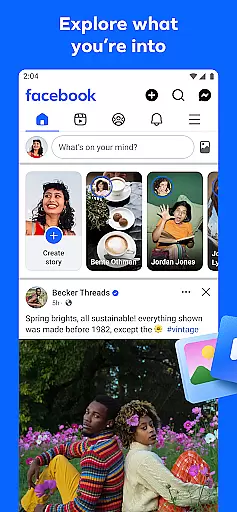

Facebook is a dynamic social networking platform that connects users worldwide. It allows you to explore interests through Marketplace shopping, personalized Feeds, and AI-driven information searches. The app also emphasizes community building by enabling group participation, private messaging, and video calls.
With creative tools for sharing content like generative AI stickers and robust profile customization options, Facebook empowers users to express themselves while maintaining control over their privacy settings. This makes it an essential tool for staying connected in today's digital age.
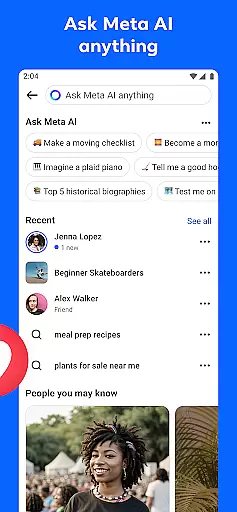
Facebook offers diverse features tailored to enhance user engagement. Its Marketplace provides a unique shopping experience where users can discover exclusive items. The Feed personalization ensures relevant content visibility while Meta AI delivers instant insights on queried topics.
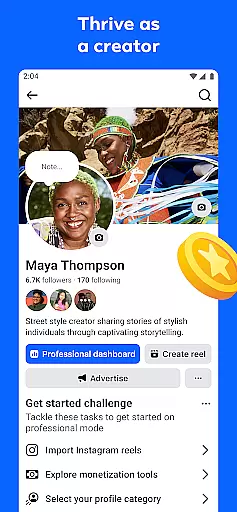
Content creation is simplified with intuitive reel templates and advanced editing tools. Additionally, the platform prioritizes safety and privacy with customizable settings, ensuring secure interactions within groups or during private messages and calls.
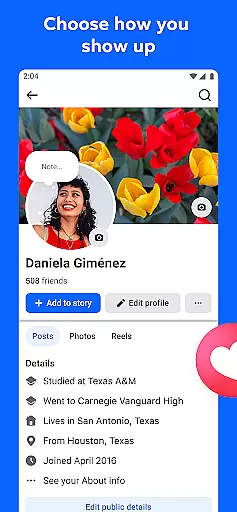
User profile customization is a crucial aspect of any social platform, allowing individuals to express their identity and control their online presence. Facebook offers extensive options for users to personalize their profiles, from choosing profile pictures and cover photos to detailed 'About' sections.
The platform provides granular control over privacy settings, enabling users to decide who can see their posts, personal information, and activity. This level of customization helps create an authentic representation of each user while maintaining comfort levels with sharing.
Regarding authenticity verification, Facebook employs a multi-layered approach to ensure genuine user accounts. The platform uses automated systems and human review to verify profiles, particularly for public figures and businesses. Verified accounts receive a blue badge, signifying their authenticity.
This combination of customization options and verification processes creates a more trustworthy social environment where users can confidently connect with real people and businesses while maintaining control over their digital identity.
Connection discovery is fundamental to expanding one's social network and finding relevant communities. Facebook implements sophisticated algorithms to help users discover meaningful connections based on shared interests, mutual friends, and engagement patterns.
The platform's recommendation system analyzes various factors, including groups you're part of, pages you follow, and content you interact with, to suggest potential connections. These suggestions appear in different sections, such as 'People You May Know' and group recommendations.
Facebook also facilitates connection discovery through its robust search functionality and interest-based recommendations. Users can explore groups dedicated to specific hobbies or professional fields, join events that align with their interests, and connect with like-minded individuals worldwide.
This comprehensive approach to connection discovery not only helps users expand their networks but also enables them to find and engage with communities that share their passions, ultimately enhancing the overall social media experience.
User-friendly interface
Extensive community reach
Versatile content sharing
Advanced privacy controls
Innovative AI integration
Privacy concerns exist
Occasional technical glitches
Regional feature limitations
Ad-heavy interface
Learning curve for new users

Global short video platform: epic effects, trending videos & vibrant community!
 4.40
4.40
Positive social
4.20
Dive into diverse fandoms. Connect, create, reblog.
3.90
Swipe, Meet & Chat Real People
3.80
The world's leading social networking app for gay, bi, trans, and queer people.
4.10
Random chat & meet online. Find your soulmate or someone special and have fun!
3.90
Go Live, Chat & Meet New People! Friends. And more than friends.
3.80
Create your personal AI chatbot: talk, roleplay, and connect with characters!
4.10
Join your friends and discover videos you love, only on TikTok
4.10
Get notifications of FREE Stuff for Nextdoor, Letgo, offerup & TrashNothing
4.70
Video call and chat, live stream and making friends around the world!
4.60
Date single & make friend
4.60
Dating & make friend to chat, meet, flirt, and make real connections!
4.60
This version of Facebook uses less data and works in all network conditions.
4.60
Calling and texting app. 2nd virtual line plus new phone number. Txt & talk now.
4.40
Meet Strangers Online, Live Video Chat & Make Random Video Calls on Joi!
4.30
Discover an open-minded dating experience when you download today
4.10
Chill and Chat with Tagged Live Video with millions of peeps
4.10
Meet local people, make friends & network: Join a community, group, host events
4.00


User Reviews