
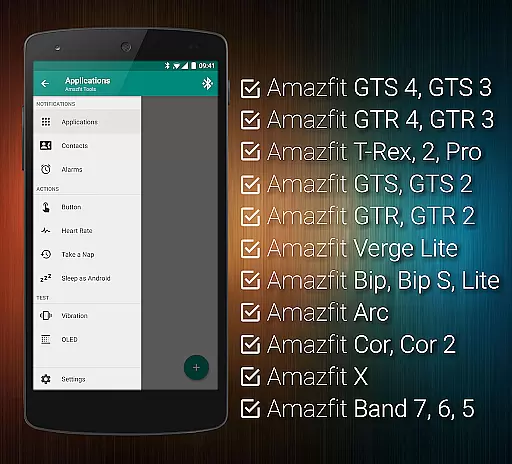
Amazfit Tools is a comprehensive utility application designed to maximize the functionality of your Amazfit smart bracelet. It offers advanced features such as customizable notifications, continuous heart rate monitoring, and integration with Sleep as Android. The app supports various models of Amazfit devices and works seamlessly with Android versions from 4.3 to 13+. With its extensive customization options, users can tailor their experience to fit their lifestyle perfectly.
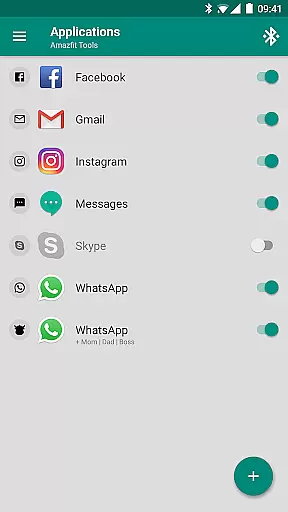
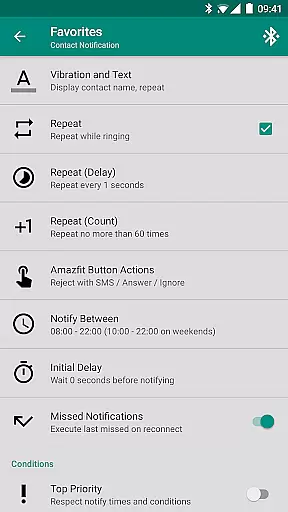
One of the standout features of Amazfit Tools is its ability to display full text notifications directly on your Amazfit device, including caller contact names and detailed message contents. This ensures you never miss an important notification. Additionally, the power nap feature helps users recharge during a busy day by setting up vibration-based wake-up alerts. Whether you're looking to fine-tune your fitness goals or manage notifications more effectively, Amazfit Tools provides the tools necessary to enhance your wearable experience.
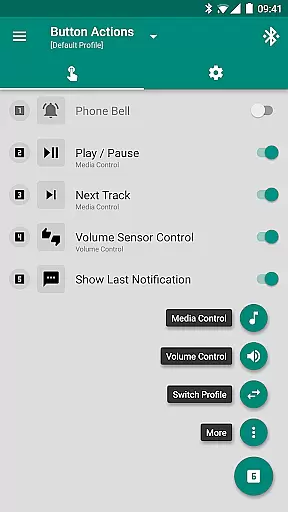
Amazfit Tools boasts a wide array of features that cater to both casual users and tech enthusiasts. Key functionalities include Display Text Support, which allows users to see full notification texts on their Amazfit devices, and Button Control & Sensor Control for assigning specific actions to button presses or hand movements. These features provide unparalleled convenience and accessibility.
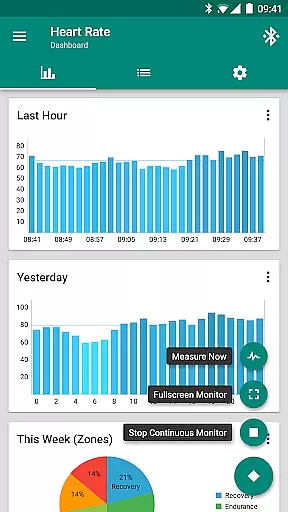
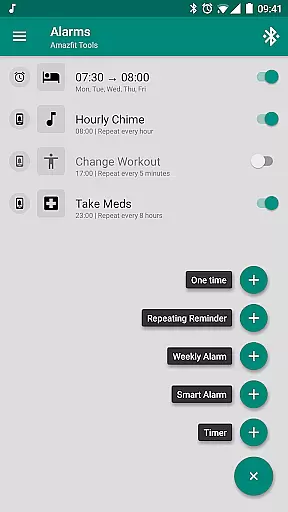
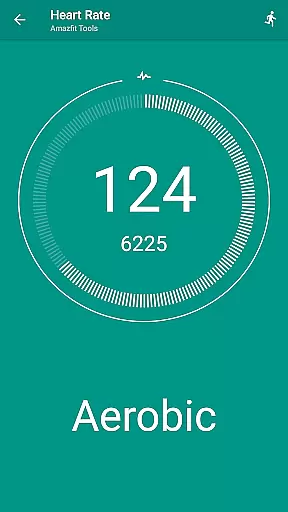
The app also includes advanced health tracking capabilities like continuous heart rate monitoring and configurable heart rate dashboard charts. Users can integrate with Sleep as Android for enhanced sleep tracking and set up custom repeating notifications for reminders. Furthermore, the Tasker, Automagic, and Automate support enables automation enthusiasts to create complex workflows. With full compatibility across multiple Amazfit models and Android versions, Amazfit Tools stands out as a versatile and powerful companion app.
Personalized planning in health and fitness applications refers to the ability to create tailored workout and wellness routines based on individual user data. This feature is crucial for maintaining user engagement and ensuring that fitness goals are met effectively.
Tools & Amazfit leverages advanced algorithms to analyze user inputs such as age, gender, weight, and fitness objectives. It then generates customized plans that include exercise schedules, dietary recommendations, and rest periods. The app's integration with wearable devices allows it to adapt these plans dynamically based on real-time health metrics like heart rate and sleep patterns.
Users benefit from a highly individualized approach to fitness, which can lead to improved outcomes. By receiving personalized advice, users can optimize their routines to suit their unique lifestyles and preferences, making it easier to stay motivated and achieve long-term health goals.
Progress visualization is an essential feature in fitness apps, providing users with clear insights into their performance and improvements over time. Visual representations of progress help maintain motivation and allow users to make informed adjustments to their routines.
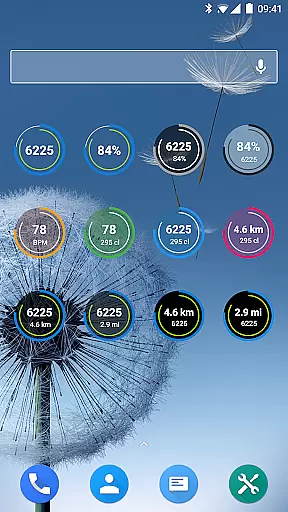
Tools & Amazfit offers comprehensive progress tracking through detailed charts and graphs. Users can view their achievements in various categories such as step count, heart rate trends, and sleep quality. The app's dashboard displays this information in an intuitive manner, highlighting milestones and offering feedback on areas needing improvement.
This visualization not only helps users track their fitness journey but also celebrates their successes, reinforcing positive behaviors. With easy-to-understand graphics, Tools & Amazfit ensures that users remain engaged and committed to their health objectives, ultimately leading to better overall wellness.
User-friendly interface
Extensive customization options
Advanced health tracking
Seamless integration with other apps
Wide device compatibility
Requires additional setup
Some features may be overwhelming
Limited iOS support
Premium features locked behind paywall
Occasional bugs reported

Relax to calm sounds, white noise, music, guided meditation and bedtime stories
 4.40
4.40
The app helps you address digestive symptoms based on the Fast Tract Diet.
3.50
Effortlessly and naturally release anxiety by harnessing the power of your brain
4.60
Beauty Care, Makeup & Skin Care Scanner | Pregnancy App For A Mom | Healthy Baby
5.00
Using Recognise™ has been shown to reduce pain, and improve performance.
4.2
Relax. Sleep Better. Feel Better.
4.50
Your AI pet BFF. Talk, play, and beat anxiety in this calming game.
4.60
Personal step counter for you, private and accurate
4.50
Looking to take control of your health? Our psychology-based programs can help.
4.10
Power-lifting, weightlifting and Wendler 531 app to track your workout program.
4.90
Show your support for the development of FitNotes - Gym Workout Log
4.90
Easy reconstitution calc for mixing peptides and creating protocols
4.70
Measure your Pupil Distance for Eyeglasses and VR headsets in 3 quick steps.
4.70
Step Counter, track steps when you walk or run
4.70
50 HD sounds to help you relax during the day and sleep great at night!
4.40
Enjoy the Gluten Free living with the best app. SCAN the barcodes & SEARCH.
3.60
Your plan in your pocket 24/7
3.00
The Sleep Miracle Sound Machine: Soothes baby to sleep with a gentle "Shhh"
3.00
Sync your activities of the most popular sports tracking services
2.70


User Reviews