
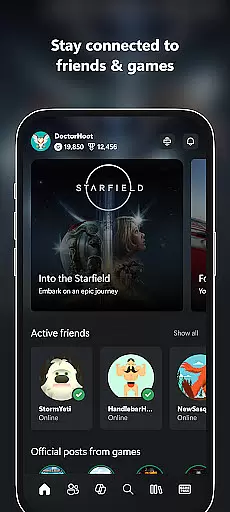
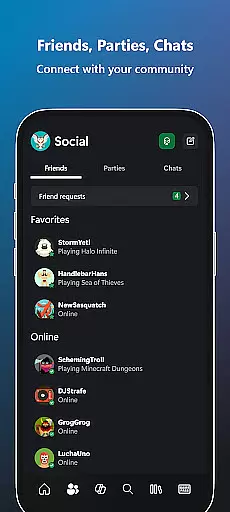
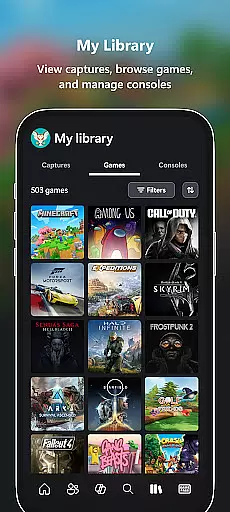
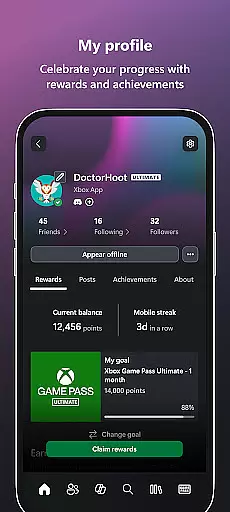
Xbox app is your ultimate entertainment companion, bringing the gaming ecosystem to your mobile device. With integrated voice and text chat, you can stay connected with friends across console, PC, and mobile platforms. The app provides real-time notifications for game launches, party invites, and messages, ensuring you never miss important updates.
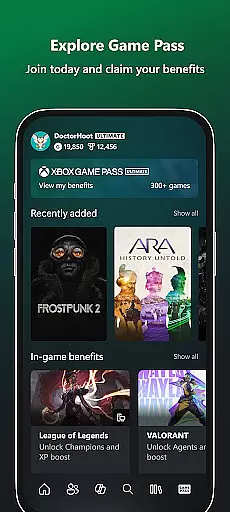
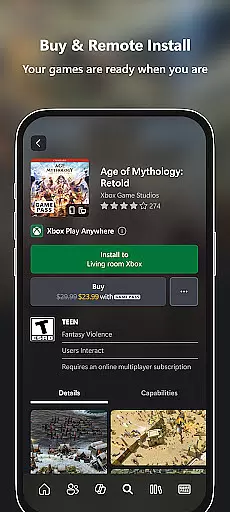
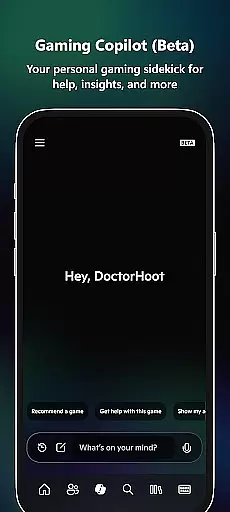
One of the standout features is the ability to purchase games and add-on content directly within the app, eliminating the need to switch between multiple platforms. You can also remotely manage your Xbox console by downloading games so they're ready to play when you are. The Game Pass catalog offers a wide selection of games to explore, while the Gaming Copilot (Beta) serves as your personal assistant, providing recommendations and in-game assistance to enhance your gameplay experience.
Whether you're looking to share your latest gaming achievements on social media or simply want to stay connected to the Xbox community, this app delivers a comprehensive solution. It bridges the gap between your mobile device and gaming console, making it easier than ever to engage with your favorite games and players from anywhere.
The Xbox app boasts an array of features designed to enrich your gaming experience. One key feature is the seamless integration of voice and text chat, allowing users to communicate effortlessly with friends regardless of whether they're playing on a console, PC, or mobile device. This ensures that your social interactions remain uninterrupted, no matter where you are.
Another significant feature is the ability to buy games and add-on content without leaving the app. This streamlined purchasing process saves time and enhances convenience. Additionally, the app allows you to remotely download games to your console, ensuring that your games are ready to play the moment you sit down. The inclusion of the Game Pass catalog adds further value, offering access to a diverse range of games and exclusive perks.
Gaming Copilot (Beta) is another innovative feature, acting as a personal sidekick to help you get past roadblocks, level up your gameplay, or simply get unstuck with in-game assistance. Whether you're seeking recommendations, insights, or just a helping hand, the Copilot has you covered. These features collectively ensure that the Xbox app remains an indispensable tool for any avid gamer.
The Xbox app offers a diverse range of content that keeps users engaged with the gaming community. It provides notifications for new game launches, ensuring users are always up-to-date with the latest releases.
Users can explore the Game Pass catalog, which is regularly updated with new titles, offering fresh experiences and endless entertainment. The app also allows gamers to redeem Perks, adding an extra layer of excitement and value.
In addition to game-related content, the app features integrated voice and text chat, connecting players with friends on console or PC. This continuous interaction contributes to a dynamic and lively user experience.
With Gaming Copilot (Beta), users receive personalized recommendations and insights, further enhancing content discovery and keeping gameplay experiences current and relevant.
The Xbox app is designed to maximize user engagement and retention through its comprehensive suite of features. By allowing users to buy games and add-on content directly within the app, it eliminates the need to switch platforms, keeping users connected to their gaming world.
Downloading games to the console ensures they are ready to play when users are, reducing downtime and maintaining interest. The app's notification system for party invites and messages encourages continuous interaction with the gaming community.
Voice and text chat capabilities enable seamless communication with friends, fostering a sense of belonging and encouraging longer sessions. Sharing game clips and screenshots to social networks extends the user's engagement beyond the app itself.
Gaming Copilot (Beta) acts as a personal sidekick, helping users overcome challenges and providing insights that lead to improved performance, thus promoting sustained use of the app over time.
User-friendly interface
Seamless cross-platform integration
Comprehensive game management
Real-time notifications
Innovative Gaming Copilot
Limited offline functionality
Occasional connectivity issues
Subscription required for Game Pass
Beta features may be unstable
High data usage for downloads

Rain and lightning effects for your Philips Hue lights
 4.30
4.30
Heroclix search units with multi filter , team builder, collection manager.
4.40
EVP Recorder / Voice Recorder for ghost hunting, to communicate with ghosts.
4.5
Watch short films, dramas, reels, series and movies anytime on Micro Drama.
4.60
Colorful flows will relax and calm you down, or get you trippy and creative!
4.90
Watch everything you want.
2.90
Series,Películas y Telenovelas
4.50
Build and Share AI
4.20
Stream live TV shows, sports, news, movies & more - all without cable.
3.00
Original short dramas with diverse genres for a rich viewing experience!
4.80
Direct access to the most complete Guitar Tab Archive in Spanish: LaCuerda.net
4.60
The JBL Portable app works with JBL portable Bluetooth speakers.
4.60
Practice and master your ESP and intuition with five mode trainer.
4.20
Fire effects for your Philips Hue lights
4.20
Create your Songs. Cover Maker with any Voice, Song Generator
3.30
Stream videos to VIDAA & VEWD TVs from Hisense, Sharp, Skyworth, Vestel & TiVo
3.00
Explore the unknown!
3.00
Disney Stickers: Zootopia 2
4.4
Neon Christmas Tree Animated: Festive Wear OS watch face with fitness info
4.2


User Reviews