
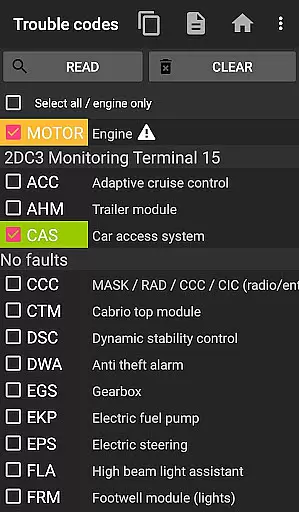
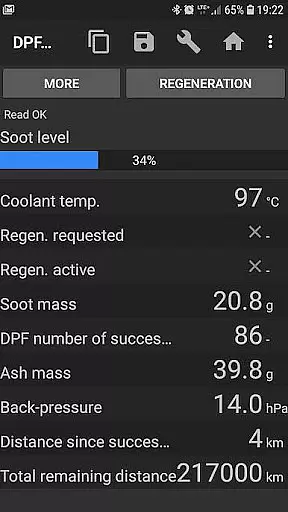
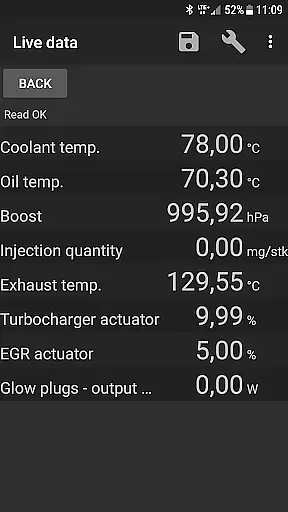
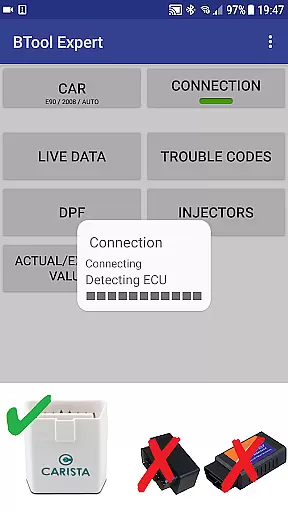
bimmer-tool is a comprehensive diagnostic application specifically designed for BMW car owners and enthusiasts. This app allows users to read and clear fault codes, request DPF regeneration, and access real-time engine data from their vehicles. Compatible with a wide range of BMW models, the application supports both older and newer series, although functionality may vary depending on the model year.
For cars manufactured before 2008, bimmer-tool recommends using a K+DCan USB cable connection for optimal performance. The app also supports various OBD adapters, including ENET adapters for F/G series models and Bluetooth/WiFi ELM adapters. With its extensive compatibility and advanced diagnostic capabilities, bimmer-tool provides an invaluable resource for maintaining and troubleshooting BMW vehicles.
bimmer-tool offers an impressive array of features that cater to the needs of BMW owners. One of its standout capabilities is the ability to read and clear fault codes, which helps users quickly identify and resolve issues within their vehicle's systems. Additionally, the app allows users to request DPF regeneration, reset DPF adaptation values, and monitor exhaust fumes pressure, providing comprehensive control over the vehicle's performance.
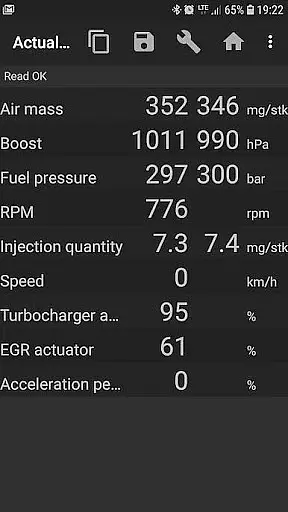
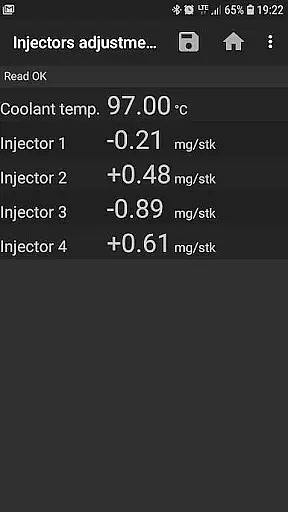
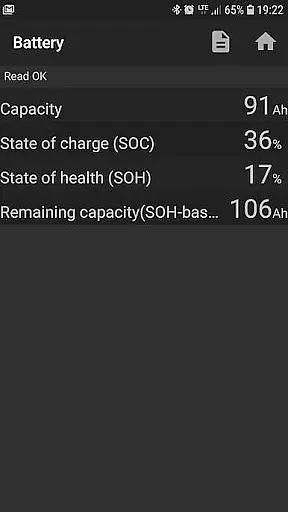
The application also excels in delivering real-time engine data, such as injector adjustments, air mass readings, intake manifold pressure, and fuel pressure. Users can log this data into CSV files for further analysis, making it easier to track vehicle performance over time. Furthermore, bimmer-tool enables users to register battery replacements, reset oil/brake service intervals, and address short-circuit errors in E-series models. These features collectively ensure that users have the tools they need to maintain their BMWs effectively.
Accessing detailed vehicle information is crucial for effective car maintenance and diagnostics. bimmer-tool provides comprehensive data retrieval capabilities specifically designed for BMW vehicles. The application allows users to read engine live data, including critical parameters such as DPF regeneration status, exhaust fumes pressure, and injector adjustments.
The app's functionality extends to logging data into CSV files, which can be used for in-depth analysis by professionals or enthusiasts. This feature enables tracking of actual and expected values for air mass, intake manifold pressure, and fuel pressure, ensuring optimal engine performance.
With support for various OBD adapters, including K+D-Can USB cables and ENET adapters, bimmer-tool ensures reliable connectivity. This compatibility guarantees accurate readings across different BMW models, providing users with precise insights into their vehicle's condition.
By offering these detailed analytics, bimmer-tool empowers BMW owners to make informed decisions about their car's maintenance and performance optimization. The ability to access such granular vehicle information enhances both preventive maintenance and troubleshooting efficiency.
Price transparency in automotive applications primarily refers to clear communication about associated costs and limitations. bimmer-tool maintains this transparency by explicitly stating its compatibility requirements and potential expenses. The app recommends specific OBD adapters, detailing their advantages and necessary accessories like USB-OTG cables.
The application provides a free lite version, allowing users to verify compatibility with their BMW and OBD adapter before committing to the full version. This approach ensures users understand the necessary investment for proper functionality, including possible hardware purchases.
bimmer-tool clearly outlines limitations for older BMW models, particularly those below 2008, where certain functions may require specific K+DCan cables. By documenting these requirements, the app helps users avoid unexpected expenses or functionality disappointments.
This transparent approach extends to the app's documentation of common problems and their solutions, including adapter connection issues and required permissions. Such comprehensive disclosure enables users to accurately assess the total cost of ownership and operational requirements.
User-friendly interface
Comprehensive diagnostic tools
Wide compatibility with BMW models
Supports multiple OBD adapters
Real-time engine data monitoring
Limited functionality for older models
Requires reliable OBD adapter
Wireless connection may be unstable
Some features need specific cables
Permissions required for full functionality

Easily notify car owners in urgent situations, safe, fast, multilingual.
 4.4
4.4
OBD2 car scanner and diagnostics: read Check Engine, DTC, economy....
4.30
Play what you want through Android Auto
4.90
DMV Test Pro offers all the updated FREE DMV tests online.
4.60
AI Powered - Automotive Mechanic Assistant
4.30
The ExtraMile App allows you to pay for fuel from the comfort of your car!
4.70
Instant diesel savings. No credit checks or fees. Nationwide growing network.
4.40
1M+ high-quality auto parts at your fingertips. Fitment guaranteed.
4.70
Find, search, and browse 40,000+ used cars, SUVs, and trucks.
4.50
Practice the drills within MotoJitsu Master Riding Program Volume 1 & 2!
4.80
Car Values, Research and More
4.80
Quick and easy car diagnostics to get you the right fix.
4.70
OBD1 ECMs application. Data log or tune directly from your phone or tablet!
4.60
Listings of Tesla's with FSD - Included package
4.60
Find Fast EV Chargers | Charge Your Vehicle at 1,100+ Fast Car Charging Stations
4.60
Easy connect & control your cars from afar. Remote Lock & unlock car and carplay
4.60
Your car is talking. Start listening.
4.30
Monitor your behind-the-wheel behavior to become a safer driver and save.
4.10
Monitor specific TOYOTA parameters by adding this plugin to Torque Pro.
2.00


User Reviews