
ALDLdroid is a specialized application designed for OBD1 GM ECMs, compatible with both 160 baud and 8192 baud protocols. It supports TunerPro files (ADX) for data logging and requires users to have the appropriate ADX file for their ECM. The app extends its utility beyond GM ECMs, offering tuning file editing for various car brands through compatible XDF files.
Key features include real-time tuning support with Moates hardware and chip programming capabilities. Connection to the ECM is facilitated via Bluetooth or USB, ensuring broad compatibility with modern Android devices. ALDLdroid also provides customizable dashboard indicators and multiple log viewers for comprehensive data analysis.
This app is ideal for automotive enthusiasts and professionals who require precise control and monitoring of vehicle parameters. By providing advanced customization and diagnostic tools, ALDLdroid enhances the user's ability to optimize vehicle performance safely and effectively.
ALDLdroid offers an extensive set of features tailored for automotive diagnostics and tuning. The app supports both 160 baud and 8192 baud protocols, making it versatile for different ECMs. With compatibility for TunerPro files (ADX and XDF), users can perform data logging and tuning file editing across a range of vehicle brands, provided they have the correct XDF file.
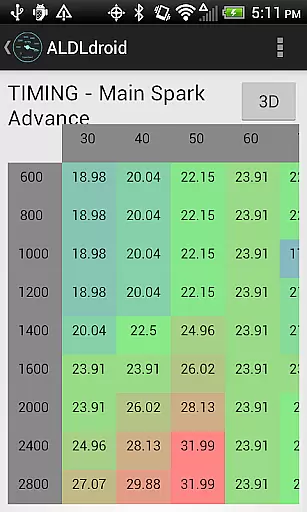
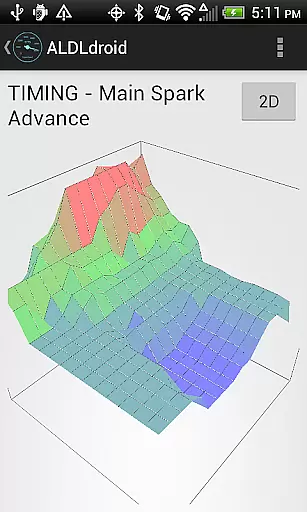
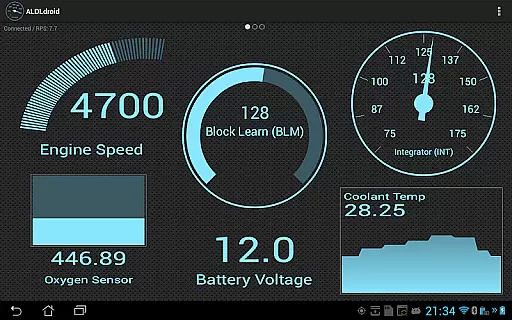
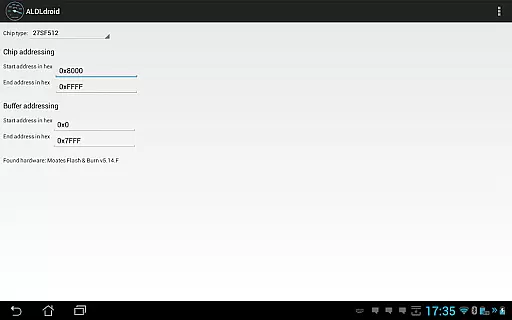
Real-time tuning is supported with Moates Ostrich and AutoProm hardware, while NVRAM-based ECUs are also accommodated. The app facilitates chip programming using Moates BURN1/BURN2 hardware. Users can connect via Bluetooth or USB, depending on their device's capabilities. Additionally, the dashboard edit mode allows full customization of indicators, enabling personalized monitoring setups.
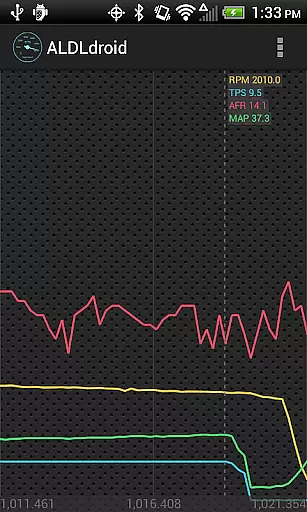
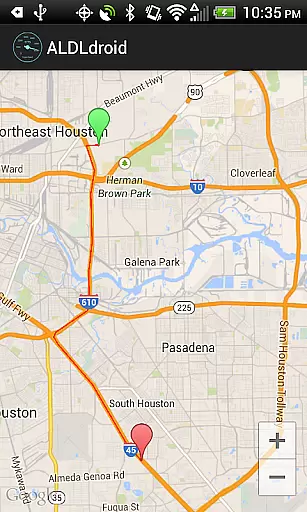
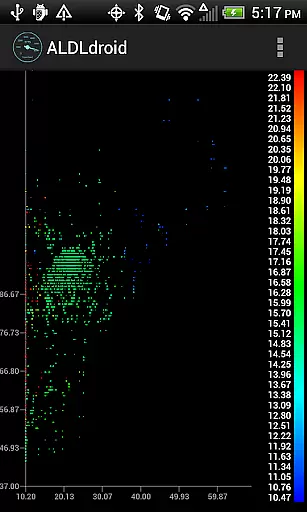
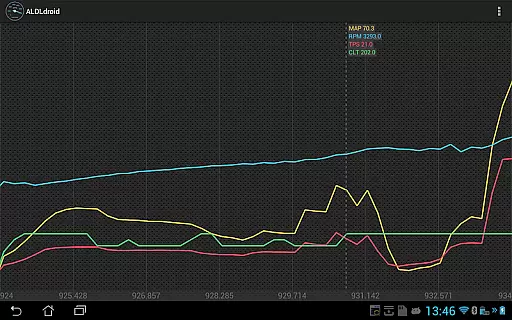
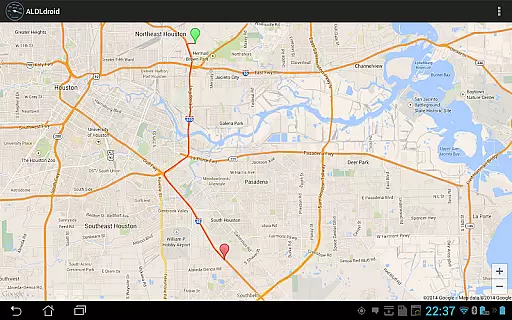
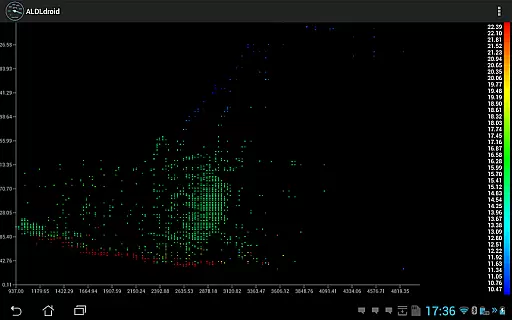
ALDLdroid includes multiple log viewers for analyzing data logs in scatter plot, GPS map, and time series formats. These tools provide detailed insights into vehicle performance, helping users make informed decisions about tuning and maintenance. Overall, the app's robust feature set makes it a powerful tool for automotive enthusiasts and professionals alike.
ALDLdroid provides comprehensive access to detailed vehicle information by interfacing with OBD1 GM ECMs and other supported brands. The application supports both 160 baud and 8192 baud protocols, ensuring compatibility with a wide range of vehicles.
Through the use of TunerPro files (ADX), users can log data specific to their vehicle's ECM. This allows for an in-depth analysis of engine performance, sensor readings, and other critical parameters that are essential for diagnostics and tuning.
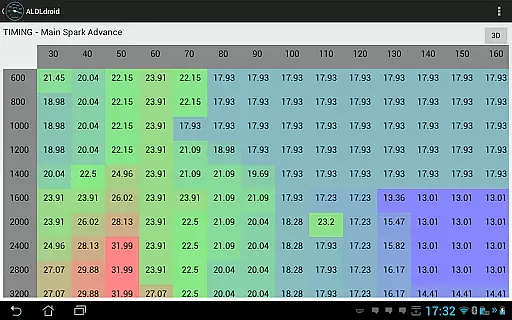
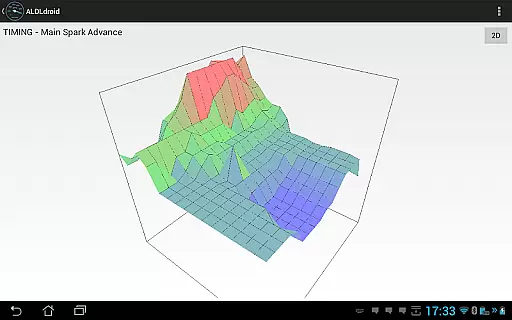
Beyond GM ECMs, ALDLdroid extends its functionality to other car and motorcycle brands such as BMW N54, Buell, DSM, Ducati, Ford, Holden, Nissan, Porsche, Volvo, Fiat, and Renault. With the correct XDF file, users can edit tuning files for these brands, offering flexibility and broad application support.
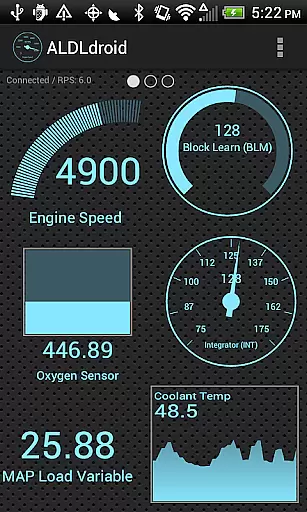
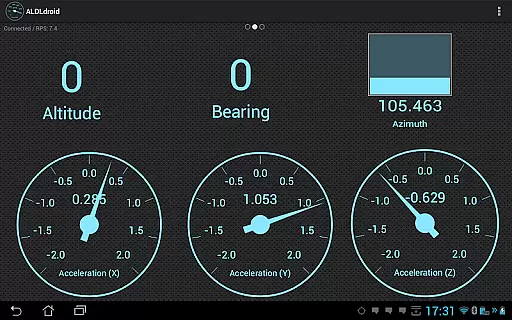
The ability to customize dashboard indicators through double-tapping enhances user experience by allowing full control over the display format, including gauge, basic readout, bar graph, or histogram. This level of customization ensures that users can tailor the information display to their specific needs and preferences.
ALDLdroid maintains price transparency by clearly stating the terms and conditions of purchase within the app description. Users are informed about the necessity of having specific ADX or XDF files for their ECM before purchasing the app, ensuring there are no hidden costs or surprises.
The app offers various connection methods, including Bluetooth and USB (FTDI), to connect to the vehicle's ECM. By specifying compatible adapters and hardware like Moates Ostrich, AutoProm, and BURN1/BURN2, potential buyers understand any additional equipment costs they might incur.
Furthermore, links to purchase ALDL adapters are provided for user convenience. Whether opting for a Bluetooth or USB version, customers have clear options and pricing available, contributing to overall cost transparency.
Lastly, ALDLdroid outlines its refund policy explicitly, stating that no refunds can be made after the 15-minute window allowed by Google Play. This straightforward approach helps manage user expectations and promotes trust in the purchasing process.
User-friendly interface
Wide protocol support
Customizable dashboards
Comprehensive log viewers
Cross-brand compatibility
Requires specific files
No refunds after 15 minutes
Limited hardware support
Complex for beginners
Potential compatibility issues

ODB2 based monitoring application for the Chevy Bolt (2017-2021)
 4.00
4.00
Theme for Car Launcher
4.0
App Mirroring for Tesla Car's Browser
2.80
CVT diagnostics with ELM327 for Nissan-based vehicles
4.40
Oil change service & coupons for car maintenance at Valvoline Instant Oil Change
4.70
BlueDriver® is a Premium Diagnostic OBD2 Scan Tool. www.BlueDriver.com
3.90
Find Fast EV Chargers | Charge Your Vehicle at 1,100+ Fast Car Charging Stations
4.60
Find Your Local Store or Shop Online for the Car, Truck, or SUV Parts You Need
4.70
Easy connect & control your cars from afar. Remote Lock & unlock car and carplay
4.60
Play what you want through Android Auto
4.90
Lexus app currently supports 2010 or newer vehicles (2018 or newer for Hawaii).
4.80
The ExtraMile App allows you to pay for fuel from the comfort of your car!
4.70
Ultimate OBD2 Car Scanner: Diagnostics, Service and Modification Tool
4.30
Simplify your drive
3.90
Discover new and used cars in Syria easily! Browse ads and connect with sellers.
3.70
The Smarter Way Forward
3.30
Club Car Wash Mobile App—the fast lane to managing your wash membership.
3.30
Ferrari inspired analog & digital watch face with quick access and premium style
4.2
DIY Vehicle Wheel Alignment
4.4


User Reviews