
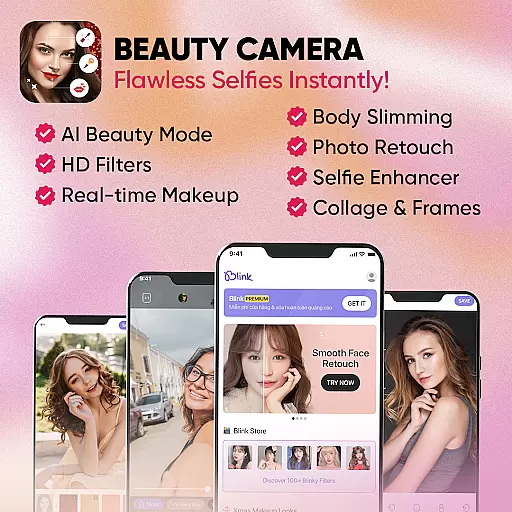
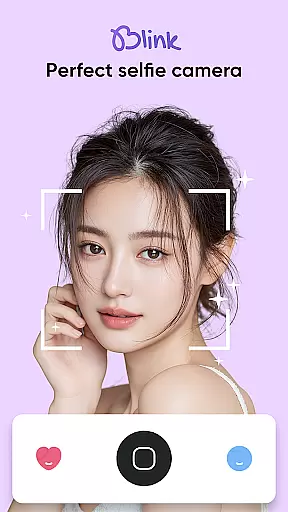
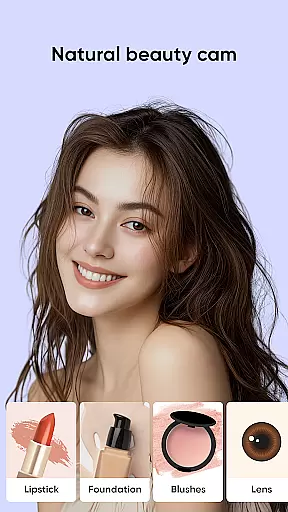
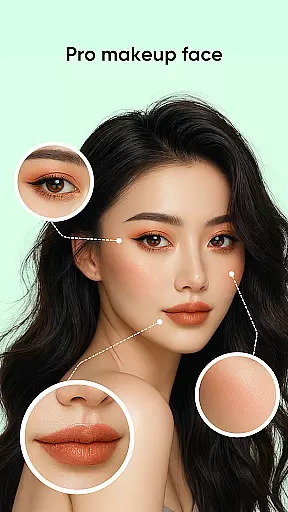
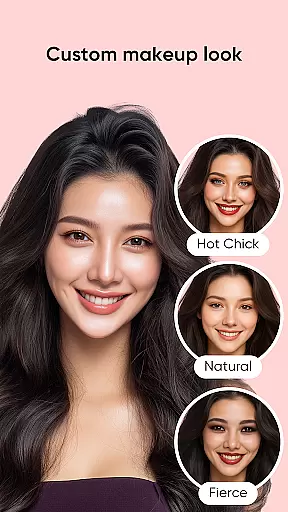
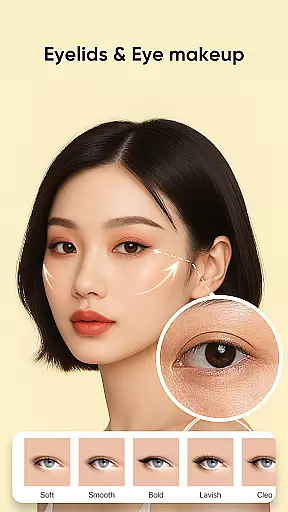
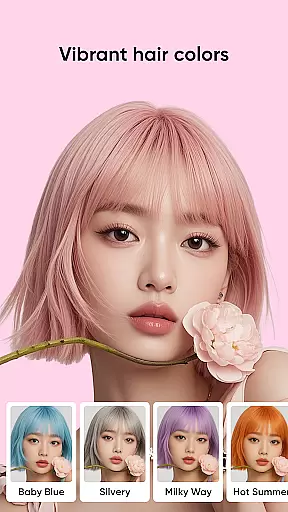
Blink Beauty Cam is a comprehensive photo editing application designed specifically for beauty enthusiasts who want to enhance their selfies with professional-grade tools. The app offers an array of features including beautifying filters, makeup options, and facial retouching capabilities. Users can apply various makeup styles ranging from natural looks to bold, trendy themes, all while enjoying the convenience of real-time editing.
One of the standout features of Blink Beauty Cam is its ability to provide detailed facial adjustments such as reshaping the face, correcting nose proportions, and even changing hair color using AI technology. This makes it an ideal tool for anyone looking to experiment with different aesthetics without committing to permanent changes. Whether you're aiming for flawless skin or experimenting with vibrant hair colors, this app caters to diverse beauty needs.
The app's value extends beyond just taking beautiful photos; it also includes practical tools like photo cropping, flash settings, and touch capture modes. These features ensure that users have full control over their photography experience. With Blink Beauty Cam, capturing and editing stunning images becomes effortless, making it perfect for social media enthusiasts and professional photographers alike.
Blink Beauty Cam stands out due to its extensive range of features tailored for enhancing selfies. The app provides over 50 makeup styles, allowing users to choose from gentle everyday looks to more personalized and festive themes. Each style can be customized further by editing specific facial features such as eyes, lips, eyebrows, and blush, ensuring that every user achieves their desired appearance.
In addition to makeup options, the app excels in facial retouching. Users can make precise adjustments to facial contours, correct imperfections, and whiten teeth. The AI-powered hair color changer is another innovative feature, enabling users to try out trending hair colors virtually. This level of detail ensures that users can achieve highly realistic and satisfying results.
Blink Beauty Cam also includes practical photography tools such as customizable photo ratios, flash modes, and touch capture functionality. The Blink Store offers over 100 unique filters categorized into themes like trends, festivals, and nature, providing endless creative possibilities. Overall, these features combine to create a versatile and powerful photo editing experience that meets both casual and professional needs.
When it comes to beauty applications like Blink Beauty Cam, the depth of the product database plays a crucial role in providing users with comprehensive makeup solutions. This app offers an extensive range of features that cover various aspects of virtual makeup and photo editing.
Blink Beauty Cam includes over 50 different makeup styles, ranging from gentle looks to more personalized themes such as Christmas or Halloween filters. Users can experiment with numerous options for facial retouching, including contouring, eye color, lipstick shades, and even teeth whitening. The application's vast array of tools allows for detailed customization of each feature on the face.
The value proposition for users is immense; they have at their disposal professional-grade editing capabilities without needing any real-world makeup products. With additional functionalities like hair color changing supported by AI technology, users are empowered to try out new appearances virtually before making real-life changes. This saves both time and resources while encouraging creative expression.
Personalization precision in beauty apps refers to how accurately and specifically users can tailor their digital makeover experience. For Blink Beauty Cam, this means delivering finely-tuned adjustments that cater to individual preferences and unique facial characteristics.
This application excels in offering precise personalization through its advanced editing tools. Users can modify every aspect of their appearance with exactitudeu2014from reshaping facial contours to correcting minor imperfections like dark circles under the eyes. The inclusion of live makeup features ensures that these alterations look natural and seamless when applied.
By leveraging sophisticated algorithms, Blink Beauty Cam learns user preferences over time, enhancing the accuracy of its recommendations and customizations. Whether smoothing skin texture or selecting the perfect blush shade, users benefit from highly personalized outcomes that reflect their desired aesthetic. Such meticulous attention to detail not only boosts user satisfaction but also sets the app apart from competitors in the beauty category.
User-friendly interface
Wide variety of makeup styles
Advanced facial retouching
AI-powered hair color changer
Extensive filter options
Some features may require in-app purchases
Occasional ads can disrupt workflow
High-quality edits may consume significant storage space
Limited advanced editing tools for professionals
Interface might feel overwhelming for beginners

A tool that brings skin care and technology together at your fingertips.
 4.50
4.50
The Official Voting App
3.90
Beauty Camera - Selfie Camera with beauty editing tool, makeup, filter, sticker
4.60
Your future self face age old or young from camera selfie into beautify videos
4.5
Get Smart About Your Skin with Fully Personalized Beauty Tech!
4.80
Beauty Mirror - True mirror app with light, shaving mirror, makeup mirror app
4.50
Salon appointment booking and scheduling software for beauty pros and barbers.
4.80
AI Stylist, Try On Millions Of Clothes In Any Brand & Style, AI Clothes Changer
4.70
Book beauty salon, hair or health and wellness experiences in an instant
4.90
Beauty camera & Selfie camera for perfect selfie with filter, sticker, makeup
4.70
Transform your sweet selfies with Selfie Beauty Camera Filters And Effects!
4.60
For businesses, Booksy Biz allows you to manage your schedule & more on the go.
4.60
Crown Heart Emoji Photo Editor has given you the chance to look cute girl
4.40
This application is for the Luvme Hair official website: shop.luvmehair.com .
4.30
Beauty for every eye, lip & face. Earn rewards, play games, connect with others.
4.30
Seasonal color palettes for shopping clothes and makeup products with confidence
4.20
The all new Cosmo Prof app offers exclusive pro products, deals, and training.
4.00
Create, design and dress up your own beautiful characters in cute fashion styles
3.50
Design unique tattoos and preview them on your body image using Tattoo Maker App
3.30


User Reviews