
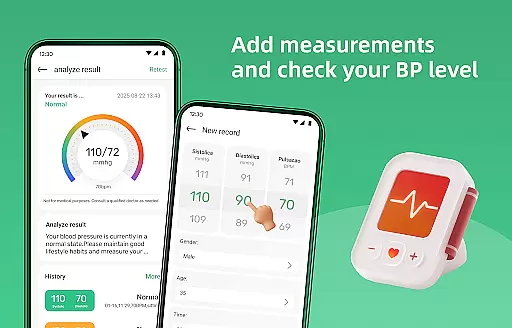
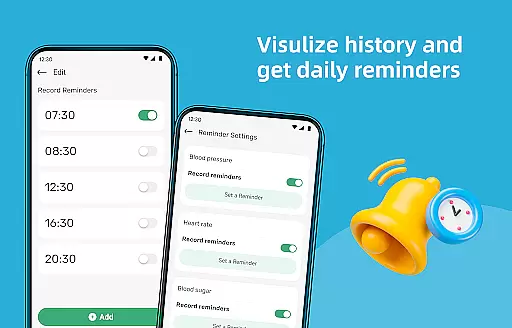
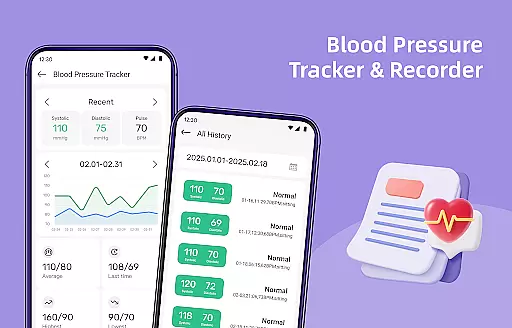
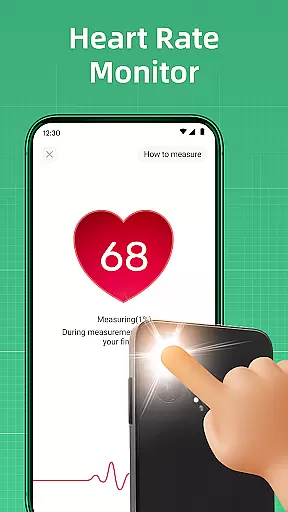
Blood Pressure Log is a comprehensive health tracking app designed to help users monitor and manage their blood pressure effectively. With its user-friendly interface, the app allows seamless recording of blood pressure readings, making it simple to track changes over time.
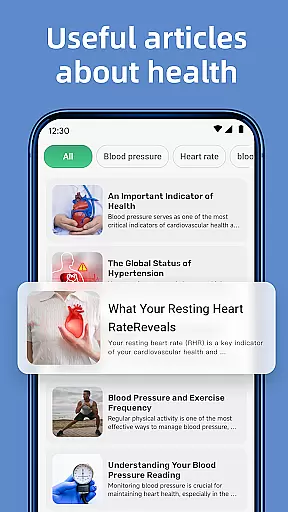
In addition to tracking, the app provides access to a wealth of informative articles covering topics like lifestyle changes, dietary tips, and stress management techniques. Users can also benefit from features such as measuring reminders, detailed history graphs, and additional wellness tools like a steps tracker and BMI calculator.
Whether you are managing hypertension or simply monitoring your overall well-being, Blood Pressure Log offers valuable insights that empower users to take control of their heart health and embrace a healthier lifestyle.
Blood Pressure Log stands out with its robust set of features tailored for health-conscious individuals. The app's primary feature is its easy-to-use blood pressure tracking system, which lets users log their readings effortlessly and visualize trends through detailed graphs and charts.
Another key aspect is the extensive library of expert-curated articles that provide guidance on managing blood pressure effectively. These resources cover various aspects of cardiovascular health, offering practical advice on improving lifestyle habits.
Additional notable features include personalized measuring reminders, a step tracker, and a BMI calculator. These tools collectively create a holistic approach to wellness, encouraging users to maintain consistent monitoring and make informed decisions about their health.
Personalized planning in health applications refers to the ability to tailor health management strategies according to individual user data. Blood Pressure Log excels in this area by offering personalized tracking features that adapt to your specific health metrics.
The app allows you to input and monitor your blood pressure readings over time, providing insights that are specifically relevant to your health journey. By analyzing trends and patterns unique to your data, it helps in creating a customized plan that fits your lifestyle and health objectives.
Users benefit from reminders tailored to their schedules, ensuring consistent monitoring which is crucial for effective blood pressure management. This personal approach not only enhances user engagement but also empowers individuals to take proactive steps towards better health.
Ultimately, the personalized planning feature of Blood Pressure Log ensures that each user's experience is relevant and beneficial, promoting long-term use and improved health outcomes.
Progress visualization is a critical component in health apps, allowing users to see their advancements and stay motivated. Blood Pressure Log offers robust visualization tools that present your blood pressure trends through detailed graphs and charts.
By converting your logged data into visual formats, the app makes it easier to comprehend your progress over days, weeks, or months. These visuals highlight fluctuations and improvements, making it simpler to understand how different factors affect your blood pressure levels.
This feature benefits users by providing clear, actionable insights. Visual representations help in identifying effective lifestyle changes and areas needing attention, thus guiding users toward informed health decisions.
In summary, Blood Pressure Log's progress visualization transforms complex data into accessible information, enhancing user engagement and supporting sustained health improvement efforts.
User-friendly interface
Comprehensive tracking system
Informative health articles
Personalized reminders
Holistic wellness tools
Limited professional medical advice
Premium content requires subscription
Some features may not be accurate
Interface could feel cluttered
Notifications might be intrusive

Transform your body and soul with DBFFitness, with a 40-day fitness journey.
 4.1
4.1
Sync your activities of the most popular sports tracking services
2.70
Easy reconstitution calc for mixing peptides and creating protocols
4.70
A simple way to calculate peptide doses and also to convert different units.
4.3
Protect your healthy sleep
4.80
Your AI pet BFF. Talk, play, and beat anxiety in this calming game.
4.60
Turn your steps into cash, gift cards & rewards with our step counting pedometer
3.80
Track sleep cycle, relax with white noise, sleep sounds & smart alarm clock
3.80
Monitor blood sugar, gain insights, and manage diabetes with ease.
3.20
A brain game that moves you
4.70
Walk. Earn: Get rewarded for every step! Walk, move, and earn real rewards.
4.70
This is an application that serves as a companion app for smart watch.
4.20
“Overcoming pain based on EMDR” helps you to alleviate chronic pain and stress.
4.10
Create powerful subliminal audio with custom affirmations and background music.
4.00
Control your sleep in real-time wearing Garmin device
3.60
GloryFit is a companion app for the smart bracelet.
3.60
HRV4Training helps you optimize goals and improve performance. No sensors needed
3.30
The Sleep Miracle Sound Machine: Soothes baby to sleep with a gentle "Shhh"
3.00
The Wear OS BeechBand app is designed to alleviate anxiety and other conditions
4.4


User Reviews