
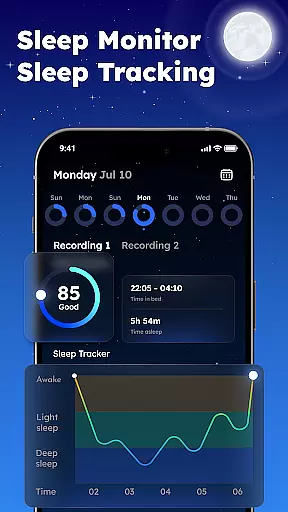
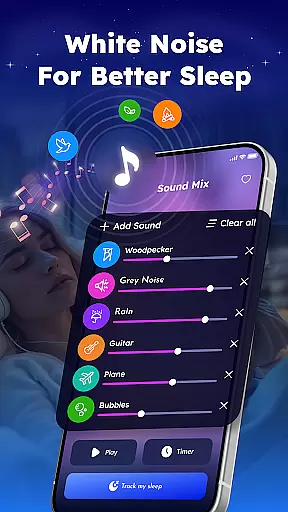
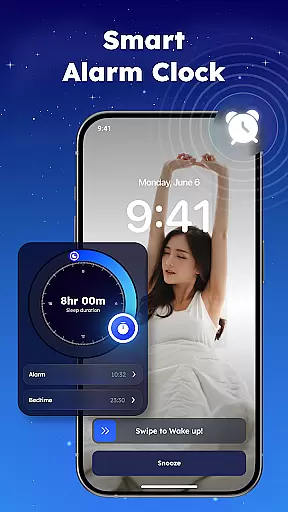
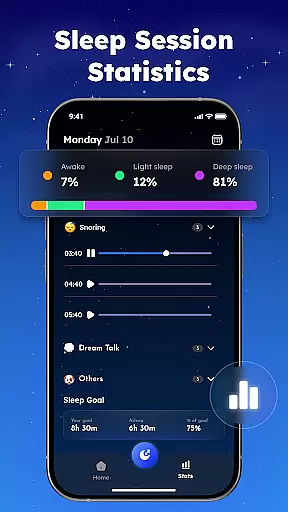
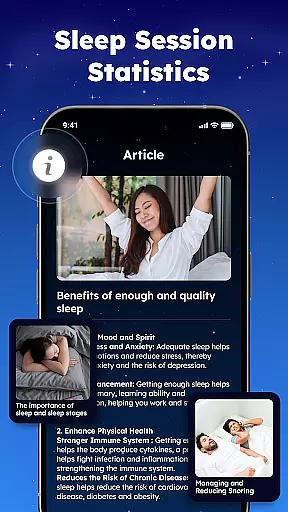
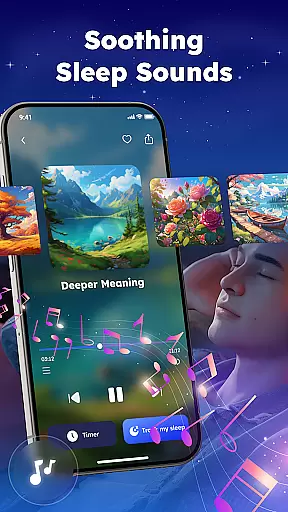
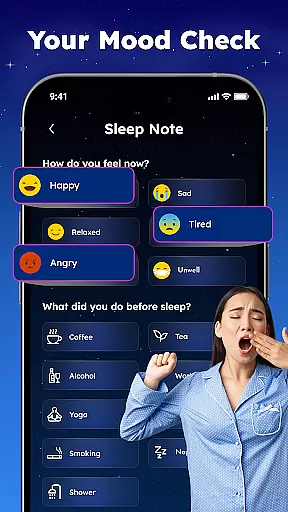
Sleep Tracker - Smart Alarm is a comprehensive sleep solution designed to help users achieve better rest and wake up feeling refreshed. This app combines advanced sleep tracking with relaxing audio features to create an optimal sleep environment.
Key functionalities include accurate sleep monitoring, smart alarm capabilities, and a rich library of white noise and nature sounds. Users can track their sleep patterns, identify areas for improvement, and establish a calming bedtime routine.
The app's sleep analysis tools provide valuable insights into sleep quality while the smart alarm ensures gentle wake-ups at the optimal time. These features make Sleep Tracker particularly beneficial for those seeking to improve their overall sleep health.
Sleep Tracker offers an impressive array of features that enhance sleep quality through technology and relaxation methods. The app's sleep tracking system monitors movement and sound throughout the night, generating detailed sleep analysis reports.
Unique to this app is its extensive collection of over 50 white noise variations and nature sounds, including rainfall and ocean waves. These sounds can be customized and mixed to create personalized sleep environments. The smart alarm function uses sleep cycle data to wake users during their lightest sleep phase.
Additional notable features include guided meditations, bedtime stories, and snore detection capabilities. These elements work together to address various aspects of sleep health, from falling asleep faster to identifying potential sleep disturbances.
Sleep Tracker offers personalized sleep planning tailored to individual needs, ensuring users can optimize their rest. The app analyzes sleep patterns and provides customized recommendations to improve sleep quality.
Through advanced algorithms, Sleep Tracker creates a unique sleep profile for each user. This profile evolves over time, adapting to changes in sleep habits and offering new strategies for better rest.
Users benefit from actionable insights that help them establish a consistent sleep routine. By following these personalized plans, individuals can experience more restful nights and energized mornings.
The true value lies in the app's ability to transform complex sleep data into understandable and practical advice. This empowers users to take control of their sleep health with confidence.
Visualizing sleep progress is crucial for understanding and improving sleep habits. Sleep Tracker excels in presenting data through clear and informative charts and graphs.
The app provides detailed visual reports on various aspects of sleep, including duration, quality, and cycles. These visuals make it easy for users to identify trends and areas needing improvement.
With milestone tracking, users can set goals and celebrate achievements, enhancing motivation. The visual feedback system helps maintain consistency in sleep routines by highlighting successes and areas for growth.
This visualization feature not only informs but also engages users, making the journey towards better sleep both educational and rewarding. It transforms raw data into a compelling narrative of personal progress.
User-friendly interface
Comprehensive sleep analysis
Extensive sound library
Smart alarm functionality
Relaxation features
Premium features locked
Battery consumption high
Occasional inaccuracies
Limited free content
Subscription required

Live Heart Rate Pro - Real Time Heart & Workout Data For Wear OS & Bluetooth BLE
 3.20
3.20
HRV4Training helps you optimize goals and improve performance. No sensors needed
3.30
See what's really going on inside your head! Real time EEG graphs from your Muse
4.40
Use your watch as a bike computer, heart rate monitor and cycling power meter
2.50
The Official Blood Type Diet® App - know your categorized foods anytime.
4.50
Eat smarter with Eato, your personal calorie counter and nutrition tracker!
4.40
Your Health Assistant
3.90
Focus on BP & Health
3.80
Manage your and your family's health information.
4.60
Power-lifting, weightlifting and Wendler 531 app to track your workout program.
4.90
Weight loss app: home workout for women to lose weight & burn calories.
4.80
Step Counter, track steps when you walk or run
4.70
Personal Measurements - Track your gains!
4.50
Understand your body’s most meaningful messages and transform your health.
3.90
Make sense of your health data.
3.80
Find Paid Clinical Trials In Your Area
3.70
The Sleep Miracle Sound Machine: Soothes baby to sleep with a gentle "Shhh"
3.00
Text notifications, button control, heart monitor & more for your Amazfit.
2.40
Using Recognise™ has been shown to reduce pain, and improve performance.
4.0


User Reviews