
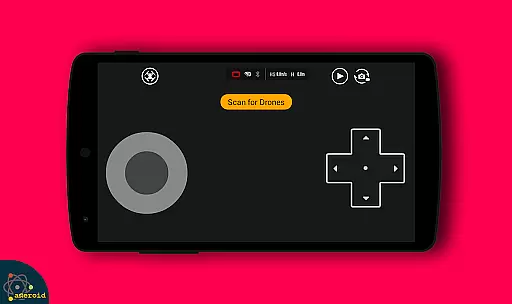
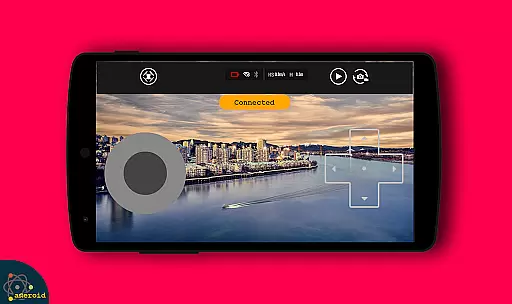
Drone Remote Control is an innovative application that transforms your Android smartphone into a powerful remote control for drones. Designed for drone enthusiasts, this app allows users to easily configure and operate various drone models with the same functionality as traditional RC controllers.
The application supports key features such as flight planning, automated takeoff and landing, live FPV streaming, and camera controls. Whether you're looking to capture aerial footage or simply enjoy flying drones, this app provides a comprehensive solution for controlling both modern and compatible older drone models.
With its user-friendly interface and advanced functionality, Drone Remote Control is particularly useful for hobbyists who want to maximize their drone's potential while using their existing smartphone device.
This application stands out through its diverse feature set tailored specifically for drone operation. The app enables users to create detailed flight plans on any device, automate complex functions like takeoff and landing, and stream live First Person View (FPV) directly to their smartphones.
Additional notable features include single-tap control resumption, uninterrupted mapping flights for large areas, and integrated camera controls with video recording capabilities. Users can also connect WiFi-enabled cameras to view live feeds, capture images, and record videos while maintaining complete drone control.
What makes Drone Remote Control truly unique is its ability to replace traditional physical controllers while offering enhanced functionality. This makes it an ideal solution for both casual users and serious drone enthusiasts looking for more control options.
Functionality completeness in a drone remote control app is crucial for ensuring that users can fully operate their drones without limitations. Drone Remote Control offers an extensive range of features, including the ability to make flight plans, automate takeoff and landing, and live stream First Person View (FPV). These functions are essential for both amateur enthusiasts and professional drone operators who require precise control over their devices.
The app's compatibility with the latest drones highlights its broad coverage. It supports advanced capabilities such as disabling auto-flight and resuming manual control with a single tap, which is vital for safety and operational flexibility. Additionally, the feature allowing users to continue non-interrupted flights for mapping large areas demonstrates the app's commitment to providing comprehensive tools for diverse drone operations.
Users benefit significantly from this functionality coverage. They gain access to a universal remote control solution that replaces physical remotes, offering convenience and potentially saving costs. The inclusion of video and capture FPS controls further enhances the user experience by enabling content creation directly through the app.
Usability and operational smoothness are key factors in determining the effectiveness of a drone remote control application. Drone Remote Control excels in these areas by providing an intuitive interface that simplifies the configuration process. Its similarity to traditional RC Drone controls ensures that users can easily adapt to using their smartphones as drone controllers.
Operational smoothness is evident in the app's ability to seamlessly connect with WiFi camera devices, allowing users to receive live camera views, take pictures, and record videos effortlessly. This integration not only enhances the flying experience but also expands the drone's utility beyond mere navigation to include photography and videography.
The benefits to users are clear: they enjoy a hassle-free experience when controlling their drones, thanks to the app's straightforward setup and reliable performance. Whether it's for recreational use or professional projects, Drone Remote Control delivers a smooth and responsive operation that makes drone handling accessible to everyone, regardless of their technical expertise.
User-friendly interface
Comprehensive drone control
Live FPV streaming
Automated flight functions
Free to use
Not compatible with all hardware
Limited old device support
Requires stable connection
May need technical knowledge
Dependent on device performance

Block and secure the microphone and protect from secret listening and recording.
 4.50
4.50
Identify securely online
3.10
Collection of Maps and Mods for Dmod
3.30
TV USB connector app provides you a seamless cast option from your phone to tv.
4.70
Mirror Link Car Display to share your screen with car dashboard wirelessly
4.1
Mirror link car connector to share your screen with car dashboard
3.80
MirrorLink for connecting your Android phone to your car’s infotainment screen.
4.50
Ps2 plugins for 64 bit artitechture
3.70
Now Available on Android ™
3.40
Barcode scanning made simple!
4.40
Enjoy Minecraft Mod Scary Neighbor Granny for Minecraft PE.
4.30
You can remote control and play much easier.
4.10
charging your phone by other phone easly
4.00
Demo version of the mcpro24fps manual video camera. Try and buy a full version!
4.00
Use your Phone as Drone Controller.
3.70
Looking to connect your phone to your car screen? Mirror Link is the solution.
3.20
If you are looking for melon playground mod that fun you deffinitely try our app
2.70
Collection of high-quality, trendy skins and outfits!
4.2
Enjoy hours of entertainment with our Roblox mobile games app
4.0


User Reviews