
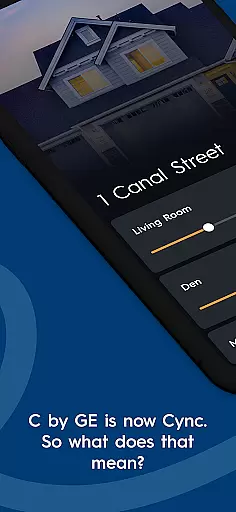
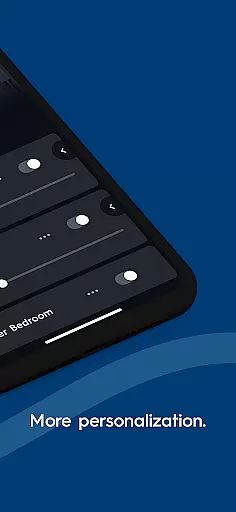

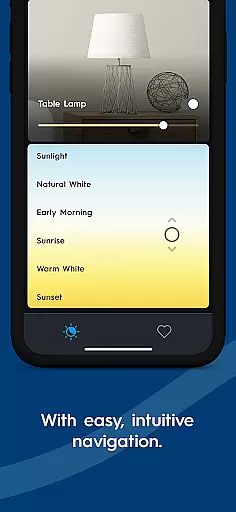
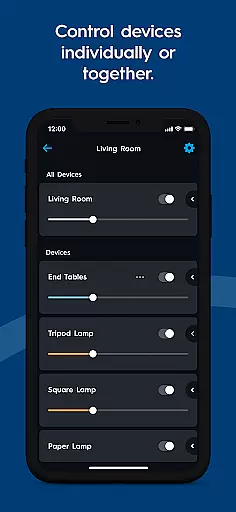
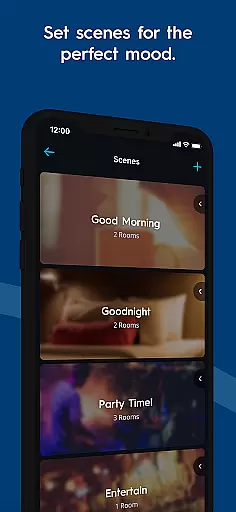
Cync is a comprehensive smart home application that allows users to control both Cync and C by GE products through a single, user-friendly interface. The app features an intuitive home screen and navigation system, offering enhanced personalization options such as adding photos of devices and rooms for easy identification. With its dynamic home screen, most-used products are always within reach.
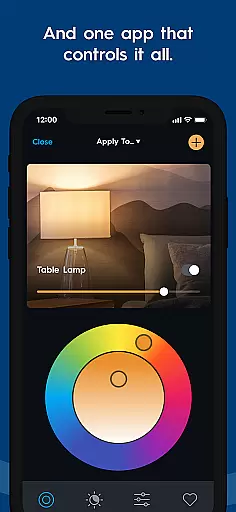
One of the standout features of Cync is its advanced color control, enabling users to match light colors with their home decor using RGB values and a double color wheel. Additionally, the app supports grouping devices within rooms, providing more granular control without the need to create new rooms. Stability and speed have been significantly improved, ensuring faster and more reliable connections compared to previous versions.
The app also offers practical functionalities like setting light schedules, creating multiple profiles, and integrating with voice assistants such as Amazon Alexa and Google Assistant. Whether it's enhancing home security with the Indoor Smart Camera or managing outdoor lighting with the Outdoor Smart Plug, Cync provides a seamless smart home experience.
Cync boasts a range of innovative features designed to enhance the smart home experience. One of the key highlights is the app's enhanced personalization capabilities. Users can add photos of their devices and rooms, making it easier to identify and manage them. The dynamic home screen adapts to user behavior, placing frequently used controls at their fingertips.
Another significant feature is the advanced color control, allowing users to fine-tune lighting to match their interior design. By inputting RGB values or using the double color wheel, users can achieve precise color matching. The app also includes a patented TrueImage technology, enabling users to experiment with colors and brightness remotely via smartphone.
Grouping devices within rooms adds another layer of control, letting users manage subsets of devices independently. The app's improved stability and speed ensure quick and reliable connections, while compatibility with voice assistants like Amazon Alexa and Google Assistant offers convenient hands-free control. These features collectively provide a robust and personalized smart home management solution.
The Cync app offers comprehensive lifestyle category coverage, ensuring users can manage various aspects of their smart home seamlessly. From lighting control to advanced scheduling features, the app provides tools that cater to everyday living needs.
One of the standout features is its ability to integrate with both Cync and C by GE products, allowing for a unified smart home experience. Whether it's managing indoor cameras or outdoor plugs, users have the flexibility to control multiple devices from one central hub.
Additionally, the app supports voice compatibility with Amazon Alexa and Hey Google, enhancing accessibility and ease of use. This ensures that users can operate their smart devices hands-free, making daily tasks more convenient and efficient.
By covering essential lifestyle categories such as security, comfort, and energy management, the Cync app empowers users to create a personalized and efficient home environment tailored to their specific needs.
Content authenticity is a core focus of the Cync app, ensuring that all information and features provided are accurate and reliable. Developed in collaboration with experts, the app leverages patented technologies like TrueImage to deliver an authentic user experience.
Users can trust the app's advanced color control and dynamic home screen functionalities, which have been meticulously designed to offer precise and intuitive controls. These features enable users to experiment with colors and brightness settings confidently, knowing they are receiving expert-backed recommendations.
Furthermore, the app includes detailed guides and support for integrating new products into the smart home ecosystem. This educational content is crafted to help users understand how to maximize the potential of their devices while maintaining a high standard of credibility.
With endorsements from reputable sources and partnerships with trusted brands like Savant, the Cync app establishes itself as a credible tool for managing modern smart homes effectively.
User-friendly interface
Advanced color control
Enhanced personalization
Improved stability and speed
Voice assistant compatibility
Limited device compatibility
Occasional connectivity issues
Requires internet connection
No iOS widget support
Some features need premium subscription

Healthy eating timer app to track meal pace, improve habits, and eat slowly.
 4.0
4.0
Fly your Solo like a boss.
4.10
Cute animated Thanksgiving watchface for your WearOS smartwatch
4.4
Unique "Isometric" style digital watch face for Wear OS
4.50
Do you want to communicate with spirits?
3.80
Zodiac & Horoscope Launcher: Daily Sign Predictions & Astrology
4.40
Your store’s deals, where you are.
4.80
AAA Mobile provides on-the-go access to the services you know and trust.
4.60
No more juggling multiple apps, now you can control everything in one place!
4.60
Crochet made easy: step-by-step tutorials, beginner patterns & projects
4.60
A smart Siddur with halachic times
4.60
Going above and beyond known spirit communication
3.60
Unique Dual Colors with 6 Custom Complications for Wear OS watches!
3.40
The Miracle Box includes methods used by Steve Huff of Huff Paranormal.
3.20
Big bold weather watch face with dynamic backgrounds and 3 complications
4.1
A watch face with transparency and fluid visuals inspired by liquid glass design
4.3
A daily quote for success
4.4
Customize your Wear OS watch with festive Christmas figures and colors!
4.1
The cutest Autumn watchface featuring the adorable Mr. Squirrel
4.4


User Reviews