
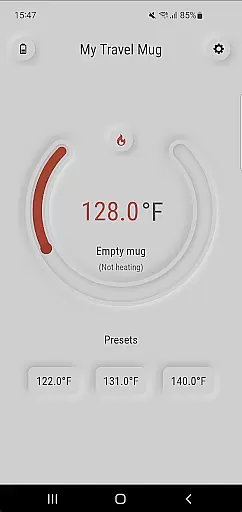
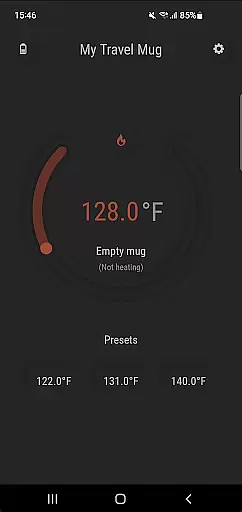
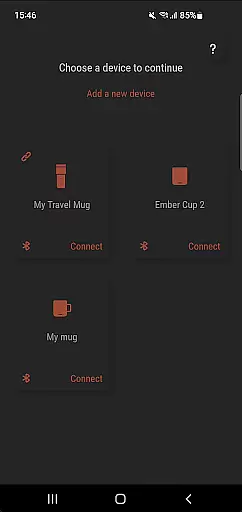
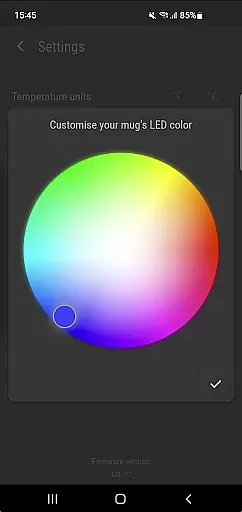
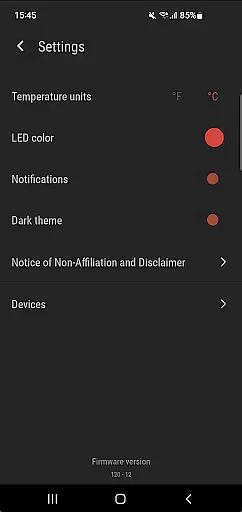
Ember Supreme is a feature-rich companion app designed specifically for users of Ember smart mugs. This application allows you to control and customize various settings of your Ember mug, including setting the target temperature in your preferred unit, adjusting the LED color, and even naming your mug. Whether you're using an Ember Mug, Cup, Travel Mug, or Tumbler, this app provides a seamless experience to enhance your beverage enjoyment.
The app supports all generations of Ember products, making it a versatile tool for both new and existing users. With its intuitive interface and reliable performance, Ember Supreme ensures that your drinking experience is personalized and optimized, whether you're at home or on the go.
Ember Supreme offers a comprehensive set of features tailored to maximize the utility of your Ember smart mug. One of the standout capabilities is the precise temperature control, allowing users to set their ideal drinking temperature with accuracy. Additionally, the app lets you choose between Celsius and Fahrenheit, catering to your personal preference.
Beyond temperature settings, Ember Supreme provides customization options such as changing the LED color of your mug and assigning a unique name to each device. These features not only add a personal touch but also make it easier to identify multiple mugs in shared environments. The app's compatibility with various Ember models ensures a consistent and reliable user experience across different product lines.
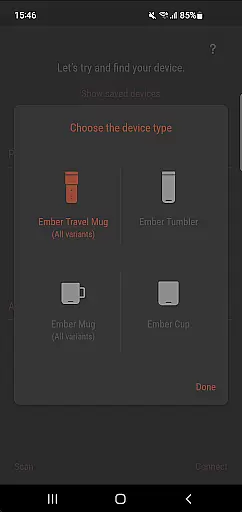
Ember Supreme offers a comprehensive lifestyle solution by integrating seamlessly with various Ember smart mug models. This includes the Ember Mug 1 & 2, Ember Cup 1 & 2, Ember Travel Mugs, and Ember Tunblers.
The app allows users to customize their drinking experience through advanced settings such as target temperature adjustments, temperature unit preferences, and LED color changes. These features ensure that every user can tailor their mug to fit their unique lifestyle needs.
By supporting multiple device types, Ember Supreme caters to a wide range of user preferences and requirements, enhancing daily routines whether at home or on the go. The ability to personalize each device adds an extra layer of convenience and satisfaction.
The Ember Supreme app is designed with authenticity in mind, providing reliable and expertly crafted features for managing your Ember smart mugs. Developed by GCodestudios, it ensures that all functionalities are well-tested and trustworthy.
Users can trust the app to deliver accurate temperature controls and genuine customization options like changing the mug's name and LED color. Such precision and reliability reflect the high standards set by experts in smart home technology.
This commitment to quality and expert validation makes Ember Supreme a credible choice for those seeking a dependable companion app for their Ember products. With regular updates and support, users can be confident in the app's ongoing accuracy and performance.
User-friendly interface
Wide device compatibility
Precise temperature control
Customizable LED colors
Personalized mug naming
Limited to Ember products
No advanced scheduling
Requires constant connectivity
Basic design aesthetics
Occasional syncing issues

Turn your watch into a key fob for your Tesla
 2.90
2.90
A watch face with transparency and fluid visuals inspired by liquid glass design
4.5
Immerse yourself in the serenity of lavender fields and white butterflies
4.3
Get your life organized with My Agenda!
4.30
Customize your Wear OS watch with festive Christmas figures and colors!
4.3
My Diary - Daily Journal with lock: Diary journal app and secret diary with lock
4.80
Retro animated weather with hourly forecast Watch Face for Wear OS
4.60
A unique and customizable watch face which rotates its layout every minute.
4.80
Vehicle ownership simplified. Get the myChevrolet® app today.
4.60
Pay your rent, submit work orders and much more with the RentCafe Resident App.
4.70
Tap to the beat with interactive videos — warm up your reflexes & have fun
4.70
Simple, stylish & fresh watch face. Customize colors, gradients & complications.
4.70
A smart Siddur with halachic times
4.60
The App can control Roborock vacuum cleaners from anywhere with rich features.
4.60
This app is intended to support professional EMDR therapy.
4.50
Paranormal Spirit Bell Trigger Device
4.30
Communicate with your vehicles and Powerwalls anytime, anywhere
3.60
Big bold weather watch face with dynamic backgrounds and 3 complications
4.1
A daily quote for success
4.2


User Reviews