
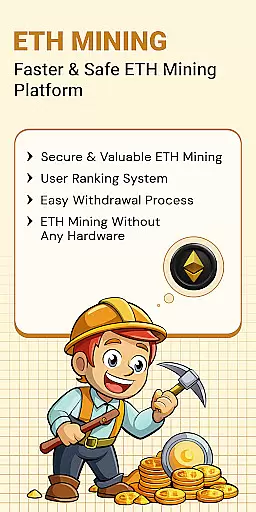
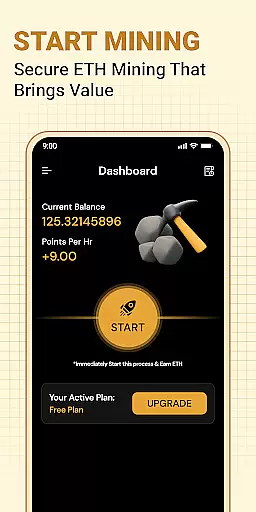
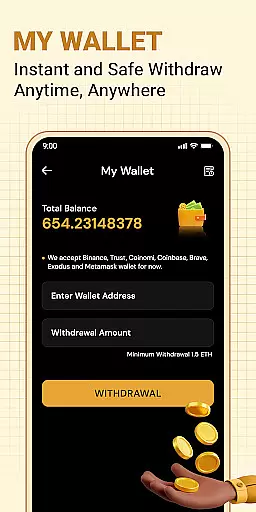

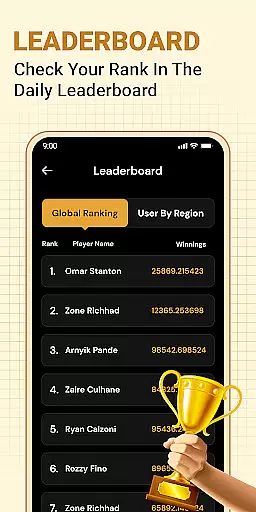
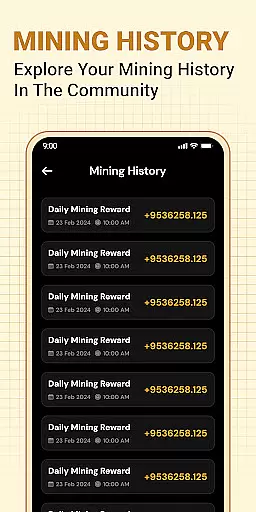
ETH Cloud Miner is an innovative app designed for users who want to monitor their Ethereum mining activities remotely. This application allows you to track your cloud-based Ethereum mining stats, including hashrate, uptime, and estimated daily rewards, all from the convenience of your mobile device. The app does not use your phone's CPU or GPU as all mining operations are conducted on remote servers.
With a user-friendly interface, ETH Cloud Miner provides real-time updates on your mining performance. Whether you're new to cryptocurrency or an experienced miner, this app helps you stay informed about your mining activities without needing physical hardware. By connecting to third-party cloud mining providers, it offers a seamless way to view your account's performance data and activity directly on your phone.
This app is particularly useful for those who want to keep an eye on their investments in Ethereum mining without being tied to a desktop computer. It empowers users by providing essential information at their fingertips, making it easier to manage and optimize their mining strategies.
ETH Cloud Miner stands out with its unique set of features tailored for Ethereum miners. One of the key functionalities is the ability to connect to your cloud mining provider's account, allowing you to retrieve detailed mining performance data effortlessly. This includes live information such as hashrate, session data, and uptime, which are crucial for assessing your mining efficiency.
The app also offers a comprehensive dashboard where users can view their Ethereum mining stats in real time. This feature ensures that you are always updated with the latest information regarding your mining activities. Additionally, the app is lightweight and does not consume significant device resources, ensuring smooth performance without draining your battery.
Another notable feature is the app's disclaimer and transparency about its operations. It clearly states that it does not mine Ethereum on your device but rather displays data from your existing cloud mining account. This clarity builds trust with users, assuring them that their device’s processor and GPU are not being utilized for mining purposes.
Task creation and detail customization are essential features for users who need to manage their Ethereum mining activities effectively. This functionality allows users to set up specific tasks related to their cloud mining operations, ensuring they can monitor and adjust their strategies as needed.
The ETH Cloud Miner app provides a streamlined interface where users can create tasks that align with their mining goals. Whether it's setting performance thresholds or scheduling routine checks on mining stats, the app offers flexibility in defining task parameters. This ensures that both novice and experienced miners can tailor their monitoring activities according to their unique requirements.
By leveraging this feature, users gain the ability to customize task details such as frequency of updates, notification preferences, and data visualization options. This level of personalization empowers miners to optimize their cloud mining performance while staying informed about critical metrics like hashrate and uptime.
Ultimately, the task creation and customization capabilities of ETH Cloud Miner enhance user engagement by providing tools that help maintain efficient and effective mining operations. With these features, users can ensure they are maximizing their returns while minimizing potential downtime or inefficiencies.
Reminder settings play a crucial role in keeping Ethereum miners informed about their cloud mining activities. By configuring reminders, users can receive timely notifications regarding important events or changes in their mining performance, ensuring they never miss critical updates.
In the ETH Cloud Miner app, users can set up customized reminders based on various triggers such as drops in hashrate, completion of mining sessions, or updates on estimated daily rewards. This proactive approach helps miners address issues promptly and make necessary adjustments to improve their mining efficiency.
The flexibility of reminder settings allows users to choose how and when they want to be notified. Options may include push notifications, email alerts, or in-app messages, catering to different preferences for staying updated. This ensures that all users can maintain optimal oversight of their mining operations without being overwhelmed by unnecessary information.
By utilizing reminder settings effectively, miners can focus on other aspects of their cryptocurrency endeavors while still maintaining control over their cloud mining activities. The peace of mind offered by timely reminders enhances overall user satisfaction and contributes to more successful mining outcomes.
User-friendly interface
Real-time mining stats
No device resource usage
Remote monitoring capability
Transparent operations
Limited to cloud mining
Third-party dependency
No direct mining
Potential connectivity issues
Requires existing account

Some connections are better kept private
 4.5
4.5
Here you can choose tickets for films, performances, concerts and other events
4.60
Fantasy of Lights Event App
5.00
Invitation card maker for birthday party & Wedding. Digital greeting card editor
4.90
Design Invitations & Cards for Any Occasion
4.80
TV Garden - World Live TV : Play & cast your videos seamlessly!
3.20
Octrober 2025: We've updated the MyGenMobile App with a new look and feel!
4.40
Find Live Event Ticket Deals to Sports, Concerts, Festivals, & Comedy For Less!
4.80
Discover events & experiences in NYC, LA, Chicago, DC, Miami and more!
4.70
The Ultimate Tournament Hub
4.70
Wedding planner app with wedding venues, wedding checklist, countdown & budget.
4.60
Greeting card maker with photos best app| Birthday cards| All wishes eCards FREE
4.50
Events, Meetings, Photo Shoots
4.50
Everything you need for the Best Thursday Ever.
4.40
Microsoft Ignite is an event that showcases latest advancements in technology
4.00
Buy tickets for any event!
3.90
Create Birthday Cards in Birthday Invitation Maker and Birthday Card Creator App
3.00
Mobile Event Guide for Greater NY Dental Meeting
4.3
Digital Income Wallet of the Final Libertadores 2025
4.4


User Reviews