

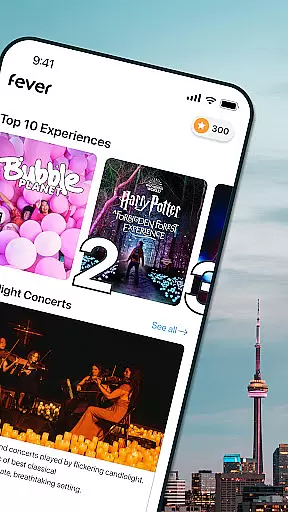
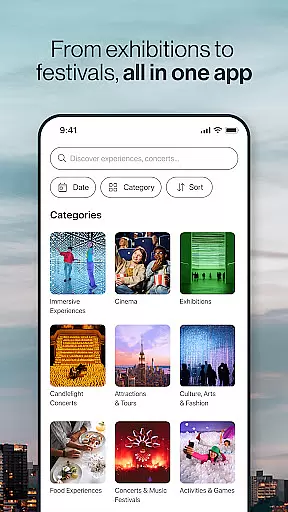
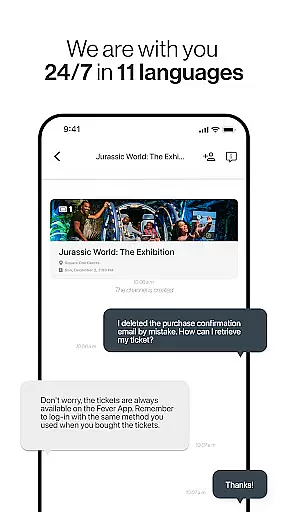
Fever is your ultimate city guide, offering a comprehensive platform to explore the best events and experiences in your area. With Fever, users can effortlessly discover local happenings, secret spots, and trendy pop-ups, some of which are exclusively available on the app. Whether you're interested in immersive art exhibits like Van Gogh: The Immersive Experience or unique themed events such as The Queens Ball: A Bridgerton Experience, Fever has something for everyone.
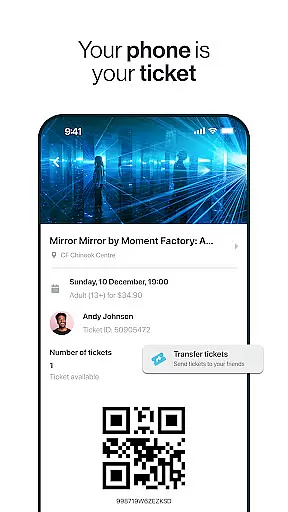
The app's standout features include exclusive access to special events, a reward system through the Fever Club, and advanced filtering options to refine searches by date and time. Additionally, users can favorite events for quick access, transfer tickets easily to friends and family, and enjoy paper-free mobile tickets. With personalized recommendations and a detailed map of event locations, Fever ensures that users never miss out on exciting opportunities in their city.
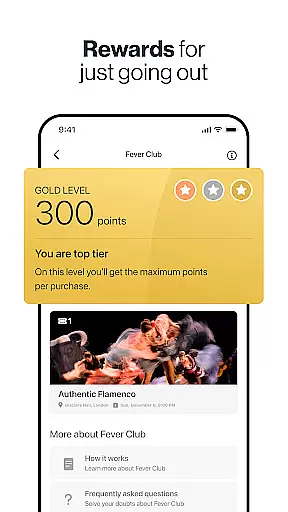
Fever distinguishes itself with a suite of innovative features designed to enhance user experience. One of its key offerings is access to exclusive events that cannot be found elsewhere, providing users with unique entertainment options. The Fever Club adds value by rewarding users with points on all ticket purchases, which can be redeemed for future events. The app's filtering system allows users to search for events based on specific dates and times, ensuring they find activities that fit their schedules.
Another notable feature is the ability to create a list of favorite events, making it easy to keep track of must-attend activities. The ticket transfer system simplifies sharing tickets with others, eliminating the hassle often associated with traditional methods. Furthermore, Fever provides an up-to-date map showing nearby events, personalized recommendations based on user preferences, and fully mobile, paper-free tickets. These features collectively ensure a seamless and enjoyable experience for users seeking to explore their cities.
Task creation and detail customization are essential features for any event discovery app like Fever. This functionality allows users to create personalized event schedules while tailoring specific details to their preferences. With this feature, users can set up reminders, choose categories of interest, and even specify preferred locations.
Fever implements this by offering intuitive filters and customization options. Users can filter events by date, time, category, and location, ensuring they only see relevant activities. The app also provides detailed event pages where users can view descriptions, ticket prices, and venue information, making it easier to decide which events to attend.
The value of this feature lies in its ability to enhance user engagement. By allowing users to customize their event preferences, Fever ensures that users receive tailored recommendations. This personalization increases the likelihood of users attending events, thereby improving overall satisfaction and retention.
Ultimately, task creation and detail customization empower users to take control of their event planning. Whether it's a concert, museum visit, or nightlife experience, these features ensure that users never miss out on exciting opportunities in their city.
Reminder settings play a crucial role in keeping users informed and engaged with upcoming events. For an app like Fever, which aggregates various events across multiple cities, having reliable reminder settings ensures that users stay updated on their planned activities.
Fever offers flexible reminder options that allow users to set notifications for different timeframes before an event starts. Users can choose to receive alerts days in advance or just hours before the event begins. Additionally, the app integrates with mobile calendars, enabling seamless synchronization of event schedules.
This feature significantly enhances user convenience. By providing timely reminders, Fever helps users manage their busy schedules without missing out on important events. It also encourages last-minute participation by sending urgent alerts for nearby happenings.
In summary, reminder settings not only improve user experience but also drive higher attendance rates. With customizable notification preferences and calendar integration, Fever ensures that users remain engaged and well-informed about their chosen events.
User-friendly interface
Exclusive event access
Rewarding club benefits
Advanced filtering options
Personalized recommendations
Limited city coverage
Occasional app glitches
Higher ticket prices
Customer support delays
Dependent on location data

The calendar app in this 2026 year see all dates.
 4.20
4.20
The Official App
4.2
It is an Event Planning Application.
4.3
Invitation card maker for birthday party & Wedding. Digital greeting card editor
4.90
Listen Full Quran MP3 Offline - Qibla Compass, Salah Timing & 99 Names of Allah
4.60
Fast Scans. Happy Fans. For Every Hometown!
4.60
Discover events, experiences, and things to do near you - Anytime, Anywhere!
4.70
Introducing the official Magic: The Gathering app for mobile.
4.20
Plan your wedding for free on the go: vendors, budget, website and checklists!
4.80
Create invitation cards for birthdays, weddings, Christmas and more.
4.80
Design Invitations & Cards for Any Occasion
4.80
Find tickets to upcoming concerts, sports events, festivals, shows, attractions
4.70
Create Wedding Invitation and Wedding Anniversary Cards using our app
4.60
Freebie Games for Epic Games, Steam, Amazon, Rockstar etc.
4.40
Buy and sell tickets to sports, concerts, theater, festivals, and comedy events
4.10
Watch live football matches and streaming events on our Arabic TV app!
3.50
Create Birthday Cards in Birthday Invitation Maker and Birthday Card Creator App
3.00
Community for Mods, Addons, Melsaves, Melmods for Melon Playground
4.3
The official app of the Carmel Christkindlmarkt!
4.2


User Reviews