
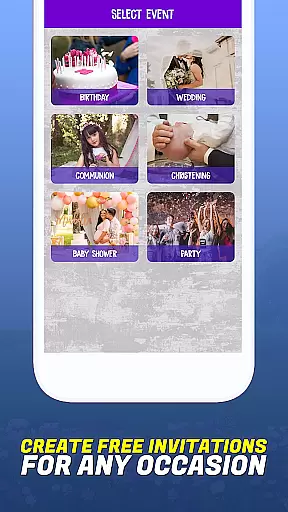
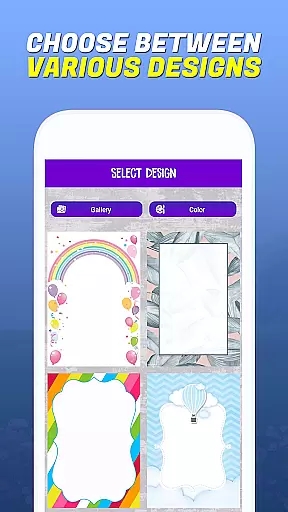
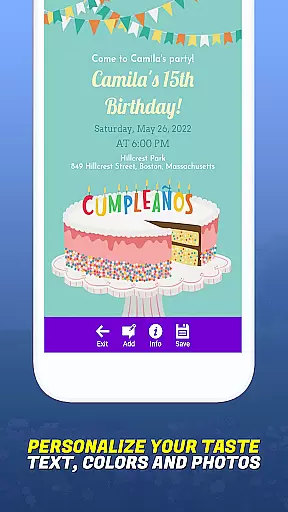
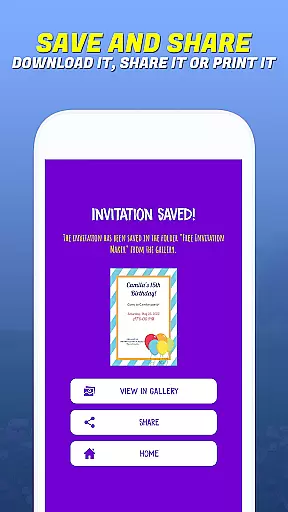
Invitation Maker - Card Creator is a versatile app designed to help users create digital invitations for various events without the need for paper. Whether you're planning a birthday, wedding, baby shower, or any other special occasion, this app provides an extensive selection of customizable designs to fit every theme and style.
The app features an intuitive interface that allows users to easily customize layouts, fonts, colors, and even add personal images to their invitations. With seamless integration to email and social media platforms, sending out your beautifully crafted invitations is just a few clicks away. This eco-friendly solution not only simplifies event planning but also reduces waste by promoting paperless communication.
By using Invitation Maker - Card Creator, users can enjoy professional-looking designs while contributing to environmental sustainability. The convenience of saving projects directly to your device or instantly sharing them makes it an essential tool for modern event planners who value both style and substance.
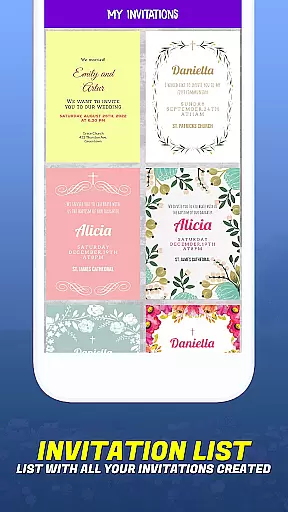
One of the standout features of Invitation Maker - Card Creator is its user-friendly interface, which ensures that even those with minimal design experience can create stunning invitations. The app offers a wide array of templates specifically tailored for different types of events such as birthdays, weddings, baptisms, communions, and parties. Each template is fully customizable, allowing users to adjust fonts, colors, layouts, and text styles to perfectly match the tone and theme of their event.
In addition to its rich template library, Invitation Maker - Card Creator supports the use of personal images, giving users the flexibility to incorporate unique visual elements into their designs. This feature enhances personalization options and helps create truly one-of-a-kind invitations. Users can also preview their creations in real-time, ensuring that the final product meets their expectations before sending it out.
Another key feature is the app's seamless sharing capability. Once an invitation is ready, it can be effortlessly distributed via email or shared on various social media platforms. This functionality not only saves time but also eliminates the need for physical printing and postage, making the entire process more efficient and environmentally friendly.
Task creation and detail customization are essential features for any event planning application. Invitation Maker - Card Creator excels in providing users with the tools needed to create detailed and personalized invitations. The app offers an extensive range of templates suitable for various events, including birthdays, weddings, and baby showers.
The level of detail customization available within the app is impressive. Users can modify layouts, choose from a variety of fonts, and adjust color schemes to match the theme of their event or the personality of the recipient. This ensures that each invitation is not only informative but also a true reflection of the sender's personal touch.
Moreover, Invitation Maker allows for the incorporation of personal images, adding another layer of customization. This feature enables users to include meaningful photos or graphics that resonate with the occasion, making the invitations more engaging and memorable.
By empowering users with such comprehensive customization options, Invitation Maker - Card Creator adds significant value to the event planning process. It transforms a simple invitation into a keepsake that recipients will cherish, setting the tone for the upcoming event right from the start.
Reminder settings play a crucial role in ensuring that both event organizers and attendees stay informed and punctual. Invitation Maker - Card Creator incorporates this feature by enabling users to set up timely reminders directly through the app. This functionality helps keep all participants on track with the event schedule.
Users have the flexibility to customize reminder settings according to their specific needs. They can choose when and how often they wish to receive notifications about upcoming events. Whether it's a one-time alert days before the event or recurring reminders leading up to the date, the app accommodates various preferences.
In addition to personal reminders, the app facilitates sending out reminders to guests via email or social media platforms. This ensures that everyone involved is kept in the loop and reduces the likelihood of missed events due to forgetfulness or miscommunication.
With its robust reminder settings, Invitation Maker - Card Creator enhances the overall user experience by promoting better organization and communication. By keeping all parties well-informed, it contributes significantly to the success of any planned gathering.
User-friendly interface
Wide range of templates
Customizable designs
Supports personal images
Eco-friendly solution
Limited advanced tools
No offline functionality
Requires internet connection
Premium features locked
Occasional bugs reported

PheedLoop Go! is the mobile event app for events powered by PheedLoop.
 4.40
4.40
Here you can choose tickets for films, performances, concerts and other events
4.60
For weddings, parties & events
4.60
Soft Proxy for Your Online World
4.4
Events, Meetings, Photo Shoots
4.50
RAISE-365 makes fundraising easy and fun!
3.20
Microsoft Ignite is an event that showcases latest advancements in technology
4.00
TV Garden - World Live TV : Play & cast your videos seamlessly!
3.20
Save money on concert, sport, and theater tickets, and discover upcoming events.
4.80
The KRUU app - plan, celebrate, remember
4.80
Find Live Event Ticket Deals to Sports, Concerts, Festivals, & Comedy For Less!
4.80
The Ultimate Tournament Hub
4.70
Discover events, experiences, and things to do near you - Anytime, Anywhere!
4.70
Listen Full Quran MP3 Offline - Qibla Compass, Salah Timing & 99 Names of Allah
4.60
Octrober 2025: We've updated the MyGenMobile App with a new look and feel!
4.40
Freebie Games for Epic Games, Steam, Amazon, Rockstar etc.
4.40
The calendar app in this 2026 year see all dates.
4.20
It is an Event Planning Application.
4.2
The official app of the Carmel Christkindlmarkt!
4.2


User Reviews