
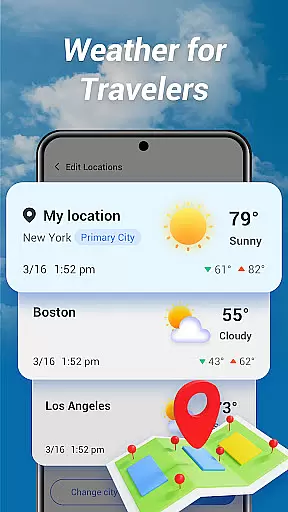
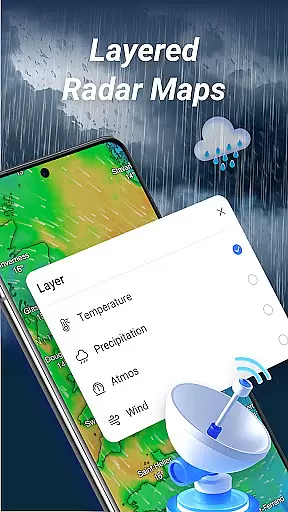
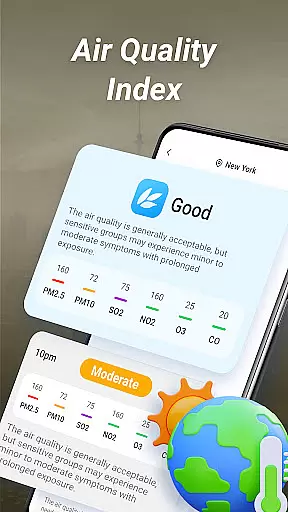
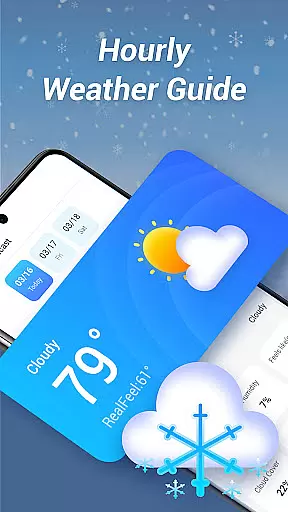
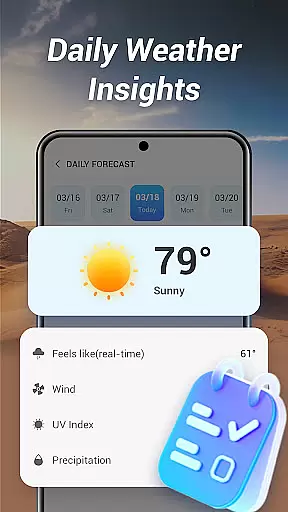
Good Weather is a comprehensive weather application designed to provide users with real-time weather updates and forecasts. The app offers global and local weather information, ensuring you are prepared for any climate condition wherever you are. With features like layered live radar maps, air quality index (AQI) monitoring, and detailed hourly forecasts, Good Weather keeps you informed about temperature, wind, humidity, and more.
The app stands out with its clean and user-friendly interface, making it easy to access essential weather data at a glance. Whether you're planning your day or traveling to different locations, Good Weather delivers accurate and reliable information to help you make the best decisions based on current and predicted weather patterns.
Good Weather boasts an array of advanced features tailored to meet the needs of both casual users and weather enthusiasts. One of its standout capabilities is the layered live radar map, which allows users to track rain, wind, and storms in real time. You can switch between various layers such as temperature, humidity, and pressure to gain deeper insights into weather conditions.
In addition to the radar functionality, the app provides real-time air quality updates and customizable weather alerts. These features ensure that you are always aware of environmental factors that may affect your health or travel plans. The hourly and daily weather forecasts offer detailed summaries, including feels-like temperatures, wind speed, and cloud cover, empowering you to plan your activities with confidence.
Forecast accuracy is a critical feature for any weather application, ensuring users receive reliable and actionable information. Good Weather delivers real-time forecasts based on live climate updates from global and local sources, guaranteeing precision in every prediction.
The app employs advanced algorithms to process vast amounts of meteorological data, providing detailed insights into temperature, humidity, wind speed, and cloud cover. This scientific approach ensures that the forecasts are not only timely but also highly dependable.
For users, this means they can confidently plan their day, week, or travel with accurate hourly and daily summaries. Whether it's avoiding sudden rain showers or preparing for a heatwave, Good Weather equips you with trustworthy data to stay ahead of changing conditions.
Good Weather stands out by offering extensive temporal and spatial forecast coverage, enabling users to access weather predictions for virtually any location worldwide. The app provides both short-term hourly updates and long-term daily summaries, catering to various planning needs.
Its layered live radar maps allow users to track weather patterns across different geographic areas, switching between parameters like temperature, humidity, and air pressure. This spatial flexibility ensures comprehensive monitoring of environmental changes, whether you're at home or traveling.
With its global reach and localized data, Good Weather proves invaluable for travelers, outdoor enthusiasts, and professionals who rely on precise weather intelligence. The ability to switch seamlessly between micro and macro views enhances user experience significantly.
User-friendly interface
Accurate real-time data
Comprehensive weather details
Customizable alerts
Global coverage
Limited free features
Occasional data delays
High battery usage
Subscription required
Ads in free version

Hourly and daily weather forecast, current condition, temperature, UV and more!
 4.70
4.70
The most accurate weather app, hourly and daily weather, severe weather alerts
4.50
NOAA radar, weather forecasts, hurricane tracking & customizable alerts.
4.50
My Aurora Forecast is the app for Northern Lights and Aurora Borealis alerts.
4.60
Detailed weather info and moon phase, subtle animation, customizable
4.1
Digital Weather Watch Face for Wear OS 5+
4.3
Weather Forecast, Trending News, Hurricane & Storm Tracker, Alerts & Live Radar.
4.80
Precision Weather, Right at Your Fingertips
4.40
Hyperlocal Forecasts, Live Radar, Severe Weather alerts & Homescreen Widgets
4.30
Live Weather Forecast app with acu weather radar, weather alert & weather widget
4.80
View weather widget and map. Wind direction and speed. Tides times and waves
4.70
Weather radar, satellite, wind, waves, ocean and hurricane forecasts.
4.70
Weather channel forecasts weather daily & hourly, local and national air quality
4.70
Local forecast, alerts, rain, snow and wind radar, air quality & weather widget
4.60
Track rainfall totals with ease using our rain gauge app. Accurate rain tracker.
4.50
Weather watch face for Wear OS 5+
4.40
Weather forecast & live radar map
4.20
Your Personal Weather Assistant
4.00
Get instant weather & temperature predictions right on your Wear OS smartwatch!
4.5


User Reviews