

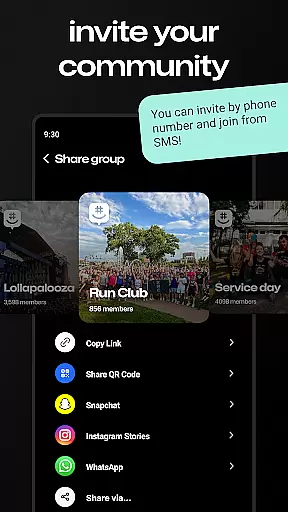
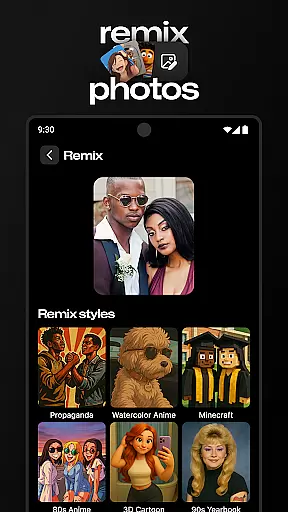

GroupMe is a free communication app designed to help users stay connected with important groups in their lives. Whether it's family, friends, coworkers, or other communities, this app makes group messaging simple and efficient. Available on both mobile devices and computers, GroupMe allows users to create groups, send texts, images, GIFs, and even share web content seamlessly.
The app offers advanced notification controls, exclusive emoji for expressive conversations, and a gallery feature that saves shared photos and videos. With the ability to chat over SMS for new users and support for direct messaging, GroupMe ensures no one is left out of the conversation. It’s an ideal tool for maintaining meaningful connections regardless of distance.
GroupMe stands out with its versatile features tailored for group communication. Users can add anyone to a group via phone number or email, and even those without the app can join through SMS. The app provides complete control over notifications, allowing users to mute specific chats or the entire app as needed.
One of the app’s highlights is its ability to enhance conversations beyond plain text. With exclusive emoji, integrated GIF search, and URL previews, GroupMe makes interactions more engaging. Additionally, the gallery feature lets users revisit shared media anytime. Direct messaging offers all these features for one-on-one chats, making it a comprehensive communication tool for various needs.
Real-time messaging is a critical feature for any communication app, and GroupMe excels in this area. The app ensures that messages are delivered instantly across all devices, keeping conversations fluid and engaging.
GroupMe's infrastructure is designed to handle high volumes of messages without delay. Whether you're chatting with family or coordinating with coworkers, you can trust that your messages will be received as soon as they are sent.
The reliability of message delivery in GroupMe is backed by robust servers that maintain uptime and performance. This means fewer missed messages and more reliable communication, which is essential for staying connected with the people who matter most.
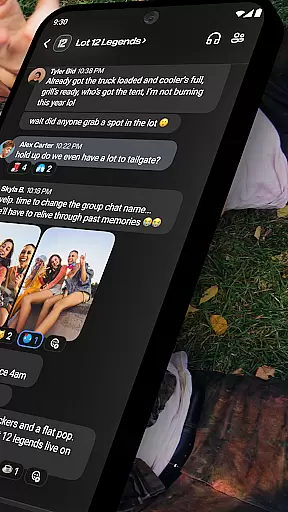
Sharing media is an integral part of modern communication, and GroupMe offers comprehensive support for various types of media. Users can easily share photos, videos, and even GIFs within their chats, enhancing the way stories and experiences are shared.
GroupMe's gallery feature saves memories by allowing users to store and revisit shared media. This makes it simple to look back on past conversations and relive moments captured through images and videos.
In addition to traditional media, GroupMe also supports sharing content from URLs, displaying web content directly in the chat. This functionality streamlines the process of sharing online articles, memes, and other digital content, making conversations richer and more interactive.
User-friendly interface
Free to use
Supports SMS integration
Exclusive emoji collection
Cross-platform compatibility
SMS limited to US
No video calls
Dependent on internet connection
Basic file sharing options
Occasional notification delays

BiP is a fast, secure, free messaging and HD video calling app!
 4.10
4.10
We’re taking the yada yada out of wireless—now we’ve taken it out of your app.
4.70
Messenger, an MMS & SMS messages app with Blockers, Driving mode & Private box
4.60
Create a secure hotspot on-the-go with Portable WiFi - Mobile hotspot.
4.40
Faster version of Messages. Messenger for your contacts.
4.50
A softphone with crystal clear SIP Calling & Reliable VoIP dialer
4.00
Call & Text Anywhere With A Canadian Number.
3.60
Threema is the messenger with the most consistent focus on security and privacy.
4.00
Enhance browsing with AI-powered features and Copilot.
4.70
A browser that does more than load page, like keeping your privacy safe.
4.70
Messenger for SMS - texting message app, faster, simpler & safer, for you.
4.70
Fast internet with AI, Adblock & VPN. Browse on a safe, incognito web browser.
4.70
Say “hello” to privacy.
4.60
Call Blocker app: Identify unknown callers, block spam calls, fraud & robocalls
4.30
BE PRIVATE
Anonymous. No Trace. Fast.
4.20 3.90
3.90
This app enables the phone to receive and send FT8 traffic!
3.80
At select facilities, you now have an easy way to video visit your loved ones!
3.30
Chat on the Jabber network (XMPP protocol); support for SMS and other gateways
2.10


User Reviews