
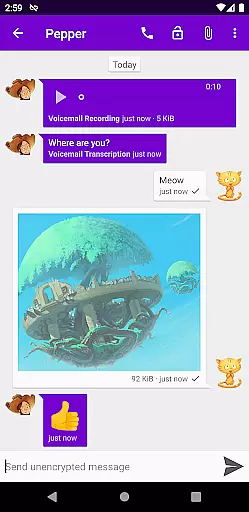
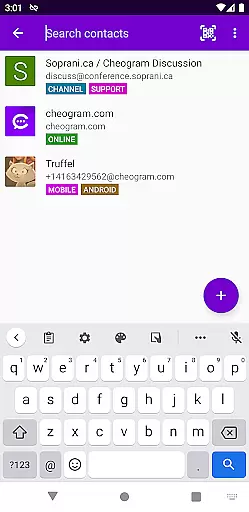
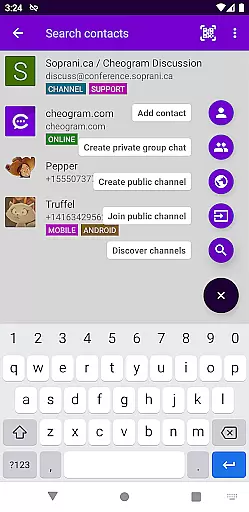
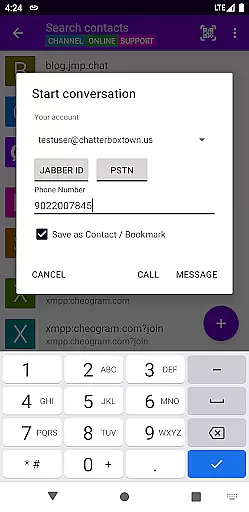
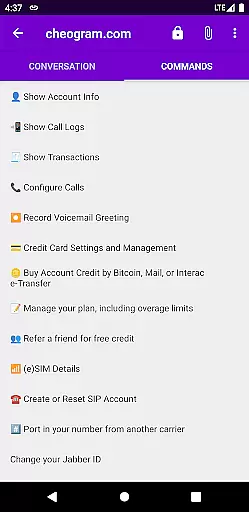
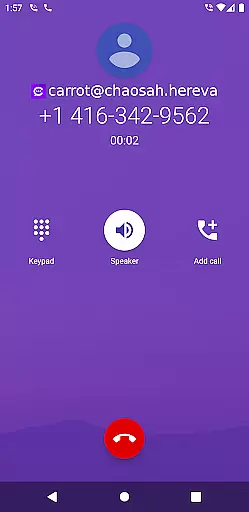
Cheogram is a communication app that connects users to a global network, emphasizing cross-platform interaction. It supports text and media messaging, including animated content, and integrates with Android's native phone functionalities.
With features like address book integration, tagging, and command UI, Cheogram enhances user engagement. The app also offers a free one-month trial of the JMP.chat service, making it an attractive option for those seeking versatile communication tools.
Cheogram stands out with its comprehensive feature set tailored for seamless communication. Users can send messages with both media and text, enjoying an unobtrusive display of subject lines and contact names.
The app excels in gateway integration, allowing users to add contacts and interact with the phone network through the native Android Phone app. Additional features include threaded conversations, sticker packs, and tag-based browsing, providing a rich and organized user experience.
Real-time messaging speed and reliability are crucial for any communication app, ensuring that messages are delivered instantly and consistently. Cheogram excels in this area by providing a seamless experience where users can send both media and text messages, including animated media, without delay.
The app's architecture is designed to maintain a stable connection with the Jabber service, which ensures that messages are transmitted efficiently. This stability is vital for maintaining conversation flow and user engagement, as it prevents frustrating lags or lost messages.
Moreover, Cheogram integrates with gateways' add contact flows and the native Android Phone app when using a gateway to the phone network. This integration enhances the real-time messaging experience by allowing users to stay connected across different platforms and devices effortlessly.
For users who prioritize swift and dependable communication, Cheogram's focus on real-time messaging speed and reliability makes it an excellent choice. The ability to link known contacts by name and tag contacts and channels further enriches the user experience, making interactions more personalized and organized.
Media sharing support is a fundamental aspect of modern communication apps, enabling users to exchange various types of content seamlessly. Cheogram offers robust media sharing capabilities, allowing users to send messages that include both media and text, including animated media, enhancing the richness of conversations.
The app provides an unobtrusive display of subject lines, where present, ensuring that media messages retain their context without overwhelming the recipient. This thoughtful design element helps maintain clarity and relevance in shared content, making interactions more meaningful.
Cheogram also supports address book integration, which simplifies the process of sharing media with known contacts. By showing links to known contacts with their names, the app streamlines media sharing and fosters a more connected user experience.
In addition to direct media sharing, Cheogram includes features like sticker packs and lightweight threaded conversations, which further enhance the media sharing experience. These features allow users to express themselves creatively and engage in dynamic, multimedia-rich conversations, setting Cheogram apart as a versatile communication tool.
User-friendly interface
Robust feature set
Free trial available
Cross-platform support
Enhanced privacy options
Limited to Jabber services
Requires external account
No direct call feature
Interface may feel dated
Dependent on third-party art

Tether to Windows, OS X, Linux PCs or Android tablets. No root. No tether fees.
 3.90
3.90
Secure Messaging App to Enhance Messenger Texting Experience and Organize SMS.
3.50
Identify unknown numbers, block spam calls, customize calls with cool themes.
4.60
Google's fast and secure browser
4.10
Connect and browse the internet with a fast VPN proxy server and IP blocker.
4.50
Simplify texting with Messages SMS, offline messaging, themes & smart tools!
4.30
Weargram is an unofficial Telegram Client for Wear OS.
3.50
Get through your inbox faster with the mail app designed to simplify your life.
4.40
Enhance browsing with AI-powered features and Copilot.
4.70
Useful. Social. Expressive.
4.70
Save 10% automatically on your first international mobile top up.
4.60
Messenger, an MMS & SMS messages app with Blockers, Driving mode & Private box
4.60
Phone Dialer with Caller ID, Address Book & Contacts Manager.
4.30
Block spam calls & scam - no more annoying calls with the call blocker function
4.30
BiP is a fast, secure, free messaging and HD video calling app!
4.10
Threema is the messenger with the most consistent focus on security and privacy.
4.00
Quickly and easily identify and block unknown callers
3.70
A Browser with powerful ad blocker to help focus on what really matters.
3.00
Enables Plus features of Quick Search.
4.1


User Reviews