
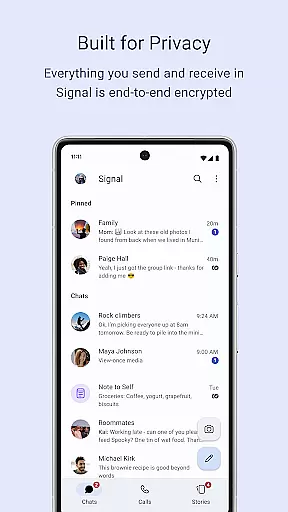
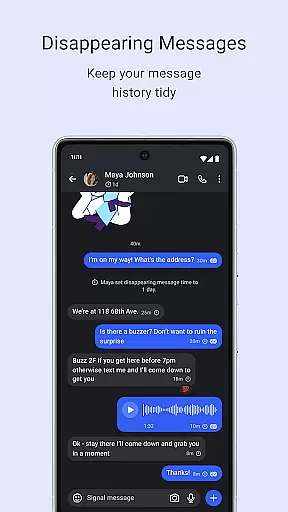
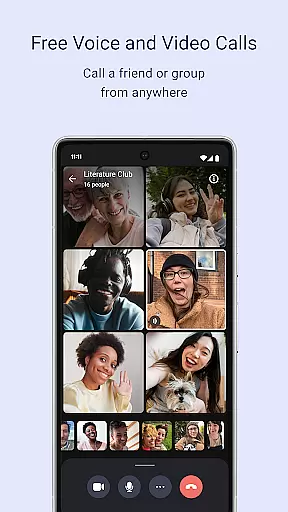
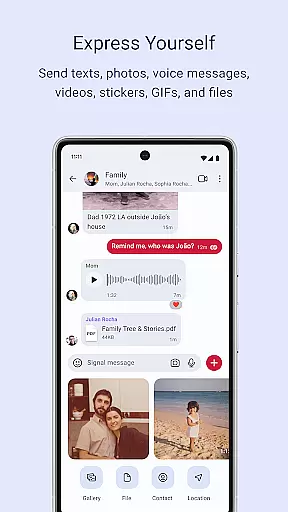
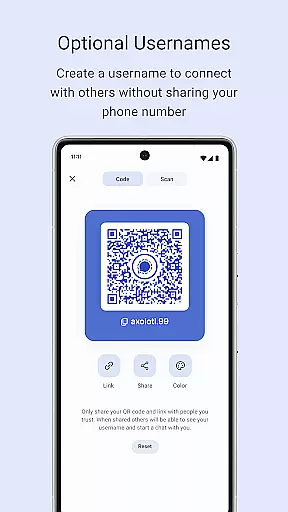
Signal Private Messenger is a communication app that prioritizes user privacy through end-to-end encryption. It allows users to send texts, voice messages, photos, videos, GIFs, and files for free over their phone's data connection, avoiding traditional SMS and MMS fees. The app supports crystal-clear encrypted voice and video calls, including group calls for up to 50 participants.
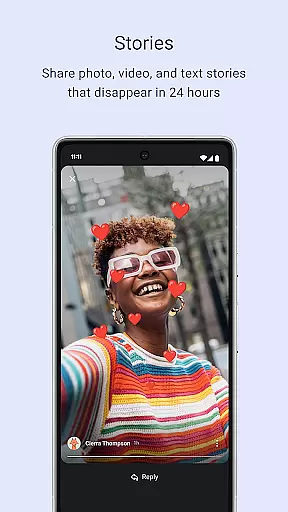
In addition to individual and group messaging, Signal offers Stories that disappear after 24 hours, with customizable privacy settings. As an independent, non-profit organization, Signal does not collect user data or display ads, ensuring a private and secure communication experience. Its open-source protocol guarantees message and call privacy, making it impossible for anyone, including the developers, to read messages or listen to calls.
Signal Private Messenger stands out with its robust set of features designed to keep communications private and secure. The app uses end-to-end encryption for all messages and calls, ensuring that only the sender and recipient can access the content. This includes text messages, voice messages, photos, videos, GIFs, and files, all sent over the user's data connection to avoid SMS and MMS charges.
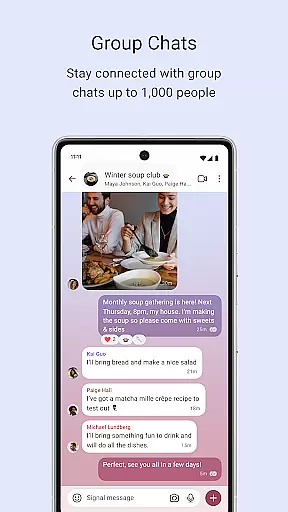
Voice and video calls are crystal-clear and encrypted, supporting group calls for up to 50 people. Group chats can include up to 1,000 participants, with admin controls to manage who can post. Stories allow users to share images, texts, and videos that disappear after 24 hours, with privacy settings that control exactly who can view each Story. As a non-profit, Signal does not rely on advertisers or investors, focusing solely on user privacy and security.
Signal Private Messenger excels in providing real-time messaging with impressive speed and reliability. The app ensures that your messages are delivered instantly, no matter where you are. This is crucial for maintaining seamless communication, especially when timing is essential.
The strong end-to-end encryption does not compromise the speed of message delivery. Instead, it works hand-in-hand with the app's optimized data protocols to ensure that every text, voice message, photo, or video is sent and received without delay. Signal uses your phoneu2019s data connection efficiently, bypassing traditional SMS and MMS fees while delivering rapid communication.
Users benefit from this swift interaction as it keeps them connected with friends and family without any lag. Whether sending a quick text or a large file, Signal maintains its performance, ensuring that all communications are both fast and reliable. This makes it an ideal choice for those who prioritize timely and dependable messaging.
Media sharing on Signal Private Messenger is both versatile and secure, allowing users to send various types of media without compromising their privacy. You can share images, videos, GIFs, and files effortlessly, knowing that your data remains protected through robust encryption protocols.
The app supports high-quality media sharing, ensuring that photos and videos retain their clarity and detail during transmission. Group chats of up to 1,000 people also benefit from this feature, enabling collective media sharing within communities or teams. Admin permission settings further enhance control over who can post and manage shared content within these groups.
Additionally, Signal offers Stories that disappear after 24 hours, adding another layer of privacy for temporary media shares. These Stories allow users to share moments briefly while keeping control over the audience. Overall, Signal provides comprehensive media sharing capabilities that align perfectly with its commitment to user privacy and security.
End-to-end encryption
No data collection
Free to use
Open-source protocol
Private Stories
Limited to 50 in group calls
No ads can be a con for some
Non-profit model
Requires data connection
Stories last 24 hours

Manage your data, talk & text - affordable phone plans & data usage made simple
 4.30
4.30
A web browser that respects your privacy.
4.30
The ultimate productivity solution for all your email communication needs.
4.40
Manage and Fund Calling Accounts and Schedule and Join Video Sessions
3.60
Welcome to the future of phone service.
4.60
Threema is the messenger with the most consistent focus on security and privacy.
4.00
Get through your inbox faster with the mail app designed to simplify your life.
4.40
Build your web browser around you with private search, and more.
4.60
Group Chat That’s Fun & Games
4.30
Messenger for SMS - texting message app, faster, simpler & safer, for you.
4.70
Faster version of Messages. Messenger for your contacts.
4.50
Fast and mini browser with Ad Blocker,Video Downloader and Video Player
4.40
Caller ID App! Add names & photos to unknown calls & Call Recording
4.40
HD Video Meeting app is a fast & unlimited video conferencing app across world.
4.30
RemoteHams.com Android RCForb Client Pre-Release
4.30
Pure modern IRC experience for Android
3.70
Call & Text Anywhere With A Canadian Number.
3.60
A softphone app with seamless SIP calling and an intuitive VoIP dialer
3.50
At select facilities, you now have an easy way to video visit your loved ones!
3.30


User Reviews