
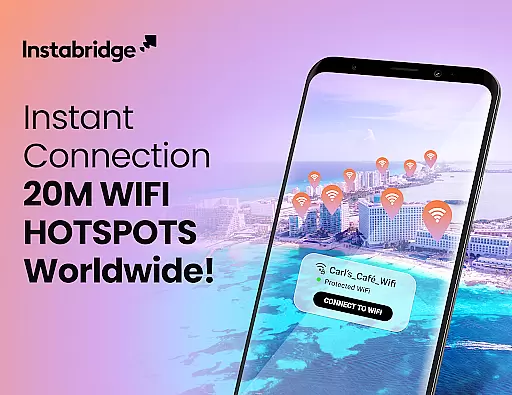
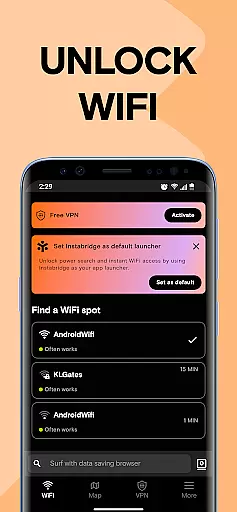

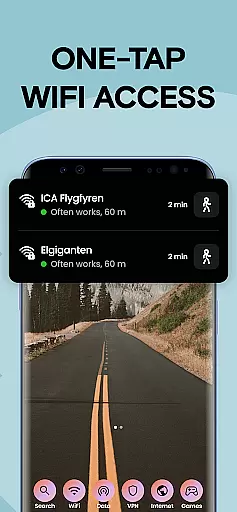
Instabridge is a comprehensive travel and connectivity solution designed to simplify WiFi access for users worldwide. The app provides an extensive offline map of over 20 million secure public WiFi hotspots, eliminating the need for manual network searches or password requests. Its intuitive interface allows instant connections with just one tap, making it an ideal tool for travelers who require reliable internet access on the go.
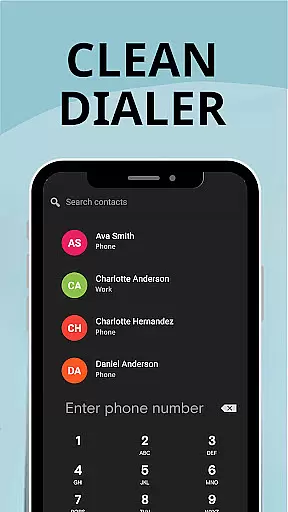
Beyond its core WiFi functionality, Instabridge also integrates advanced communication features such as Caller ID, which helps users identify incoming calls and block spam. Additionally, the app supports Mobile Data through eSIM-enabled devices, offering seamless internet access in more than 190 countries without the hassle of SIM card swaps or roaming charges. This combination of tools ensures that users remain connected both locally and globally.
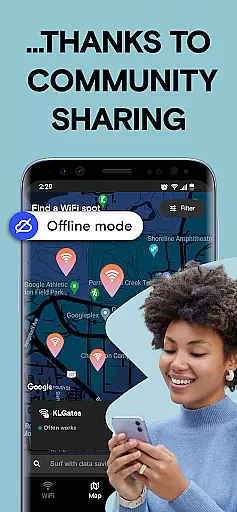
By fostering a community-driven approach, Instabridge encourages users to share WiFi networks, contributing to a growing global database. This collaborative effort not only benefits individual users but also promotes universal internet accessibility. Whether traveling abroad or navigating local areas, Instabridge delivers fast, secure, and effortless connectivity, empowering users to stay online wherever they are.
Instabridge stands out with its robust feature set tailored for modern travelers and connectivity seekers. One of its key highlights is the Quick WiFi Access feature, which utilizes a detailed hotspot map to connect users instantly. The app's smart algorithms ensure that only functional networks are displayed, saving time and frustration by avoiding unreliable connections. Furthermore, the Offline WiFi Map allows users to access hotspot locations even without an active internet connection, making it invaluable during international travel or in areas with poor signal strength.
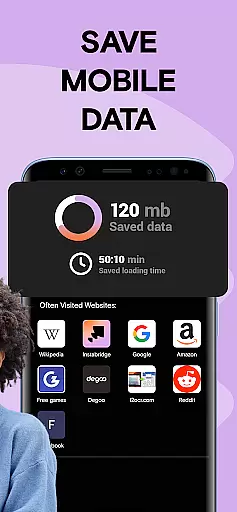
In addition to its WiFi capabilities, Instabridge offers innovative tools like Power Search and a data-saving browser. Power Search consolidates access to apps, contacts, and web resources into a single launcher, streamlining user workflows. Meanwhile, the built-in data-saving browser compresses web content up to 10 times more efficiently than standard browsers, significantly reducing mobile data consumption. These features cater to users who prioritize efficiency and cost-effectiveness while staying connected.
Advanced functionalities such as Auto-connect and detailed WiFi stats further enhance the user experience. Auto-connect automatically links users to trusted networks in familiar locations like airports or cafes, ensuring uninterrupted internet access. Detailed WiFi stats provide insights into network speed, popularity, and data usage, enabling informed decisions about connection quality. With support for various encryption protocols (WEP, WPA, WPA2, WPA3) and integrated speed tests, Instabridge guarantees both security and performance for all its users.
Booking authenticity is crucial for travelers who rely on accurate and trustworthy information to plan their trips. Instabridge ensures that all listed WiFi hotspots are verified and functional, providing users with reliable connectivity options wherever they go.
The app's extensive database of over 20 million secure WiFi networks is continuously updated by a global community of users. This crowdsourced approach guarantees that the hotspot information is current and reflects real-world availability, eliminating the frustration of searching for non-existent or malfunctioning connections.
By offering an offline map feature, Instabridge allows travelers to access WiFi hotspot details without needing an active internet connection. This functionality is particularly beneficial in areas with limited connectivity, ensuring users can still locate and connect to WiFi even when they're off the grid.
With its commitment to accuracy and reliability, Instabridge not only simplifies the process of finding public WiFi but also enhances travel experiences by keeping users connected securely and effortlessly.
Price transparency is essential for travelers seeking cost-effective solutions without hidden fees. Instabridge addresses this need by providing free access to millions of WiFi hotspots worldwide, allowing users to save on mobile data costs while traveling.
In addition to complimentary WiFi access, Instabridge offers Mobile Data services for eSIM-enabled phones. This feature provides seamless internet connectivity in over 190 countries without the hassle of roaming charges or SIM card swaps, ensuring travelers stay connected at transparent and competitive rates.
The app's detailed WiFi map includes valuable insights such as network speed and popularity, empowering users to make informed decisions about which hotspots to connect to based on performance metrics rather than arbitrary pricing structures.
By combining free WiFi access with affordable mobile data options, Instabridge delivers exceptional value to its users, making it an indispensable tool for maintaining connectivity while traveling without breaking the bank.
Fast and secure WiFi access
Offline hotspot mapping
Caller ID and spam blocking
Global Mobile Data via eSIM
User-friendly interface
Limited eSIM device support
Occasional connectivity issues
Privacy concerns with shared networks
Ad-supported free version
Regional restrictions on some features

OFFLINE detailed information about the Florida National and State Parks
 4.0
4.0
Plan where to stand and shave minutes off your trip!
4.80
A tool for outdoor activities.
4.30
View current Montana road conditions, cameras, plows, and timelapse videos.
4.70
The mobile panorama panel. Works offline - worldwide!
4.40
Get all MTA services, Subway, Bus, LIRR, Metro-North and More all in one place.
4.60
Maximize your cruise vacation with the Royal Caribbean app
4.70
Earn hotel and travel rewards, find hotel offers, and access your Digital Key.
4.50
Examine the planet
3.80
One app, 300,000+ travel experiences, tours, and tickets you’ll remember.
4.90
All-in-one delivery and taxi app. Ride, food, & grocery delivery app.
4.80
Find your perfect somewhere with last minute hotel & travel deals!
4.80
Book your whole trip in one app.
4.80
Easily rent a car at over 9,500 locations with the Enterprise car rental app.
4.60
The best way to book travel
4.60
INDOT Trafficwise is a traffic and traveler information mobile app.
4.00
View US public land boundary maps on your device.
3.70
Everything you need for your trip in one place with the Volaris app.
3.60
Tide Table Chart provides quick and easy access to high and low tide forecasts.
3.20


User Reviews