
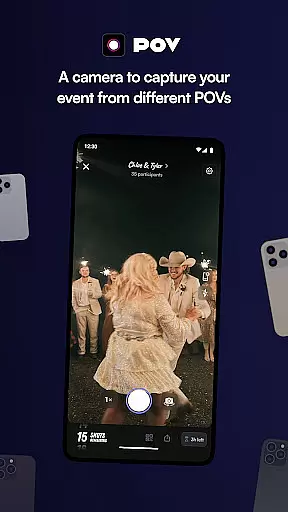
POV is an innovative event photography app that allows guests to capture and share moments from unique perspectives. Designed for event organizers, this digital disposable camera app lets you control the number of photos each guest can take, creating a sense of exclusivity and anticipation.
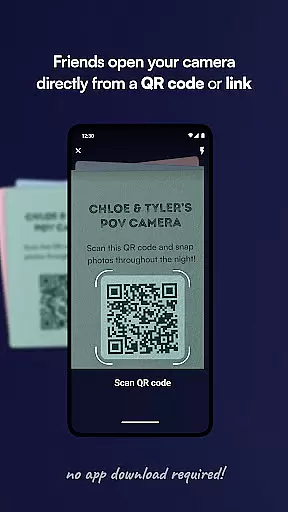
The app's key feature is its customizable photo limits and delayed reveal functionality. Guests don't need to download the app - they simply scan a code or click a link to participate. This makes it perfect for weddings, parties, and corporate events where controlled photo sharing enhances the experience.
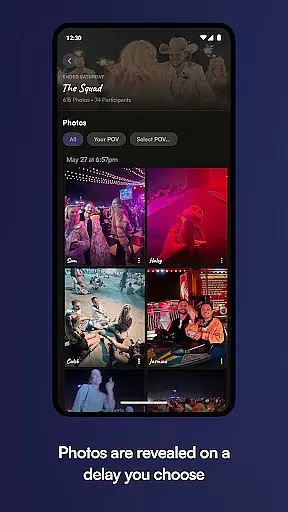
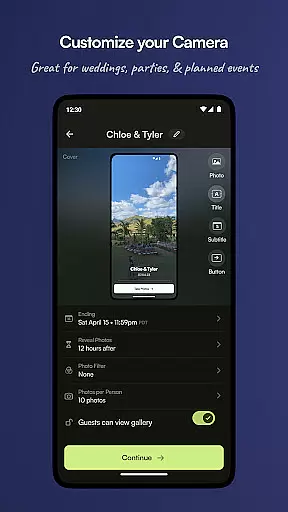
Event organizers can customize every aspect of the photo-taking experience, including camera settings, gallery reveal timing, and visual design elements. The delayed gallery reveal creates exciting 'next day' moments when all photos become available for viewing and sharing.
POV offers several distinctive features that set it apart in the event photography space. The app's customizable camera function lets hosts set precise photo limits per guest, while the delayed reveal feature builds anticipation for the following day's gallery release.
The app provides powerful design tools for complete customization of the user interface. Hosts can personalize stickers, text styles, backgrounds, and other visual elements to match their event's theme. This level of customization ensures each event maintains its unique identity.
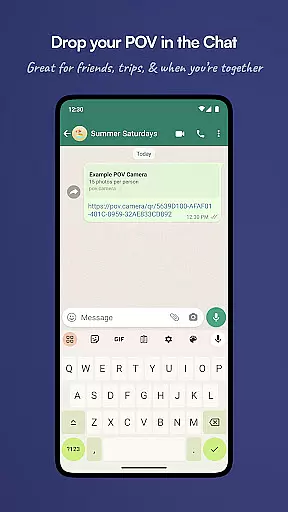
For seamless sharing, POV supports QR codes and NFC tags, making it easy for guests to access the event. The no-download requirement for participants removes technical barriers, while the controlled photo environment helps maintain event privacy and exclusivity.
Creating and customizing tasks within POV allows event organizers to define unique photo-taking experiences for their guests. This feature is crucial as it enables the host to set specific parameters around the number of photos each guest can capture, mimicking the experience of a disposable camera.
The app provides an intuitive interface where hosts can easily establish these parameters. By setting a cap on the number of photos, the app ensures that each snapshot is deliberate and meaningful, contributing to a curated collection of memories.
For users, this means a more thoughtful approach to capturing events. Guests are encouraged to focus on quality over quantity, resulting in a diverse and rich gallery that reflects multiple perspectives without overwhelming volume.
This level of customization not only enhances the user experience by providing clear guidelines but also enriches the overall narrative of the event, making the process of reliving memories more enjoyable and engaging.
POV's reminder settings play a vital role in ensuring that guests do not miss out on any moment worth capturing. The ability to customize when and how reminders are sent is essential for maintaining guest engagement throughout the event.
Event organizers can schedule reminders to notify guests to take photos at key moments or intervals. This could be during special highlights or spread evenly to maintain consistent participation.
For guests, receiving timely reminders means they are always prompted to contribute to the collective memory bank, without needing to remember to open the app themselves.
Ultimately, POVu2019s reminder settings ensure that every significant moment is captured from various angles, enhancing the shared experience and allowing everyone to fully immerse in the joy of the event while still contributing to a communal gallery that will be cherished later.
User-friendly interface
Highly customizable
Delayed reveal feature
No guest download required
Unique event perspective
Limited free features
Requires planning
Paid add-ons
Guest participation needed
Internet connection required

It is an Event Planning Application.
 4.2
4.2
Community for Mods, Addons, Melsaves, Melmods for Melon Playground
4.4
Rocket Monkey - Space rocket launch schedule for launch sites around the world
4.20
Get live football here
4.30
Beautiful invitation cards + easy RSVP tracking for any event. Design Invites.
4.80
The Official Football Ticketing App for Fans in Qatar
4.0
TodayTix is the easiest way to get tickets to the best shows in your city.
4.90
Buy and Sell Tickets for Concerts, Sports, and Theater.
4.70
Buy tickets for any event!
3.90
Find Live Event Ticket Deals to Sports, Concerts, Festivals, & Comedy For Less!
4.80
Events, Meetings, Photo Shoots
4.50
Meet people over dinner
4.40
The official app for Sched events! View your event schedule here.
4.20
Microsoft Ignite is an event that showcases latest advancements in technology
4.00
Instant photo sharing for every occasion
3.80
Audio guide companion APP for SEE's Michelangelo's Sistine Chapel
3.50
Watch live football matches and streaming events on our Arabic TV app!
3.50
The Official App
4.0
Buy event tickets easily with our user-friendly App. Stay updated on hot events
4.3


User Reviews