![Magnifier & Microscope+ [Cozy] logo](https://cdn.linksharehub.com/ocp/?u=https%3A%2F%2Fl2.fancapitalize.com%2Fimages%2F2025%2F12%2Faee3a395c672993c99652a02f2e2fccf.jpg&t=webp)
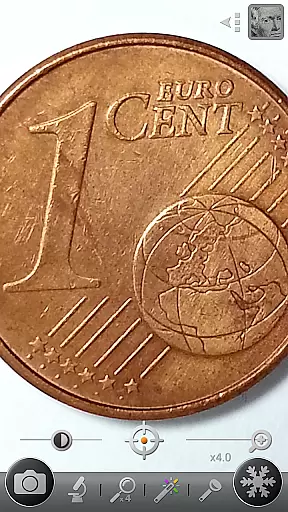

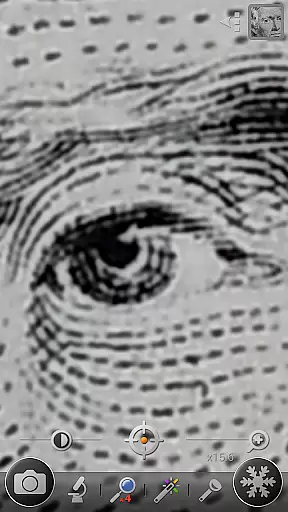

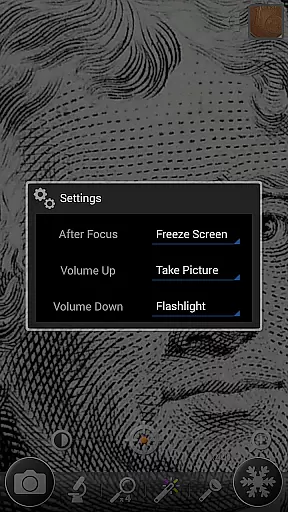
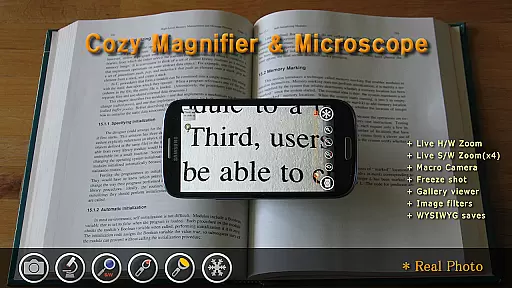
Magnifier & Microscope+ [Cozy] is a versatile digital magnification tool designed to assist users in viewing small details with ease. The app transforms your smartphone into a powerful magnifying glass, eliminating the need to carry a physical one. With specialized modes like Magnifier and Microscope (x2, x4), it caters to various use cases such as reading fine prints or examining tiny objects.
Additionally, the app offers advanced features including an LED flashlight for low-light environments, brightness control, and color filters like Negative and Sepia. These tools enhance visibility and provide customizable viewing options. Whether you're using it for work-related tasks or personal convenience, this app ensures precision and clarity in every detail.
The app boasts an array of practical features that make it stand out as a digital magnification tool. Its Magnifier mode includes intuitive zoom controls, allowing users to adjust magnification through pinch gestures or vertical drags. For more detailed inspection, the Microscope mode offers enhanced zoom levels at x2 and x4 magnification, ideal for close-up examinations.
Other notable features include a screen-freezing function for stable viewing, a macro camera for capturing detailed images, and multiple color filters to improve text readability or highlight specific elements. The built-in LED flashlight ensures usability even in dark environments. Together, these features create a comprehensive tool that adapts to various magnification needs while maintaining user-friendly functionality.
Magnifier & Microscope+ [Cozy] offers a comprehensive suite of tools that cater to various lifestyle needs, making it more than just a magnification app. The app includes features such as a digital magnifier, microscope mode, LED flashlight, macro camera, and color filters, all designed to enhance daily convenience.
Users can employ the app for reading small prints, examining tiny objects like semiconductor model numbers, or capturing macro photographs with ease. Its diverse functionality addresses multiple aspects of users' lives, from practical everyday tasks to specialized hobbies or professional requirements.
The inclusion of advanced features like brightness and zoom control, screen freezing, and an enhanced embedded gallery ensures that users have a versatile tool at their disposal. These capabilities contribute to a broader lifestyle category coverage, positioning the app as a multifunctional utility in the Lifestyle genre.
When assessing content authenticity and expert credibility, Magnifier & Microscope+ [Cozy] stands out due to its robust feature set developed with user needs in mind. The app has been recognized and recommended by various media outlets and even highlighted as a Mother's Day Recommended App by Google Korea, adding a layer of trustworthiness.
All functionalities, including the magnifier, microscope mode, and color filters, are designed based on real-world applications and scenarios. This approach ensures that users receive genuine value from the app, whether they're using it for leisure or professional purposes.
While the app does not claim responsibility for issues arising from its use, the transparency about device compatibility and image quality dependency on the phoneu2019s camera showcases honesty. Such disclosures, combined with positive endorsements, reinforce the app's credibility within the Lifestyle category.
User-friendly interface
Multiple magnification modes
Advanced color filters
LED flashlight functionality
Screen freezing option
Limited by phone camera quality
Some features device-dependent
No real microscope capability
Premium version costs extra
Occasional auto-focus issues

Design and brew great homebrewing beer, mead, cider and wine recipes on the go!
 3.60
3.60
Pay your rent, submit work orders and much more with the RentCafe Resident App.
4.70
Daily lessons from A Course in Miracles with scheduled reminders
4.80
Premium floor cleaning robots
4.50
Big bold hybrid watch face with 30 colors, 5 fonts & 5 complications.
4.3
Customize your Wear OS watch with festive Christmas figures and colors!
4.0
Mixing Colors for Menswear
4.20
Control your Tapo smart devices from anywhere.
4.60
Just play, earn rewards, fetch gift cards, and turn gaming into real payouts!
4.80
Have your Tehillim with you at all times
4.70
Kasa Smart is your portal to your TP-LINK Smart Home.
4.70
A smart Siddur with halachic times
4.60
Vehicle ownership simplified. Get the myChevrolet® app today.
4.60
Do you want to communicate with spirits?
3.80
Your home in your hand
3.80
Connect to your Shark ROBOT™ from anywhere using the SharkClean™ App.
3.60
A watch face with transparency and fluid visuals inspired by liquid glass design
4.4
Immerse yourself in the serenity of lavender fields and white butterflies
4.2
Cute animated Thanksgiving watchface for your WearOS smartwatch
4.0


User Reviews