
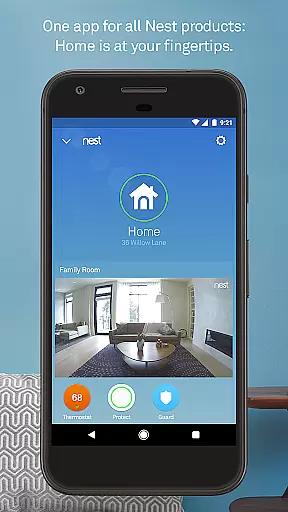
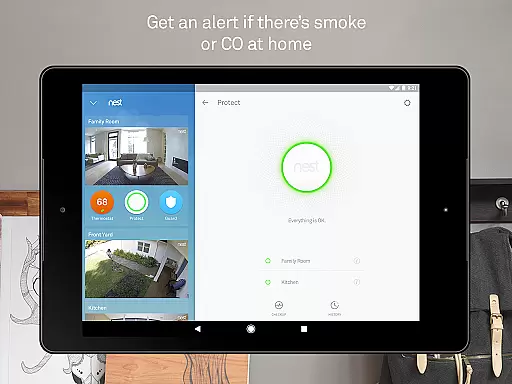
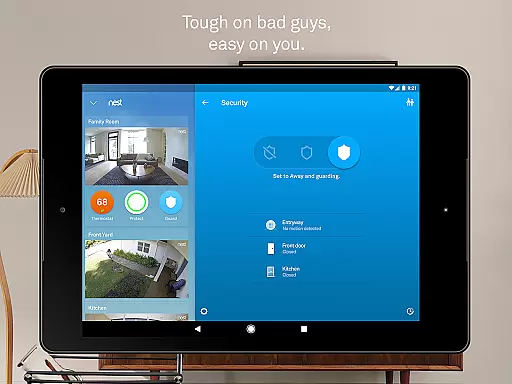
Nest is a comprehensive smart home application that allows users to control and monitor various Nest devices from their mobile devices. The app serves as a central hub for managing thermostats, security systems, smoke detectors, cameras, doorbells, and locks. With its intuitive interface, users can easily adjust settings, receive alerts, and automate routines based on their daily habits.
One of the standout features of the Nest app is its ability to learn user preferences and automatically adjust settings accordingly. For instance, it can regulate home temperature by learning your schedule and comfort levels. Additionally, the app provides real-time notifications for security breaches or environmental hazards, ensuring peace of mind whether you're at home or away.
The app's value lies in its seamless integration with Google's ecosystem, offering users a unified platform to manage all their smart home devices. Whether you want to remotely arm your security system, check live camera feeds, or receive important safety alerts, the Nest app delivers a convenient and reliable solution for modern living.
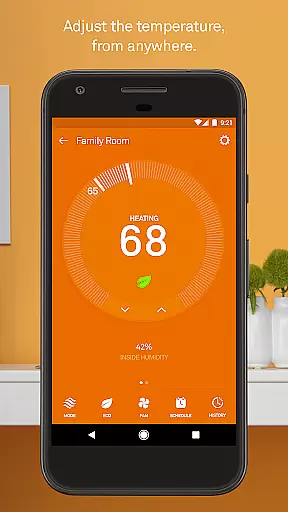
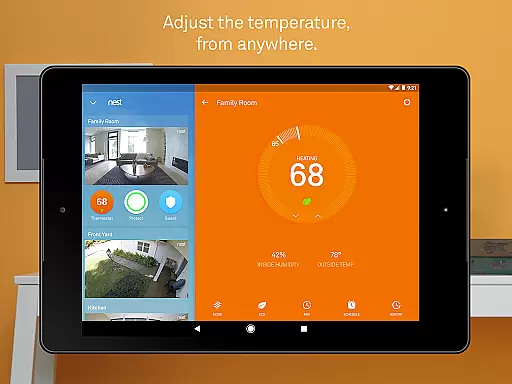
The Nest app boasts an array of sophisticated features designed to enhance home automation and security. One key feature is the remote thermostat control, which enables users to adjust their home's temperature directly from their smartphone. This functionality not only offers convenience but also helps optimize energy usage, potentially reducing utility costs.
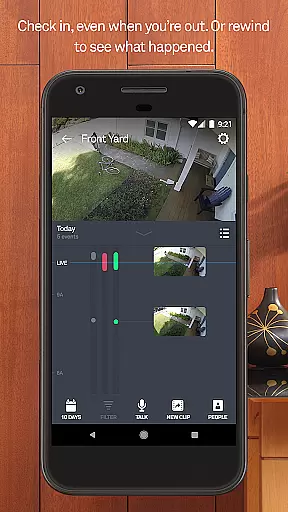
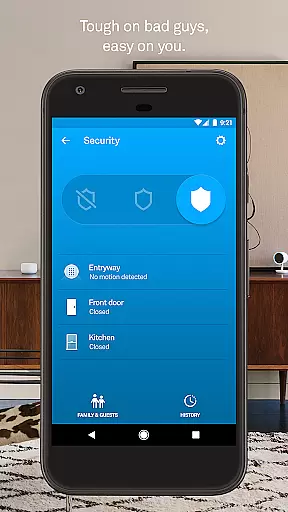
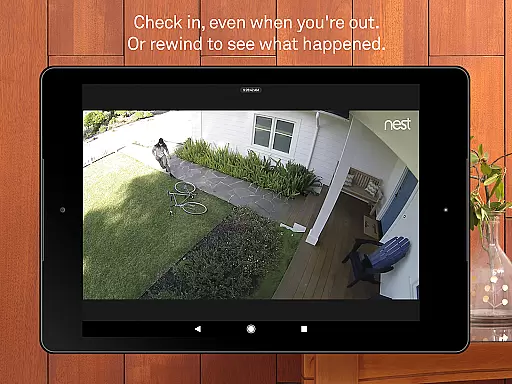
Another notable aspect is the app's robust security management capabilities. Users can arm and disarm their Nest Secure alarm system, receive instant alerts about suspicious activities, and even view live footage from connected cameras. The app employs advanced algorithms and sensors to provide accurate and timely notifications, ensuring maximum protection for your property.
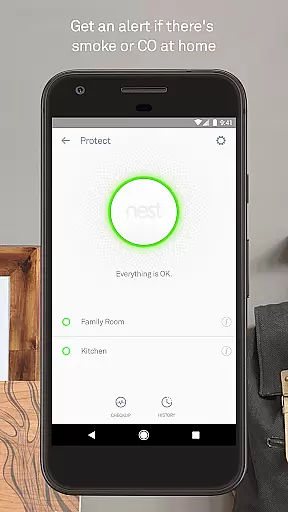
Beyond these core functionalities, the Nest app supports additional devices like Nest Protect smoke alarms and Nest Hello video doorbells. These integrations allow users to receive detailed alerts about potential fire hazards or visitor arrivals. Furthermore, the app facilitates easy customization of device settings and automates routine tasks through Home/Away Assist, making smart home management both efficient and user-friendly.
The Nest app offers comprehensive coverage of essential lifestyle categories, making it an all-in-one solution for smart home management. With features spanning climate control, security systems, smoke and carbon monoxide detection, and video monitoring, it ensures users can manage various aspects of their home environment with ease.
Through the integration of advanced sensors, algorithms, and location tracking via the user's phone, Nest provides automated responses to daily routines. Whether adjusting the thermostat when you leave or alerting you to arm your alarm system, the app anticipates needs and acts accordingly, enhancing convenience and peace of mind.
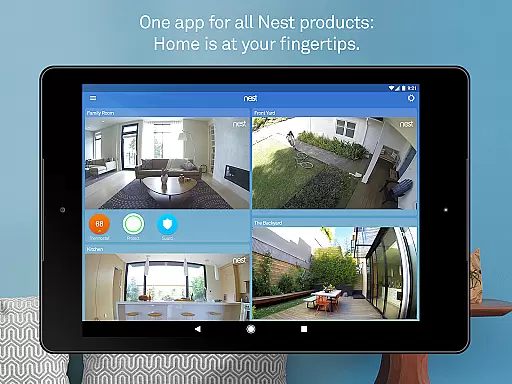
Users benefit from seamless access to a network of interconnected devices. From controlling indoor and outdoor cameras to receiving important notifications about their home's safety, the Nest app delivers timely information and control options directly to Android phones or tablets, ensuring that homeowners remain informed and in charge no matter where they are.
Authenticity and credibility are at the core of the Nest app's offerings. Developed by Google Nest, known for creating beautiful, helpful, and easy-to-use products, the app reflects a commitment to quality and reliability. Each feature is designed based on expert knowledge in home automation and security, ensuring that users receive accurate and trustworthy information about their living spaces.
The app includes detailed insights into energy usage, safety alerts, and real-time updates from connected devices like thermostats, alarms, and cameras. These elements are crafted not only to inform but also to empower users with actionable data, such as energy consumption patterns or potential security threats, backed by rigorous testing and validation processes.
By providing verified content and expert-driven functionalities, the Nest app builds trust with its users. Whether itu2019s through precise temperature controls, reliable alarm systems, or high-definition video feeds, the emphasis on authentic and credible interactions ensures that homeowners can depend on the app for maintaining a safe, comfortable, and efficient home environment.
User-friendly interface
Comprehensive device integration
Automated scheduling
Real-time alerts
Energy optimization
Subscription fees for advanced features
Occasional connectivity issues
Limited third-party device support
Higher cost of compatible hardware
Privacy concerns with constant monitoring

The all-new Cync app. The simple, connected app for Cync and C by GE.
 4.50
4.50
Take Hobby Lobby with you wherever you go!
3.40
Discover the "To Be a Christian" App: Your Guide to Deepening Faith!
5.00
See wait times and check into a hair salon ahead of time with Online Check-In.
4.80
Earn money & gift cards when you take surveys, play games, scan receipts & more.
4.50
The Miracle Box includes methods used by Steve Huff of Huff Paranormal.
3.20
Subwoofer school’s in session! You’ve now enrolled into KICKER U.
3.80
Redecor your home with Home AI interior design, room planner and home designer.
4.50
Create slime on your phone and enjoy satisfying and relaxing ASMR games
4.50
Your store’s deals, where you are.
4.80
Have your Tehillim with you at all times
4.70
Digital smart watch face made for Wear OS.
4.70
Play fun games, complete quick surveys, and earn money. It's fun and easy!
4.40
Paranormal Spirit Bell Trigger Device
4.30
Material You inspired colors with BIG and Bold looks for Wear OS watches.
4.20
Design and brew great homebrewing beer, mead, cider and wine recipes on the go!
3.60
Unique informative Dial with Live Moon Phase at a glance!
3.60
Immerse yourself in the serenity of lavender fields and white butterflies
4.5
Celebrate the holidays with Advent Calendar: daily surprises and festive fun!
4.1


User Reviews