
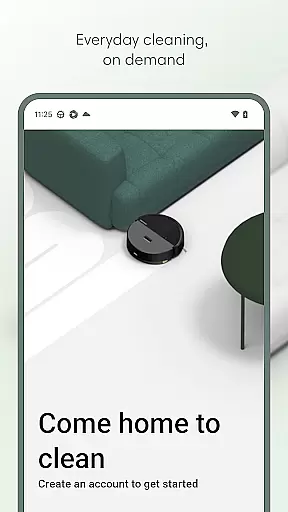
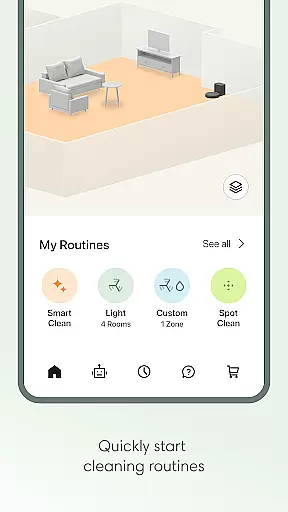
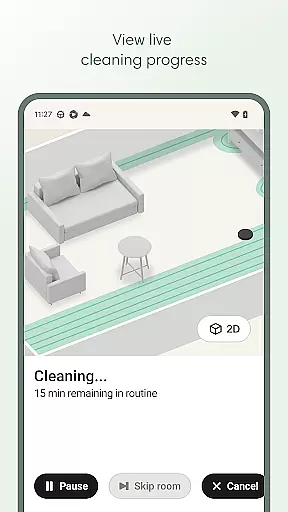
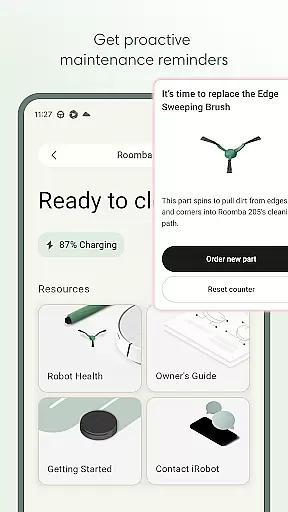
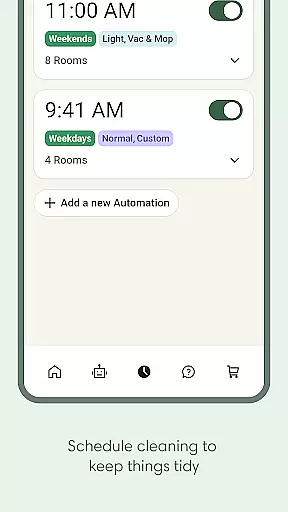
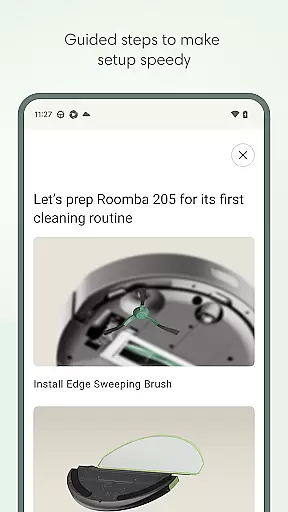
Roomba Home is a smart cleaning management app designed for Roomba robot vacuum owners. The application allows users to remotely control their cleaning devices, offering features such as starting, stopping, and scheduling cleanings directly from their mobile device. With compatibility across multiple Roomba series, this app elevates the user's cleaning experience by providing advanced functionalities like personalized cleaning routines, real-time tracking of the robot's cleaning path, and proactive maintenance alerts.
The app also supports detailed home mapping, enabling users to customize cleaning zones and routines according to their specific needs. Integration with smart home ecosystems, including Alexa, Siri, and Google Assistant, ensures seamless voice control functionality. Whether you need to manage your cleaning schedule or monitor your robot's performance, Roomba Home delivers an intuitive and efficient solution that simplifies home maintenance.
Roomba Home offers a comprehensive suite of features that enhance the robotic vacuuming experience. One standout feature is the Routine Builder, which allows users to create customized cleaning schedules tailored to individual preferences. Users can select specific rooms, adjust suction power, and even enable advanced scrubbing modes for more thorough cleaning. Additionally, the app provides real-time insights into the robot's cleaning activities, displaying its current location and progress through interactive maps.
Another key feature is the app's support for multi-floor mapping, capable of saving up to five distinct floor plans. This enables targeted cleaning in different areas of the home. The Health Dashboard monitors the status of both the robot and its accessories, alerting users to any required maintenance. Voice command compatibility with major smart home systems further enhances usability, making it easier than ever to maintain a spotless home without manual intervention.
The Roomba Home app offers extensive coverage of lifestyle categories by integrating various smart home functionalities into a single platform. This app is not just about controlling your Roomba robot; it extends to managing your entire home cleaning routine with features like scheduling, personalized cleaning routines, and real-time insights.
With compatibility across multiple Roomba series, the app ensures that users can manage different models seamlessly. The ability to create detailed maps of your home, label rooms, and add zones for targeted cleaning demonstrates its comprehensive approach to home management. These features collectively contribute to a more organized and efficient living environment.
Users benefit from the app's intuitive design and intelligent recommendations, which simplify daily tasks. Whether it's through voice control integration with Alexa, Siri, or Google Assistant, or through proactive product maintenance alerts, the Roomba Home app enhances convenience and maintains a high standard of living.
Authenticity and credibility are at the core of the Roomba Home app's offerings. The app provides genuine content developed by experts in home cleaning and robotics. Each feature, from setting up your robot to managing advanced cleaning routines, is crafted based on real user needs and feedback.
The app includes expert-recommended cleaning settings and routines, ensuring that users receive optimal cleaning performance. Detailed guides and tips during the setup process reflect the expertise behind the app's development, offering users confidence in their cleaning routines.
Furthermore, the Health Dashboard and maintenance suggestions underscore the app's commitment to providing reliable and trustworthy content. By monitoring the health of both the robot and its accessories, the app ensures sustained performance and addresses potential issues proactively, reinforcing its authoritative stance in lifestyle management.
User-friendly interface
Customizable cleaning schedules
Real-time robot tracking
Voice assistant integration
Proactive maintenance alerts
Limited to Roomba models
Requires 2.4GHz Wi-Fi
No 5GHz network support
Premium features may cost extra
Dependent on stable internet

Unique informative Dial with Live Moon Phase at a glance!
 3.60
3.60
Turn your watch into a key fob for your Tesla
2.90
Daily lessons from A Course in Miracles with scheduled reminders
4.80
Get your life organized with My Agenda!
4.30
View over 160,000 line dance stepsheets from the CopperKnob website.
3.30
Material You inspired colors with BIG and Bold looks for Wear OS watches.
4.20
Customize your Wear OS watch with festive Christmas figures and colors!
4.3
Have your Tehillim with you at all times
4.70
Control your Tapo smart devices from anywhere.
4.60
Made To Order Faves
4.70
Simple, stylish & fresh watch face. Customize colors, gradients & complications.
4.70
Unique "Isometric" style digital watch face for Wear OS
4.50
This minimalist yet classic board design brings a futuristic twist to your wrist
4.20
Spiritus Ghost Box is an Audio and Visual ITC tool for paranormal research.
4.00
Do you want to communicate with spirits?
3.80
LineLearner, the quick way to learn lines.
2.90
Big bold weather watch face with dynamic backgrounds and 3 complications
4.0
Cute animated Thanksgiving watchface for your WearOS smartwatch
4.5
Wear your favorite memories, loved ones, pets or travel photos on your watch
4.4


User Reviews