

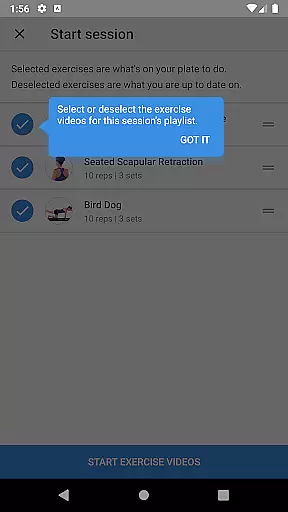



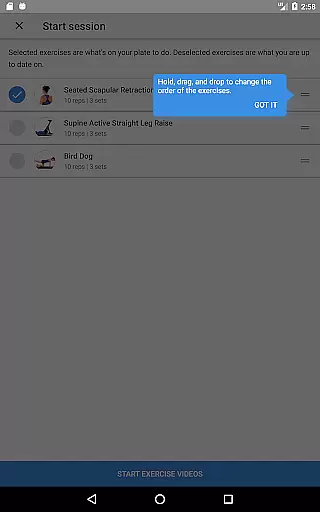
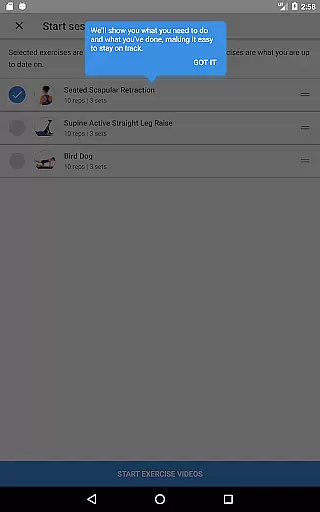
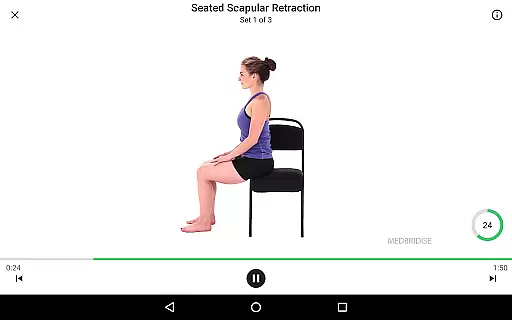



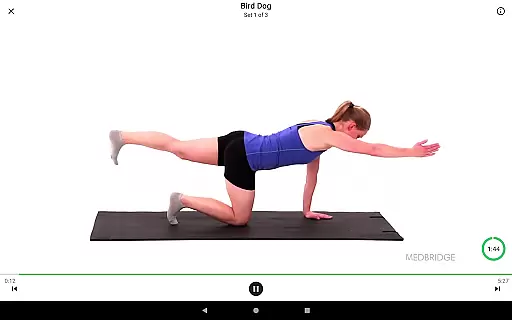

Medbridge GO for Patients is a specialized health and fitness application designed to help users complete prescribed therapeutic exercises with professional guidance. Powered by award-winning content and technology, this app serves as a premier tool for physical therapy patients working with PT, OT, AT, or SLP professionals.
The app allows users to access customized exercise programs through a simple two-step process: entering an access code from their provider and following along with on-screen exercise videos. Additionally, Medbridge GO offers features like setting reminders, tracking progress, and accessing educational materials such as 3D models, explanatory videos, clinician notes, and PDF guides provided by the therapist.
Whether recovering from injury or managing a chronic condition, Medbridge GO ensures patients can conveniently follow their therapy plans, enhancing recovery outcomes through structured support and expert resources.
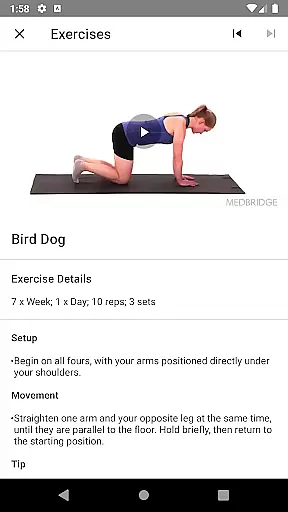
Medbridge GO stands out with its comprehensive approach to patient care through digital tools. The app provides access to high-quality video demonstrations of exercises prescribed by licensed therapists, ensuring proper form and technique. Users can seamlessly integrate these exercises into their daily routines by downloading personalized programs using provider-generated access codes.
Beyond exercise guidance, the app includes advanced tracking features that allow users to monitor their overall progress over time. It also incorporates educational resources such as detailed 3D anatomical models, clinician notes, and supplementary PDF guides, enriching the user's understanding of their treatment plan.
Additional functionalities include customizable reminders to maintain consistency in therapy sessions and a library of instructional videos covering various aspects of rehabilitation. These features collectively empower patients to take control of their recovery journey while staying aligned with their healthcare provider’s recommendations.
Personalized planning in Medbridge GO for Patients is a cornerstone feature that ensures users receive tailored exercise programs designed by their therapists. This feature leverages award-winning content and technology to create individualized plans that cater specifically to each patient's rehabilitation needs.
The app allows therapists to prescribe specific exercises, integrating various multimedia resources such as 3D models, explanatory videos, clinician notes, and PDF guides. These resources collectively enhance the understanding and execution of prescribed exercises, ensuring patients can accurately follow their therapy routines.
For users, this personalized approach translates into more effective rehabilitation. By following a plan specifically designed for their condition, patients can achieve better health outcomes. The integration of diverse educational materials further supports users in comprehending the rationale behind each exercise, promoting adherence and motivation.
Ultimately, personalized planning in Medbridge GO empowers patients to take an active role in their recovery process. With access to customized therapeutic exercises and educational content, users can confidently manage their rehabilitation journey, knowing they are supported by a scientifically-backed and professionally-designed program.
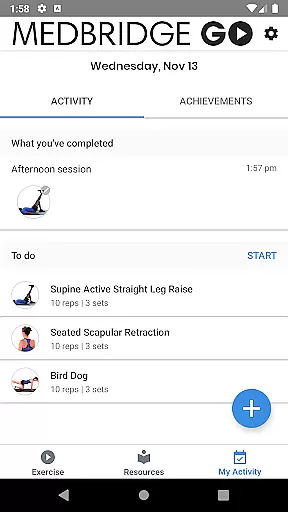
Progress visualization in Medbridge GO for Patients provides users with clear insights into their rehabilitation journey. This feature enables patients to track overall progress, offering visual representations of their achievements and milestones throughout the therapy process.
By setting reminders and tracking completed exercises, the app ensures that users remain consistent with their prescribed routines. Visual feedback on completed sessions and adherence to schedules helps maintain motivation and accountability, crucial elements for successful rehabilitation.
Moreover, Medbridge GO incorporates various tracking metrics that display progress over time. Users can view detailed statistics and graphical representations of their performance, which not only highlight improvements but also identify areas needing further attention. This data-driven approach aids in refining personal therapy plans for optimized results.
In summary, progress visualization in Medbridge GO enhances user engagement by providing tangible evidence of improvement. It fosters a sense of accomplishment and encourages continued effort, ultimately leading to more successful health outcomes and an empowered patient experience.
User-friendly interface
Expert-guided exercises
Comprehensive progress tracking
Educational resource library
Customizable reminders
Requires provider access code
Limited to subscribed therapists
No independent exercise selection
Premium features may cost extra
Dependent on internet connectivity

App to stop smoking slowly or now with a motivational badges and helpful tips
 4.80
4.80
Insanity blocks of intense physical activity, short breaks of 30 seconds.
4.0
A simple way to calculate peptide doses and also to convert different units.
4.5
The Sleep Miracle Sound Machine: Soothes baby to sleep with a gentle "Shhh"
3.00
The Official Blood Type Diet® App - know your categorized foods anytime.
4.50
Turn your steps into cash, gift cards & rewards with our step counting pedometer
3.80
Make sense of your health data.
3.80
beat yesterday.
4.00
Easy to use step counter, calorie counter helps lose weight, count steps offline
4.80
Wall Pilates at home & Pilates workout for beginners for core and weight loss.
4.80
Your AI pet BFF. Talk, play, and beat anxiety in this calming game.
4.60
Relax. Sleep Better. Feel Better.
4.50
Relax to calm sounds, white noise, music, guided meditation and bedtime stories
4.40
Download MadMuscles to start your positive body transformation!
4.30
Your personal BP tracking companion, focus on helping you achieve wellness goal.
4.10
Your Health Has Met Its App (℠)
3.90
FitCloudPro takes care of your health every minute.
3.70
GloryFit is a companion app for the smart bracelet.
3.60
The Wear OS BeechBand app is designed to alleviate anxiety and other conditions
4.3


User Reviews