
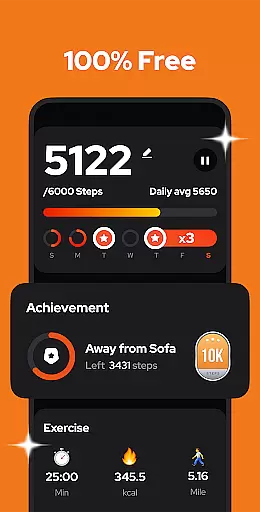
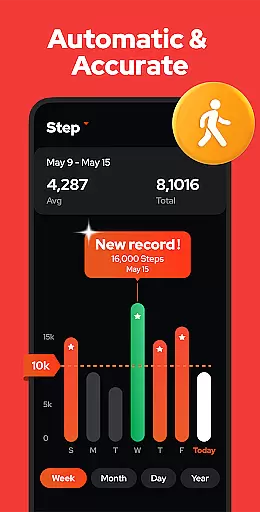
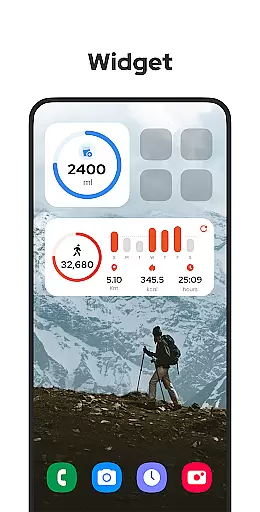
Step Counter - Pedometer is a premier health and fitness application designed to automatically track your daily steps, walking distance, calories burned, and exercise duration. Compatible with all Android devices, this app leverages advanced built-in sensors for precise tracking without the need for GPS or Wi-Fi, ensuring efficient battery usage. Whether you're aiming to hit the recommended 10,000 daily steps or monitoring your fitness progress through detailed weekly, monthly, or yearly graphs, Step Counter offers an intuitive and comprehensive solution.
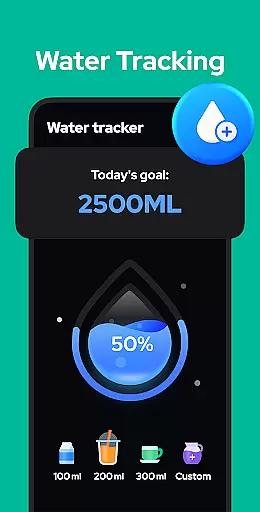
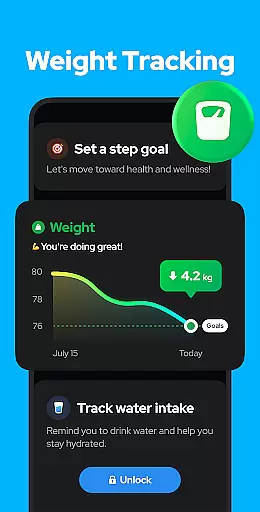
This app stands out by providing users with customizable sensitivity settings, pause and resume features to avoid unwanted step counts, and secure cloud backup options. Its user-friendly interface requires no wearables and supports offline mode, making it accessible anytime, anywhere. With upcoming features like drink water reminders and body weight recording, Step Counter continues to evolve, promising even more personalized health management tools.
Step Counter - Pedometer boasts an array of sophisticated features tailored to enhance your fitness tracking experience. The app's core functionality lies in its ability to auto-record daily activities using the device's built-in sensors, eliminating the need for external wearables. Users can benefit from accurate step counting, calorie tracking, and distance measurement, all while conserving battery life due to the absence of GPS tracking.
Beyond basic tracking, the app provides advanced customization options such as adjustable sensitivity settings and the ability to pause background tracking, which is particularly useful when driving or during periods of inactivity. Additionally, Step Counter ensures data privacy and security by offering a 100% free and private environment where all user data remains undisclosed to third parties. Upcoming features will introduce training modes, hydration alerts, and health metrics like blood pressure recording, further enriching the app's utility and personalization.
Personalized planning in a fitness app refers to the ability to create tailored exercise routines based on individual user data and goals. This feature is crucial for users who want a customized approach to their fitness journey.
Step Counter - Pedometer offers personalized planning by analyzing your daily activity, such as steps taken, calories burned, and distance covered. The app uses this data to provide insights into your progress and suggests adjustments to help you reach your fitness objectives more effectively.
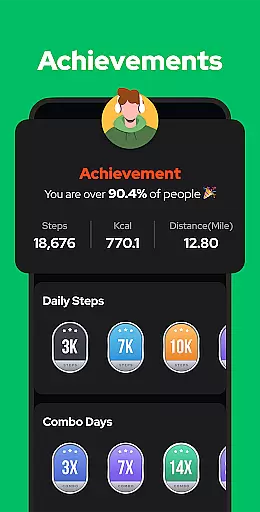
Users benefit from this feature by receiving recommendations that suit their specific needs, ensuring they stay motivated and engaged. Whether aiming to hit 10,000 steps a day or tracking weight loss, the app adapts to support personal milestones.
The true value of personalized planning lies in its adaptability. As users' fitness levels improve, the app continues to offer relevant challenges, keeping the experience fresh and encouraging continuous improvement towards better health.
Progress visualization is an essential aspect of any fitness app, allowing users to see their achievements and track improvements over time. Visual representations make it easier to understand complex data and maintain motivation.
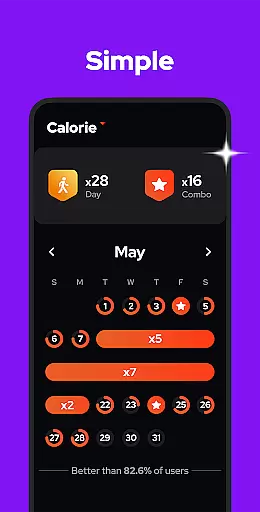
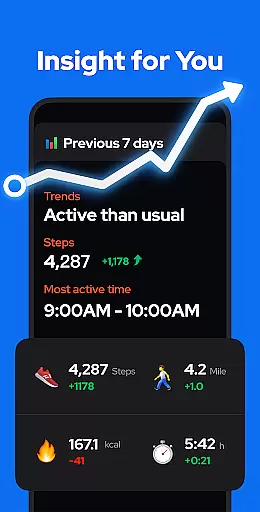
In Step Counter - Pedometer, progress visualization is achieved through detailed charts and graphs. Users can view their step counts, calories burned, walking duration, and distance traveled, broken down by day, week, month, or year. These visual tools highlight trends and patterns in physical activity.
This feature benefits users by providing clear feedback on their performance. Seeing tangible results helps reinforce positive behaviors and encourages continued effort towards fitness goals. It also allows users to identify areas needing improvement or adjustment.
Ultimately, progress visualization enhances user engagement by making achievements visible and measurable. With comprehensive data at their fingertips, users can celebrate milestones, set new targets, and maintain momentum on their path to better health.
User-friendly interface
Accurate step tracking
Efficient battery usage
Comprehensive health analytics
Secure data privacy
Limited wearable integration
No iOS compatibility
Occasional tracking inaccuracies
Basic social features
Ads in free version

Control your sleep in real-time wearing Garmin device
 3.60
3.60
Personal Measurements - Track your gains!
4.50
Using Recognise™ has been shown to reduce pain, and improve performance.
4.0
Load the bar with this barbell & plate calculator. It's leg day, not brain day!
4.70
The Official Blood Type Diet® App - know your categorized foods anytime.
4.50
Eat smarter with Eato, your personal calorie counter and nutrition tracker!
4.40
Pilates, Calisthenics, Yoga
4.50
Drink water reminder app. Track water intake. Smart simple hydration tracker.
4.70
Jogging app for calorie counter and distance tracker. Running app to lose weight
4.20
Medbridge GO gets you moving - get back to doing what you love, faster!
4.90
Walk. Earn: Get rewarded for every step! Walk, move, and earn real rewards.
4.70
Step Counter, track steps when you walk or run
4.70
Relax to calm sounds, white noise, music, guided meditation and bedtime stories
4.40
50 HD sounds to help you relax during the day and sleep great at night!
4.40
Create powerful subliminal audio with custom affirmations and background music.
4.00
Find Paid Clinical Trials In Your Area
3.70
GloryFit is a companion app for the smart bracelet.
3.60
Measure real-time wrist & ambient temperature with your Galaxy Watch (Wear OS)
3.20
A simple way to calculate peptide doses and also to convert different units.
4.3


User Reviews