
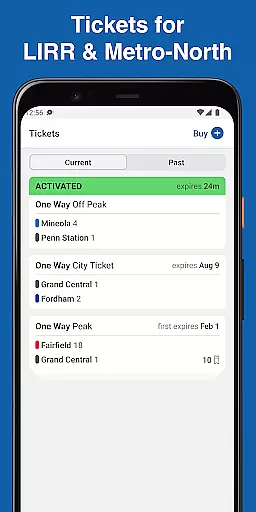
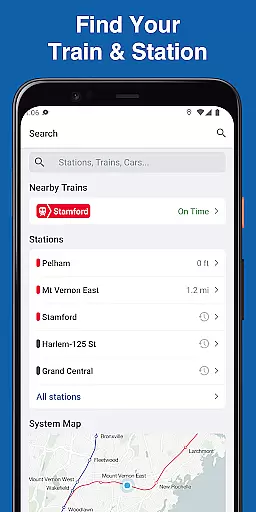
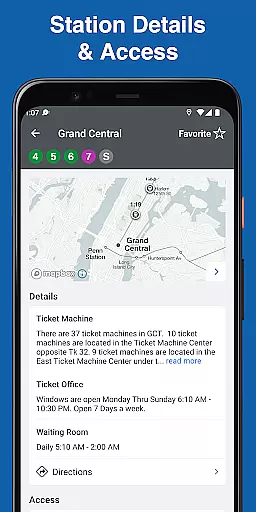
MTA TrainTime is a comprehensive travel companion app designed specifically for Long Island Rail Road and Metro-North Railroad commuters. The app combines ticketing, trip planning, and real-time train tracking into one convenient platform. Users can purchase tickets directly through the app using Google Pay or credit/debit cards, with the option to split payments between two cards.
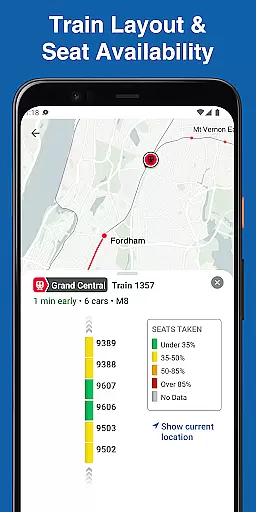
Beyond ticketing, MTA TrainTime offers advanced trip planning features that include departure times and transfer details. Commuters can save their frequently used trains for quick access and share their trips with others. The app's real-time GPS tracking provides precise train locations every few seconds, while its train layout feature shows car crowding levels, helping passengers make informed decisions about their travel.
MTA TrainTime stands out with its robust integration of essential commuter features. The app's ticketing system supports multiple payment methods including Google Pay and traditional cards, with the unique ability to split payments. Its trip planning functionality allows users to search for routes using two origin and/or destination stations simultaneously, providing more flexibility in travel planning.
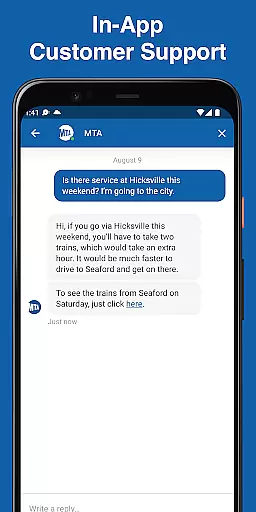
The real-time tracking system updates train positions every few seconds, giving users accurate arrival predictions. Additionally, the app displays detailed train layouts and crowd density information for each car, enabling passengers to choose less crowded spaces. Integrated customer service chat connects users directly with LIRR or Metro-North representatives, while the trip sharing feature helps coordinate arrivals with family and friends.
These features collectively create a seamless commuting experience, addressing common pain points such as ticket purchasing, train tracking, and space management during peak hours.
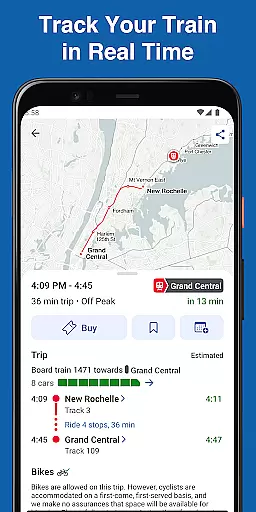
Map accuracy is crucial for any navigation app, and MTA TrainTime excels in this area by providing precise train tracking and station information. The application uses real-time GPS data to ensure that users are provided with the most accurate train locations and arrival times.
The app's mapping feature goes beyond just showing where the trains are; it also provides detailed layouts of each train, indicating how crowded individual cars may be. This level of detail allows commuters to make informed decisions about which car to board, enhancing their overall travel experience.
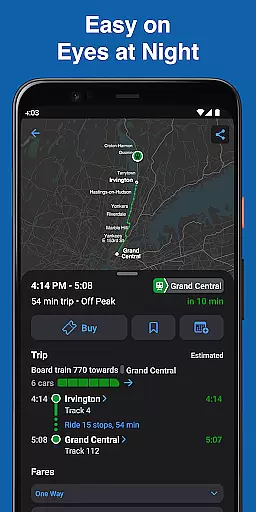
Furthermore, MTA TrainTime updates its map every few seconds, ensuring that users have the latest information at their fingertips. This frequent updating helps riders adjust their plans on the fly if there are any changes or delays, making their commutes as smooth and predictable as possible.
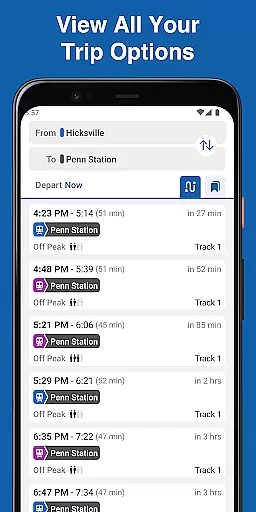
Route planning is a core component of the MTA TrainTime app, designed to simplify the commuting process for Long Island Rail Road and Metro-North Railroad customers. With the ability to plan trips including departure times and transfer details before traveling, the app ensures that users can prepare their journeys in advance.
One innovative feature is the option to search for two origin and/or destination stations simultaneously, allowing for flexible trip planning. This functionality is particularly useful for those who may need to alter their routes last minute or are coordinating rides from multiple locations.
In addition to these capabilities, users can save their frequent trains for easy access, streamlining the planning process for regular commutes. Sharing trips with family and friends is also made simple, so loved ones can stay informed about travel plans and expected arrival times.
User-friendly interface
Real-time train tracking
Multiple payment options
Detailed train layout views
Integrated customer support
Limited to specific railroads
Occasional GPS inaccuracies
Requires stable internet
No offline functionality
Payment splitting complexity

Turn your Android device into a real off-road GPS using off-line topo maps!
 4.40
4.40
Find EV & Tesla charging stations with PlugShare
4.70
America’s largest public fast charging network, with over 500 charging stations.
4.50
Phone Tracker and GPS Location Sharing
4.20
Explore Earth with live GPS, satellite view & street navigation
3.60
Explore offline maps with radar, satellite view, and real-time alerts.
3.60
Navigate seamlessly with Real-Time Traffic, Offline Maps, and Voice Navigation.
4.10
Simple & easy to use a compass app. Get accurate directions.
4.20
Get there with the Waymo Driver — The World’s Most Experienced Driver™
4.90
Order a cab online. An affordable taxi ride and driver in no time. What a bolt!
4.80
Explore with GPS Navigation with GPS offline, voice GPS, speed camera radar
4.60
Voice GPS with driving directions, offline maps navigation GPS for safe travel
4.50
Rideshare, taxi cabs, and more for your airport travels and everyday trips.
4.50
Lets explore the world's famous places by using Live Cams, GPS & Satellite View.
4.20
Get directions, Maps, GPS navigation & GPS Maps using GPS App
4.10
Avoid delays. Get real-time GPS navigation, safety alerts and live traffic.
4.10
TACNAV-X: Precision MGRS navigation, built specifically for the military.
4.00
Navigate via GPS Maps of GPS Voice Navigation, driving directions to find routes
3.60
Find 93 Octane Gas: Locate Gasoline Stations Selling Premium 93 Octane or Higher
4.4


User Reviews