
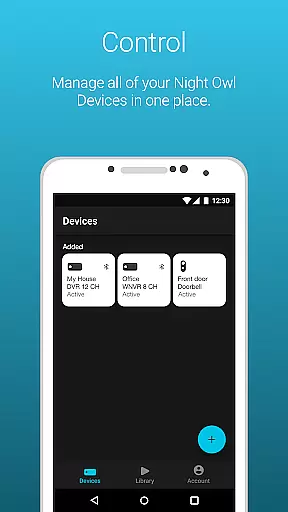
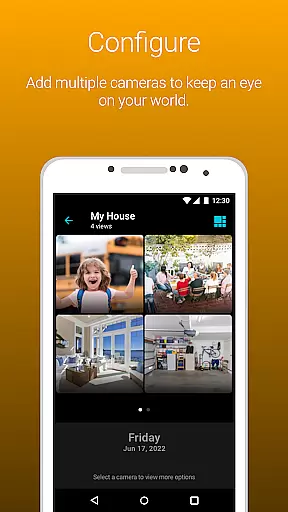
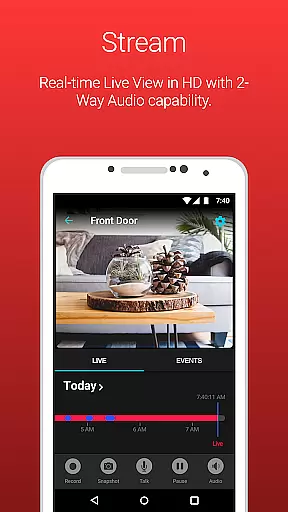
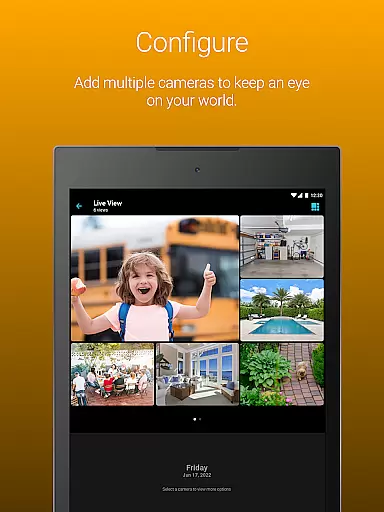
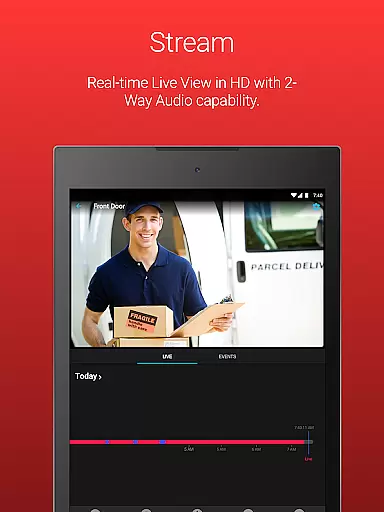
Night Owl Protect is a comprehensive home and business security application that allows users to monitor their properties in real-time through connected cameras. The app supports live video streaming, motion detection alerts, and cloud recording access, making it an all-in-one solution for safeguarding your environment. With features like 2-way audio, siren activation, and preset voice messages, users can actively engage with their security system from anywhere.
One of the standout capabilities of Night Owl Protect is its ability to share images and recordings instantly via social media, email, or text. This ensures that important footage can be distributed quickly in case of an emergency. Additionally, the app offers advanced privacy protections such as 2-step verification and single sign-on, ensuring that user data remains secure while providing unparalleled convenience for managing multiple devices under one account.
Night Owl Protect provides a robust set of features designed to enhance security monitoring. Users can configure custom alert settings to receive notifications based on specific triggers such as human or vehicle detection. The app also includes powerful search and playback options, allowing users to filter and review past recordings efficiently. These features ensure that you never miss critical events happening around your property.
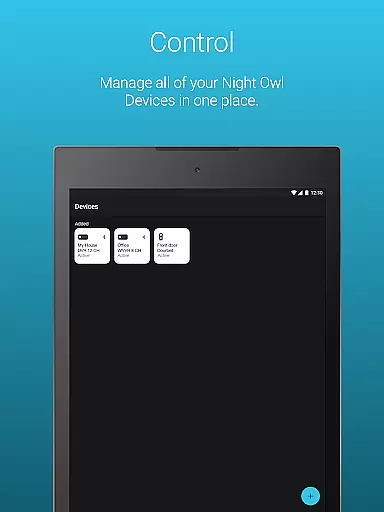
Another key aspect of Night Owl Protect is its compatibility with a wide range of Night Owl security devices. Whether you're using DVRs, NVRs, or wireless cameras, the app consolidates all your devices into a single interface. Advanced functionalities like creating favorites, organizing cameras into groups, and sharing access with family members make device management seamless. Furthermore, subscription-based cloud storage ensures that your recordings are safely stored and easily accessible whenever needed.
When it comes to property monitoring, the authenticity of listings is crucial. Night Owl Protect ensures that every connected device provides real-time, accurate footage of your home or business. This guarantees that what you see on your smartphone or tablet is a true representation of your property's current state.
The app allows users to view live footage from connected cameras, ensuring transparency and reliability in how your property is presented. With features like 2-step verification and secure app-based Bluetooth setup, Night Owl Protect safeguards your privacy while delivering authentic property data.
By enabling users to configure alert settings for human, face, or vehicle detection, the app ensures that any potential threats are immediately identified. This level of accuracy in reporting and notifications adds another layer of trust to the property listings viewed through the app.
Night Owl Protect offers an array of home management features designed to give users complete control over their surveillance system. From setting up favorites and groups for easy camera access to sharing access with friends and family, the app makes managing your home security straightforward and efficient.
With functionalities such as audio features (2-way Audio, Siren, Preset Voice Messages) available on applicable models, users can interact with their environment remotely. These features enhance the ability to manage and respond to events at home, even when you're not physically present.
Additionally, the app supports saving and sharing recordings and snapshots directly from your mobile device. Integration with the Night Owl Protect Cloud (via subscription) further extends your ability to manage and store important footage securely, making home management both convenient and reliable.
User-friendly interface
Real-time alerts
Cloud storage option
Advanced privacy controls
Wide device compatibility
Subscription fees for cloud
High data usage
Limited free features
Complex setup for beginners
Model-specific limitations

Map-based search app for apartments and homes for rent.
 4.60
4.60
Universal TV remote Control for Roku TV brands via WiFi remote
4.2
B-hyve Pro App for landscape irrigation professionals
4.70
Find paints using a Color Muse & ColorSnap® Match
3.60
Rent on-the-go with TurboTenant’s app made just for renters
4.50
AI floor creator to design your dream house, plan rooms & style your home
4.00
The only mappable smart lights for custom decoration.
4.50
A Smarter Home in Seconds
4.70
Find homes for sale and apartments for rent in the best neighborhood.
4.70
View houses and apartments for rent, updated daily.
4.80
Plants, Beauty, Collectibles
4.60
Fire & Power Safety
4.50
Control your Daikin, Amana & Goodman heating & cooling systems from anywhere
4.40
Set up your devices, customize settings, and monitor your home—from anywhere
4.40
Samsung remote app helps control all Samsung Smartthings TVs. Fast and Stable!
4.10
Technology powering many in-home services for residents across the United States
3.80
Our app allows Sunrun customers to monitor systems, pay bills, and get support.
3.80
IP camera view and playback, for your WiFi cam or home security cctv system.
3.70
Draw your floor plan smartly. Make house design blueprint with home planner app
3.60


User Reviews