
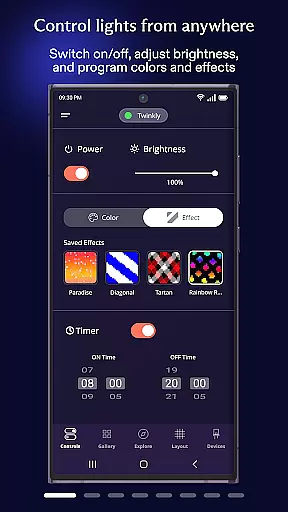
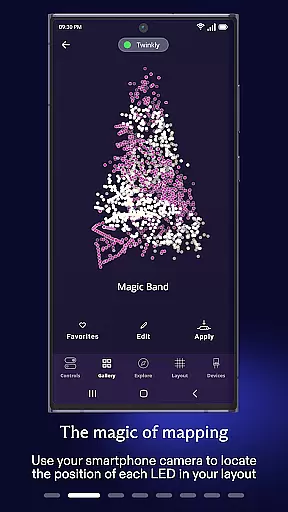
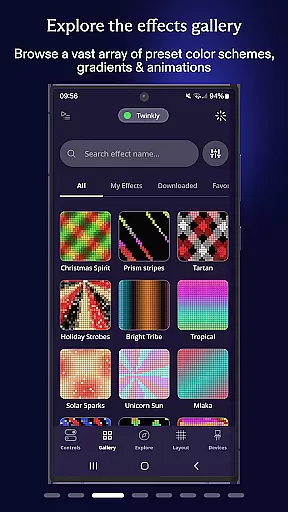
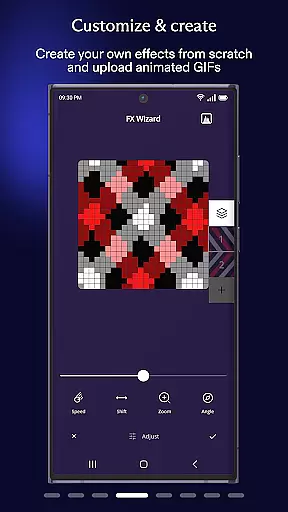
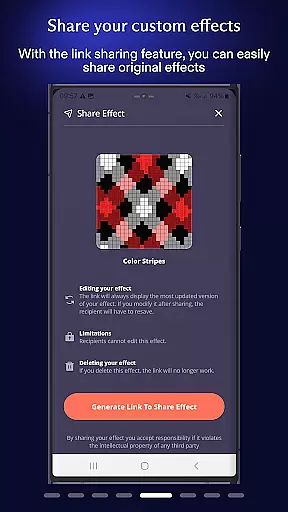
Twinkly is a smart lighting control application designed to enhance your home's ambiance through customizable light effects. The app allows users to manage and control Twinkly devices with precision, offering features such as mapping lights for customized effects, grouping devices for larger installations, and setting timers for automated playlists.
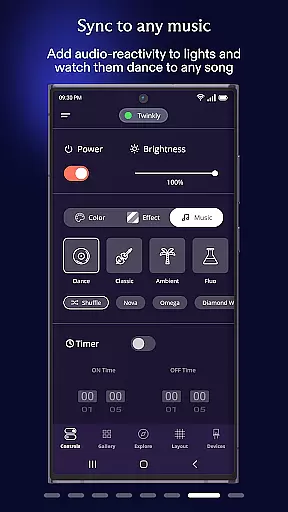
In addition to its core functionalities, Twinkly supports integration with Amazon Alexa and Google Assistant, enabling hands-free voice control. Users can also sync their lights to music and sounds with Twinkly Music, creating dynamic lighting experiences tailored to any occasion. Whether you're looking to elevate your holiday decorations or create an ambient atmosphere at home, Twinkly provides the tools to bring your vision to life.
Twinkly offers a comprehensive suite of features that cater to both casual users and lighting enthusiasts. One standout capability is the ability to map your lights, allowing for precise customization of effects across different arrangements. This feature ensures that every LED is individually controlled, providing unparalleled design flexibility.
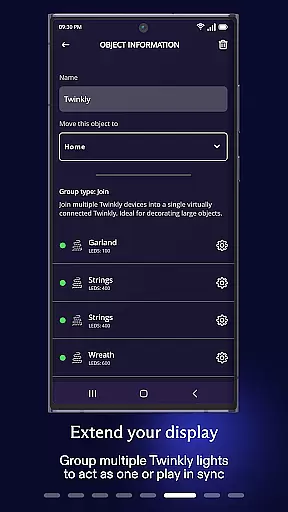
The app also enables users to group multiple devices into installations, making it easy to manage complex setups while assigning specific user roles for collaborative projects. With adjustable brightness settings, timer configurations, and playlist creation, Twinkly empowers users to automate their lighting scenarios. Furthermore, the integration with Amazon Alexa and Google Assistant adds convenience through voice commands, while Twinkly Music enhances entertainment by synchronizing lights with audio in real-time.
When it comes to managing smart home devices, ensuring the authenticity and accuracy of device listings is crucial. The Twinkly App excels in this area by providing users with precise mapping capabilities for their lights. This feature allows you to accurately map out your lighting installations, ensuring that every bulb is accounted for and properly configured.
The app supports grouping multiple devices into custom installations, which can be managed collectively. This not only helps in maintaining an organized inventory of your smart devices but also enables you to assign specific roles to different users, enhancing security and control over your home setup.
By offering detailed device information and real-time status updates, Twinkly ensures that users have complete visibility into their smart home ecosystem. This level of transparency and control is essential for creating customized lighting effects and managing complex installations with ease.
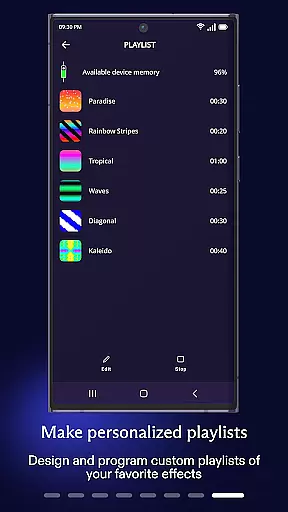
Effective home management goes beyond just controlling devices; it involves creating a seamless and intuitive user experience. The Twinkly App offers a comprehensive suite of features designed to simplify the management of your smart lighting system. With options to set timers and create playlists, you can automate routine tasks and ensure your home is always lit according to your preferences.
Brightness adjustment is another key feature that contributes to efficient home management. The app allows you to fine-tune the brightness levels of your lights, helping you create the perfect ambiance while also optimizing energy consumption.
Integration with popular voice assistants like Amazon Alexa and Google Assistant takes convenience to the next level. By enabling hands-free voice control, Twinkly ensures that managing your smart home is as effortless as possible. Additionally, the ability to sync lights with music through Twinkly Music adds an extra layer of personalization and entertainment value to your home management experience.
User-friendly interface
Voice control support
Customizable effects
Dynamic music sync
Automated scheduling
Premium features locked
Occasional connectivity issues
Limited free designs
Device compatibility required
Subscription fees apply

Unlock AI-based barcode scanning and support the development of Grocy Android
 4.1
4.1
Control your Daikin, Amana & Goodman heating & cooling systems from anywhere
4.40
Universal TV Remote for TV, control all Smart TVs with your mobile phone.
4.0
Our app allows Sunrun customers to monitor systems, pay bills, and get support.
3.80
SmartRent - Opening Doors To A Smarter World
4.40
Innovative and budget-friendly housing options
4.60
Plan your remodel AI home renovation easily using planner 5D and home decor AI.
4.40
Search for Homes, Rentals, Agents & Schools
4.70
3D House Design and AI Room Planner - from floor plans to full interior design.
4.40
Download today to join the community to help bring lost pets home faster.
4.70
Find homes for sale and apartments for rent in the best neighborhood.
4.70
Your guide to apartments & rental homes. Find your next place to rent with AG.
4.60
Looking for the perfect apartment finder app? Find beautiful rental homes here!
4.60
Parcel Pending Resident App
4.50
Fire & Power Safety
4.50
WiZ smart light system
4.40
Turn your phone into a wifi cam with smart features and umlimited reach.
4.20
This Fire TV Remote control's your Fire TV Device and Insignia Fire TV Remote
3.70
Draw your floor plan smartly. Make house design blueprint with home planner app
3.60


User Reviews