
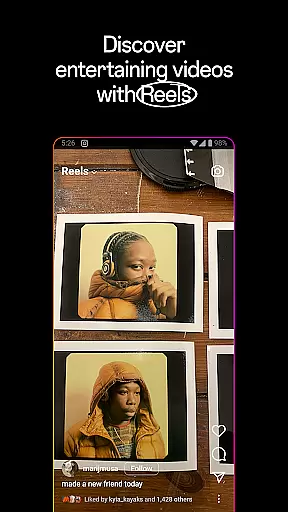
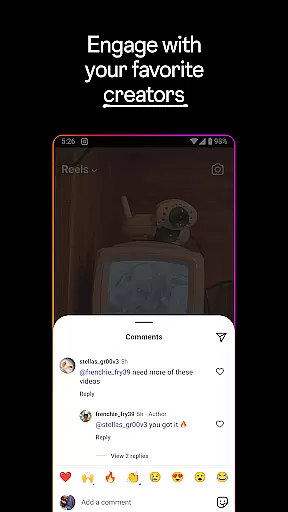
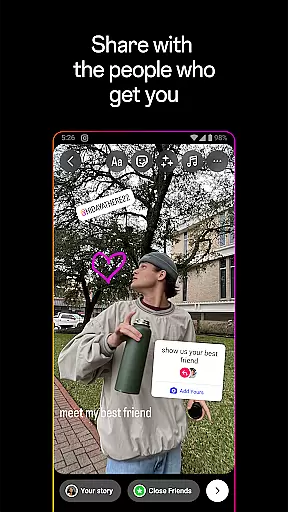
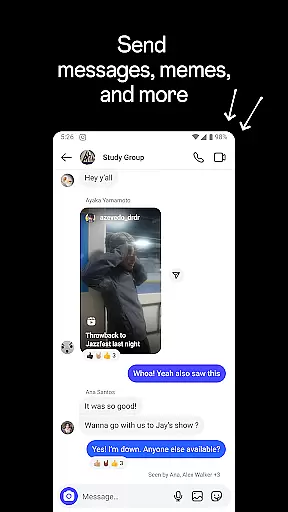

Instagram is a leading social media platform that allows users to share their life moments, connect with friends, and explore personalized content. The app offers multiple ways to engage with others through Stories, Reels, and Feed posts, while also enabling users to discover new interests and shop for products tailored to their preferences.
One of Instagram's core strengths lies in its diverse content formats. Users can post disappearing Stories, create short entertaining videos with Reels, or share permanent posts in their Feed. Additionally, the Explore page helps users find content aligned with their interests, making it an ideal platform for both personal connection and brand discovery.
Whether you're looking to maintain close relationships, grow your audience as a creator, or simply browse engaging content, Instagram provides tools that cater to various user needs. Its seamless integration with Meta’s ecosystem further enhances the overall social media experience.
Instagram stands out with its wide array of features designed to maximize user engagement and creativity. A key highlight is its multimedia posting options, including Stories that last 24 hours, permanent Feed posts, and Reels for creating dynamic short videos. These features allow users to express themselves in unique ways.
The app also emphasizes personalization. Through Explore, users can dive into tailored content based on their activity and interests. Creators and businesses benefit from advanced customization tools such as filters, music, stickers, and templates, which enhance the visual appeal of posts. Moreover, Instagram integrates shopping capabilities, allowing users to discover and purchase products directly within the app.
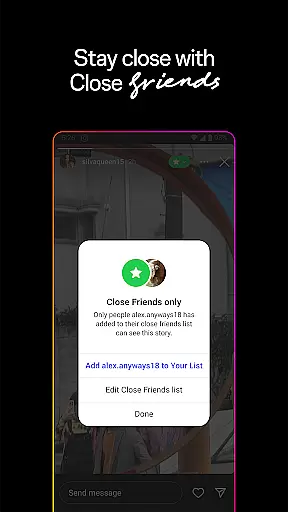
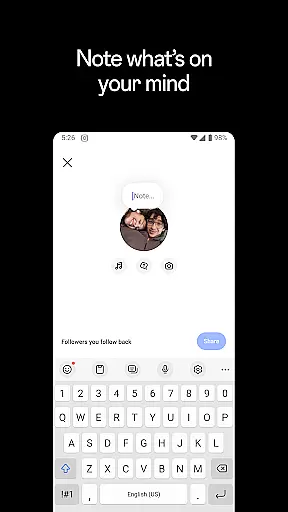
Another notable feature is its communication tools. From group chats to Close Friends lists, Instagram fosters meaningful interactions among users. With these functionalities, the app not only serves as a space for sharing but also strengthens community building across the globe.
In the realm of social networking, Instagram offers a comprehensive platform for User profile customization & authenticity verification. This feature is pivotal as it allows users to express their individuality and ensures the credibility of interactions on the platform.
Instagram provides an array of options for personalizing user profiles. Members can embellish their pages with profile pictures, bios, and links to other social media accounts, creating a unique digital persona that resonates with their identity. The ability to showcase one's interests, profession, and contact information plays a significant role in forming genuine connections.
Authenticity verification on Instagram is marked by a blue badge, indicating that the platform has confirmed the identity of celebrities, journalists, and influencers. This verification process deters impersonation and fosters a trustworthy environment where users can engage confidently with verified personalities and brands.
The value derived from these features is immense. Users enjoy peace of mind knowing they interact with legitimate profiles while also having the creative freedom to design a space that truly reflects their personal brand on social media.
Connection discovery on Instagram is a powerful mechanism that enables users to find friends, influencers, and like-minded individuals, thus enriching their social media experience. It leverages sophisticated algorithms to recommend connections that align with user preferences and online behavior patterns.
Upon setting up an account, Instagram prompts users to sync contacts or connect with friends already using the service, simplifying the process of reuniting with acquaintances. Moreover, its smart suggestions extend beyond existing networks, proposing new connections based on shared interests, mutual followers, or engagement history.
This functionality not only aids in building a vibrant community but also opens doors to diverse perspectives and content. Whether seeking inspiration from global creators or staying updated with community trends, Connection discovery serves as a conduit for expanding oneu2019s social horizon within a dynamic digital ecosystem.
Ultimately, this feature enhances user engagement by continuously introducing relevant profiles, ensuring that each interaction adds value and relevance to individual social feeds.
User-friendly interface
Variety of creative tools
Strong integration with Meta
Personalized content discovery
Engaging multimedia formats
Privacy concerns persist
Algorithm changes frequently
Heavy data usage
Not all features globally available
Can be overwhelming for new users

Video call and chat, live stream and making friends around the world!
 4.60
4.60
Meet Strangers Online, Live Video Chat & Make Random Video Calls on Joi!
4.30
The video chat to meet people in the blink of an eye!
3.90
Swipe, Meet & Chat Real People
3.80
Live video chat to connect with people around the world. Video chatting on Olive
4.40
Social calendar for friends to make plans, group chat, share events & schedules
4.60
Free texting (SMS) to US, Canada & more. Free new number. Call free & Text free.
4.30
Watch 24/7 great live stream, or go live to boost your social followers!
4.50
A video app from OpenAI - AI video generation by the maker of ChatGPT
4.60
Get your NGL Link
4.60
A little connection can go a long way
4.60
Unlimited calls & texts | WiFi voice line plus group txt | Call & text now
4.50
Calling and texting app. 2nd virtual line plus new phone number. Txt & talk now.
4.40
Looking for a date or a friend? Swipe to match and meet open-minded singles.
4.20
Dating for singles. Meet lonely people nearby online. Find your match here!
4.20
Discover an open-minded dating experience when you download today
4.10
Meet local people, make friends & network: Join a community, group, host events
4.00
Go Live, Chat & Meet New People! Friends. And more than friends.
3.80
This is to support the developer of Infinity for Reddit. No exclusive features.
4.1


User Reviews