
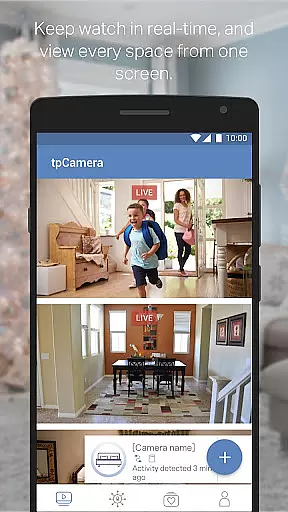
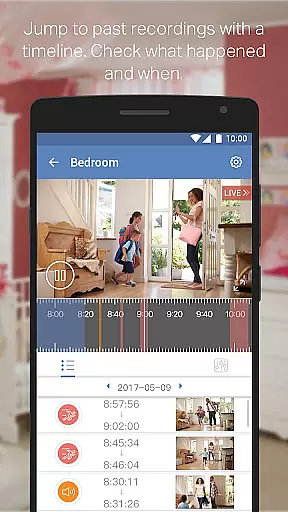
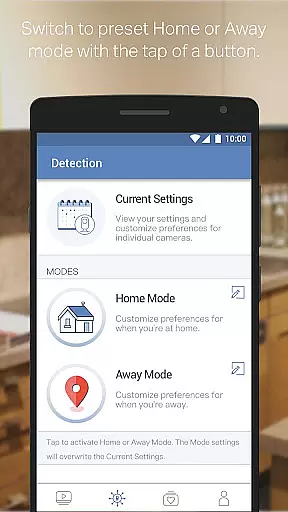
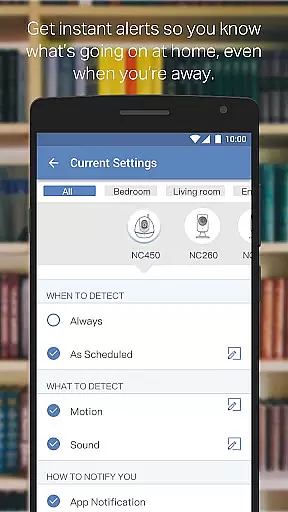
TP-LINK tpCamera is a cloud-based video monitoring app that allows users to stay connected to their home, family, or pets remotely. With this app installed on your smartphone, you can access your cloud cameras anytime and from anywhere over the Internet. This ensures you never miss an important moment.
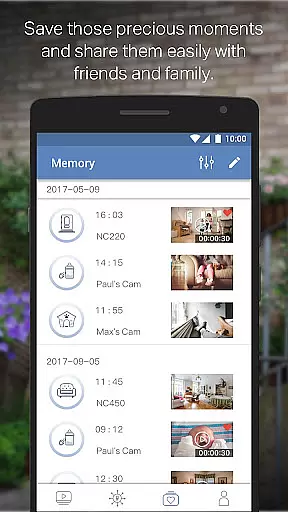
The app offers free cloud service for life, quick registration and setup, and the ability to manage and stream live videos from multiple cameras. It also allows you to store photos and videos, making it easy to relive precious moments. Compatible with various devices and supporting multiple languages, TP-LINK tpCamera is a versatile tool for remote video monitoring.
TP-LINK tpCamera stands out with its comprehensive feature set tailored for remote video monitoring. The app provides free lifetime cloud service, ensuring users can store and access their footage without worrying about subscription fees. Its quick registration and setup process makes it simple to connect to your home or office cameras within minutes.
One of the key features is the ability to manage and stream live videos from multiple cameras simultaneously. This allows users to monitor different areas at once, providing a complete surveillance solution. Additionally, the app supports storing photos and videos, enabling users to capture and revisit important moments. Compatible with a range of devices and supporting multiple languages, TP-LINK tpCamera caters to a global audience seeking reliable remote monitoring solutions.
When evaluating a cloud-based video monitoring app like TP-LINK tpCamera, functionality completeness is crucial for ensuring a seamless user experience. This app offers an extensive range of features that cater to both home and office surveillance needs.
The app provides free lifetime cloud service, enabling users to store and access their footage anytime and from anywhere. With support for multiple camera streams, it allows users to manage and view live videos from various devices simultaneously, ensuring comprehensive coverage of all critical areas.
TP-LINK tpCamera also supports quick registration and setup processes, making it easy for users to get started without any technical expertise. The app's compatibility with a wide array of devices such as NC200, NC210, NC220, NC230, NC250, NC260, and NC450 ensures broad functional coverage.
Ultimately, the completeness and coverage of TP-LINK tpCamera's functionality empower users to maintain constant vigilance over their properties, offering peace of mind whether they are at work or on vacation.
Usability and operational smoothness are key factors in determining the effectiveness of a video monitoring application. TP-LINK tpCamera excels in providing a user-friendly interface that simplifies navigation and operation.
With intuitive controls and straightforward menus, users can easily access live streams, playback recorded videos, and manage multiple cameras without hassle. The appu2019s design emphasizes ease of use, ensuring that even those unfamiliar with technology can operate it efficiently.
Operational smoothness is further enhanced by the appu2019s quick setup process and reliable performance. Users can register and connect to their cameras swiftly, allowing them to start monitoring immediately. Additionally, the appu2019s stability ensures uninterrupted streaming and minimal downtime.
By focusing on usability and operational fluidity, TP-LINK tpCamera delivers a superior user experience, making remote monitoring accessible and stress-free for everyone involved.
User-friendly interface
Free cloud storage
Multi-camera support
Quick setup process
Global language support
Limited device compatibility
No advanced analytics
Basic video quality
In-app purchases
Occasional connectivity issues

Tune your game graphics with our GFX optimizer for optimal gaming experience
 4.50
4.50
Block and secure the microphone and protect from secret listening and recording.
4.50
Easily evaluate the performance of Scandit's barcode and ID scanning SDK
4.10
Collection of Maps and Mods for Dmod
3.30
Test DPC is a sample device policy controller for use with Android Enterprise.
4.20
Mirror link car connector to share your screen with car dashboard
3.80
MirrorLink for connecting your Android phone to your car’s infotainment screen.
4.50
Barcode scanning made simple!
4.40
Ps2 plugins for 64 bit artitechture
3.70
Study Bible King James Version: the correct way to learn the Bible with audio
4.80
Read Holy Quran Feel Like Real Quran & Listen Al Quran Mp3 Audio Online Offline.
4.70
TV USB connector app provides you a seamless cast option from your phone to tv.
4.70
Manage apps & elevate your gaming experience with Game Launcher: Gaming Hub app.
4.30
use your smartphone as Remote control drones .
4.20
A Pydroid Quick Install repository provider.
4.00
Use your Phone as Drone Controller.
3.70
Connect your phone to any endoscope camera, USB camera, or borescope with ease.
3.70
Now Available on Android ™
3.40
Collection of high-quality, trendy skins and outfits!
4.1


User Reviews