
Walmart MoneyCard is a financial tool designed to provide users with convenient banking services directly through their mobile devices. The app offers features such as early pay days with direct deposit, cash back on Walmart purchases, and access to overdraft protection. It also allows users to manage savings efficiently by offering multiple savings vaults for different financial goals.
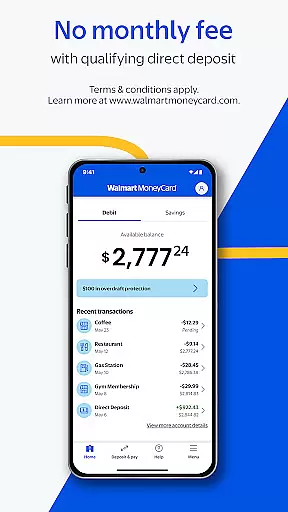
With no monthly fee for qualifying direct deposits and the ability to earn interest on savings, this app caters to individuals seeking flexible banking options without traditional bank account restrictions. Users can make purchases anywhere Debit MasterCard or Visa debit cards are accepted in the U.S., making it versatile for everyday transactions.
The Walmart MoneyCard app is particularly beneficial for those who value easy access to their finances and prefer managing their money digitally. By providing essential banking services without the need for a minimum balance or credit check, it empowers users to take control of their financial health conveniently and securely.
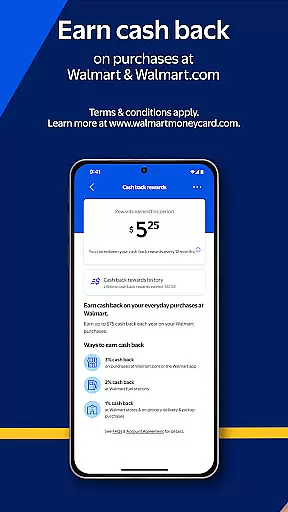
One of the standout features of the Walmart MoneyCard app is its ability to facilitate early pay days through direct deposit, allowing users to access their funds sooner than traditional banking methods. Additionally, cardholders can earn cash back on purchases made at Walmart and Walmart.com, enhancing the overall value proposition of using the card for shopping needs.
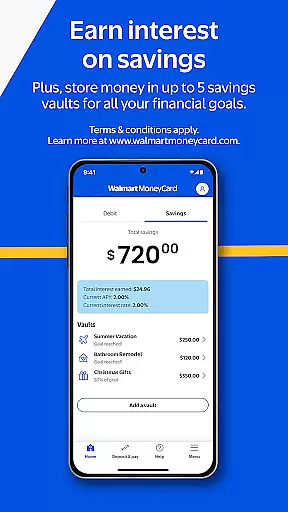
The app provides robust tools for managing finances, including up to five savings vaults where users can allocate funds towards specific goals like vacations or education. This feature encourages better financial planning and saving habits among users. Moreover, the absence of a monthly fee with qualifying direct deposits makes it an economical choice for budget-conscious individuals.
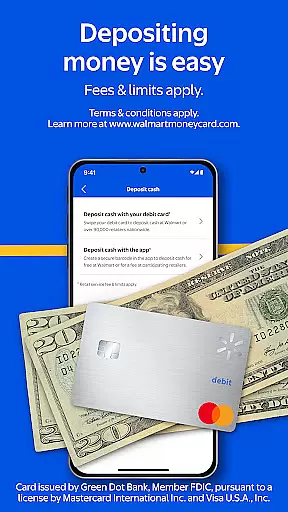
Depositing money into your Walmart MoneyCard account is straightforward, thanks to various methods such as direct deposit, adding funds from a linked bank account, cash reloads at Walmart stores, and depositing checks via smartphone. These diverse funding options ensure that users have flexibility in how they maintain their account balance while enjoying seamless integration with existing financial systems.
Account and fund security is a critical aspect of any financial application, ensuring that users' personal and financial information is protected from unauthorized access. The Walmart MoneyCard app employs advanced encryption technologies to safeguard your data, providing peace of mind when conducting transactions or storing funds.
In addition to encryption, the app requires identity verification for account activation, which includes providing a Social Security Number (SSN) and passing mobile or email verification. This multi-layered approach to security helps prevent fraud and ensures that only authorized users can access the account.
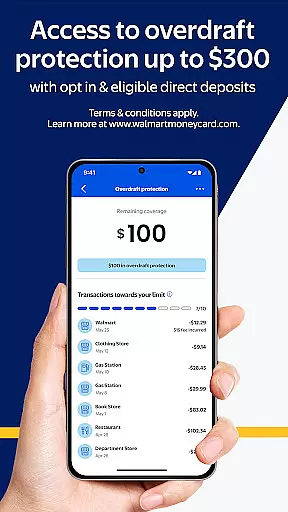
Furthermore, the Walmart MoneyCard app offers features such as overdraft protection with eligible direct deposits, adding another layer of financial security. While this service comes with its own set of fees, terms, and conditions, it provides an additional safety net for users who may occasionally overdraw their accounts.
By prioritizing security measures, the Walmart MoneyCard app not only protects user funds but also builds trust, encouraging more people to adopt digital banking solutions without worrying about the safety of their money.
The transaction experience within a finance app like Walmart MoneyCard encompasses the ease, speed, and reliability of conducting financial operations. With functionalities such as early pay days through direct deposit, users can enjoy quicker access to their funds compared to traditional banking methods, streamlining their financial management process.
Moreover, the ability to add money to the card from a linked bank account, perform cash reloads at Walmart stores nationwide, and deposit checks using a smartphone enhances the overall transaction experience. These flexible funding options ensure that users have multiple avenues to manage their finances conveniently and efficiently.
Real-time notifications for transactions provide users with instant updates on their spending, helping them keep track of their financial activities. This feature contributes significantly to a seamless transaction experience by keeping users informed and in control of their expenditures.
Overall, the Walmart MoneyCard app delivers a robust transaction experience by integrating various convenient features that cater to modern banking needs, making everyday financial tasks simpler and more accessible for its users.
Early pay days
Cash back rewards
No monthly fees
Multiple savings vaults
Easy fund deposits
Limited ATM access
Overdraft fees apply
Requires identity verification
Age restrictions
Fees for certain services

The all-in-one app to save, earn, travel, and put more money in your pocket
 4.50
4.50
Bitcoin gpu app helps you remote mine using your cell phone easily .
3.60
Your insurance, anytime, anywhere
4.00
Easily invest, save, and plan—all in one app.
4.60
Change the way you money with Credit Genie
4.30
Save, spend & get paid faster²
4.50
Manage your credit card account with the Credit One Bank mobile app.
4.70
Read and extract public data on NFC Contactless banking card (VISA, MasterCard
4.30
Our Chase Mobile App makes it easy for you to bank on the go 24/7.
4.60
Simple & secure international money transfers - for personal & business needs.
4.80
No credit check, no interest, no worries.
4.70
Currency Converter (200+ currencies) with live exchange rates and offline mode.
4.70
Powerful Money Manager, Expense & Savings Tracker, Budget Planner - Pro Version
4.70
Navigate your unique financial path confidently with help from Credit Karma.
4.70
Need help before payday? Get cash advances with no interest or credit checks.
4.60
Make Real Cash by Playing Games! Fetch Playful Rewards, Win & Triumph
4.50
Mine Bitcoin in the cloud! Earn BTC daily with high-speed mining power.
4.30
View BSC Transactions for multiple accounts
3.90
Retirement plan, IRA, retail and HSA customers serviced by Empower.
3.10


User Reviews