
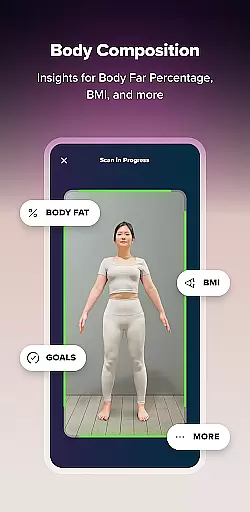
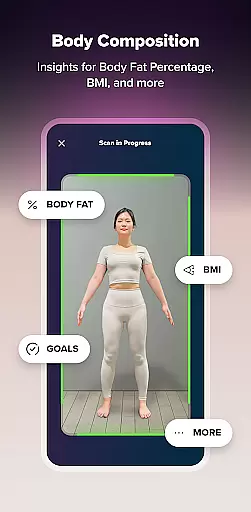
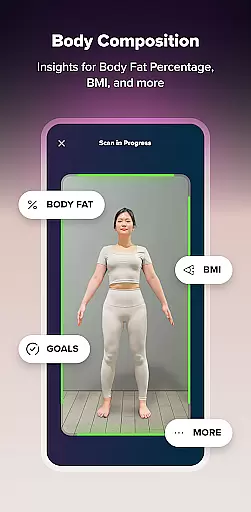
ZOZOFIT is a comprehensive fitness tracking app that combines precise body measurements with AI-powered nutrition tracking. The app provides users with a digital toolbox to monitor weight loss, track body transformation, log diet, and stay accountable through intuitive scanning data and easy-to-use features.
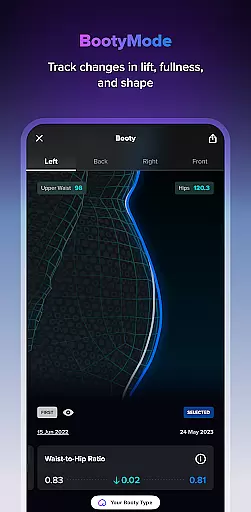
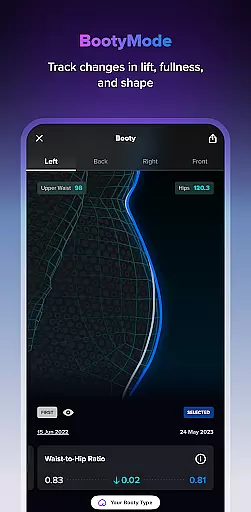
With innovative features like 3D body scanning, ColorMetric view, and a new Food Journal, ZOZOFIT offers unparalleled access to valuable data and tools. Users can set goals, simulate progress, and even focus on specific areas like the Booty Mode. Available on select Android devices, this app empowers users to take control of their personal fitness journey.
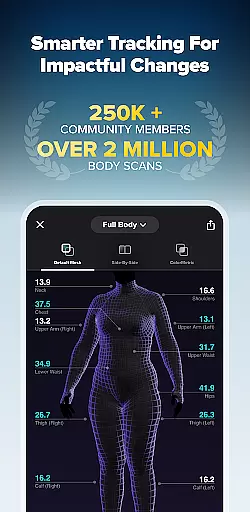
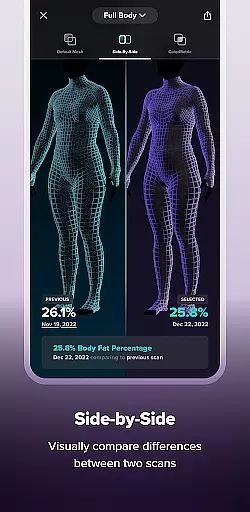
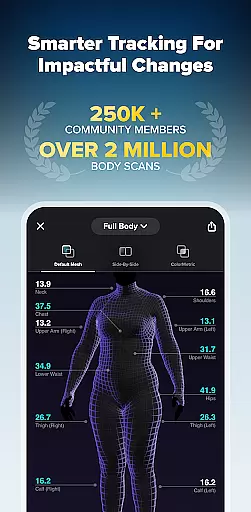
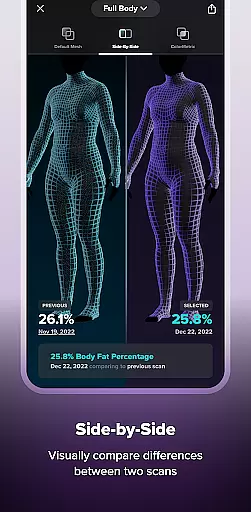
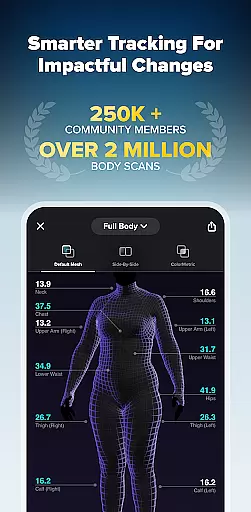
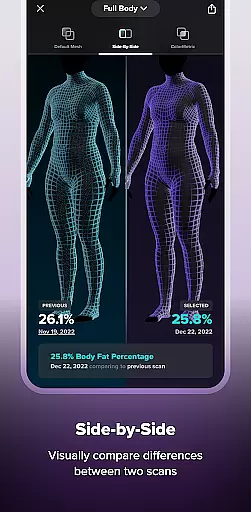
ZOZOFIT stands out with its diverse feature set tailored for fitness enthusiasts. The 3D Mesh view offers a full-body, 360-degree visualization with measurements for 12 key body areas. The Side-by-Side feature allows users to compare two different scans to evaluate progress closely.
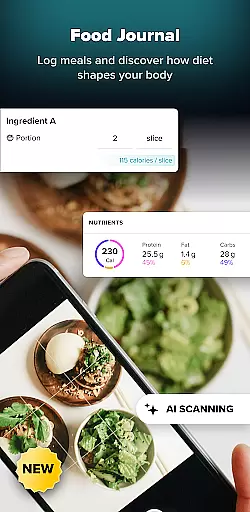
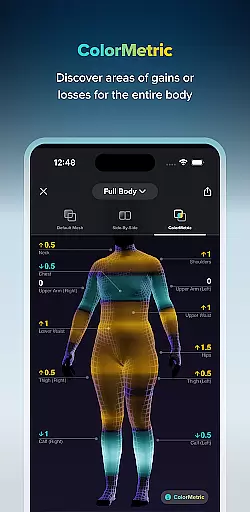
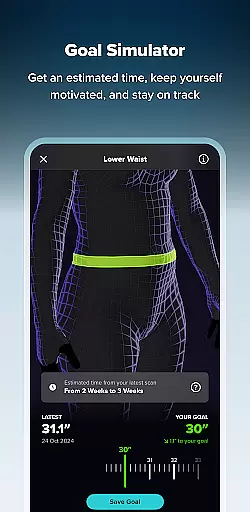
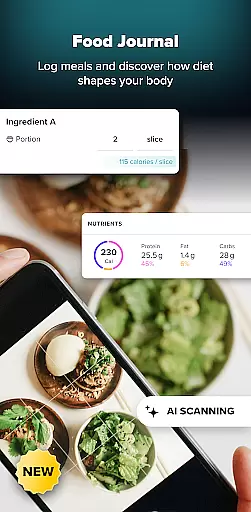
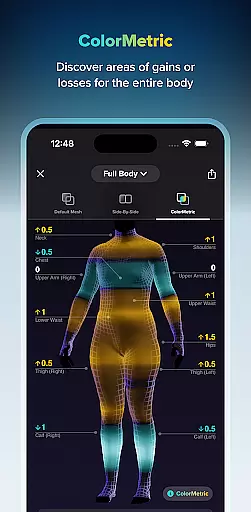
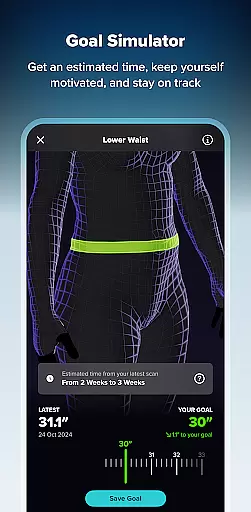
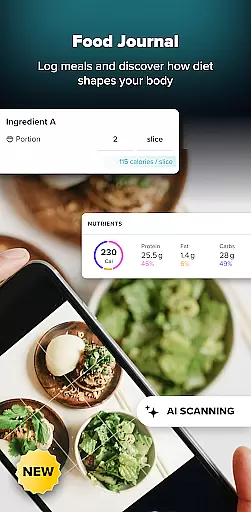
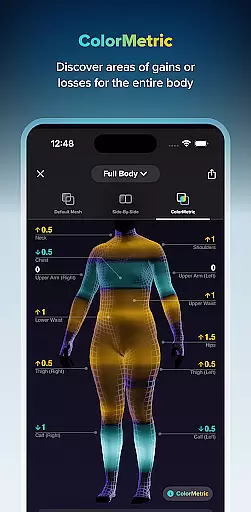
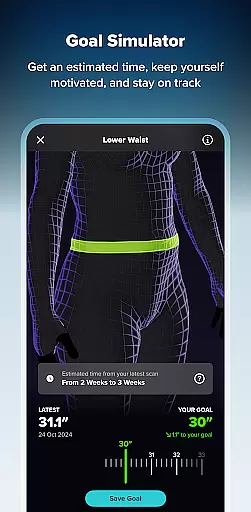
The ColorMetric system uses color gradients to represent changes in physique over time, while Goal Setting and Goal Simulator help users stay motivated by tracking achievements. Additionally, the new Food Journal simplifies meal logging with AI-powered tracking, allowing users to effortlessly monitor their dietary goals.
Personalized planning in fitness applications refers to the ability to create tailored workout and nutrition plans based on individual user data. ZOZOFIT excels in this area by leveraging advanced AI technology to provide precise body measurements and nutrition tracking.
The app's 3D body scanning feature captures detailed measurements for twelve key body areas, allowing users to set specific goals for each. With the Goal Simulator, users can visualize potential changes, adjusting dimensions in various body zones to simulate their desired outcomes. This personalized approach ensures that users have a clear, customized roadmap for their fitness journey.
Additionally, ZOZOFIT's new Food Journal simplifies meal logging with AI-powered tools that analyze photos of meals or nutrition labels. This helps users track their macro intake and dietary trends effortlessly. By combining these features, ZOZOFIT offers a comprehensive, personalized planning experience that empowers users to achieve impactful health changes efficiently.
Progress visualization is crucial in fitness apps as it allows users to see their advancements over time, providing motivation and tangible evidence of their efforts. ZOZOFIT offers robust progress visualization through its innovative features like the ColorMetric view and Side-by-Side comparisons.
The ColorMetric system uses a color gradient to represent changes in body measurements, offering a holistic view of physical transformation. Amber indicates growth, teal shows reduction, and clear means no significant change, making it easy for users to understand their progress at a glance. The Side-by-Side feature lets users compare two different body scans, highlighting changes in a more detailed manner.
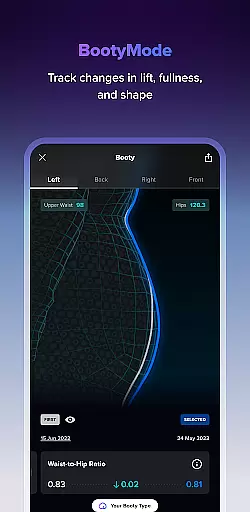
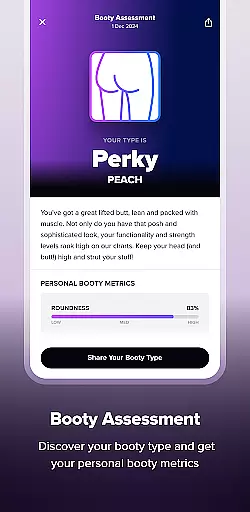
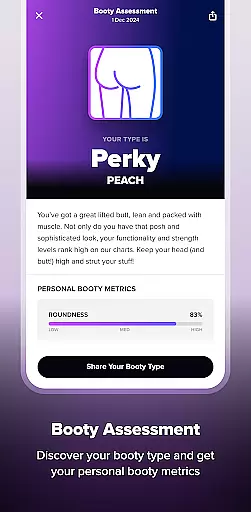
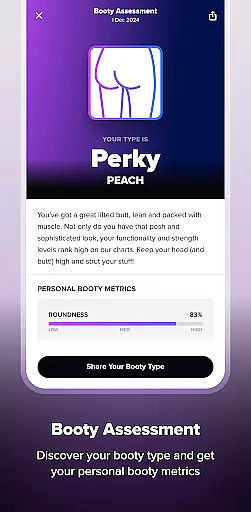
Furthermore, ZOZOFIT's Booty Mode provides specialized tracking for glute progress, focusing on lift, fullness, and shape changes. These visualization tools ensure users remain engaged and motivated by clearly illustrating their fitness journey's impact, thus enhancing commitment to personal health goals.
User-friendly interface
Accurate body metrics
AI-driven food journal
Comprehensive goal tracking
Innovative 3D scanning
Limited device support
Premium feature costs
Occasional scan errors
High data usage
Steep learning curve

Your plan in your pocket 24/7
 3.00
3.00
Create powerful subliminal audio with custom affirmations and background music.
4.00
a fun app full of surprises :)
4.70
Using Recognise™ has been shown to reduce pain and improve performance.
4.2
Histamine intolerance, low FODMAP diet and irritable bowel syndrome (IBS)
4.00
50 HD sounds to help you relax during the day and sleep great at night!
4.40
Blood Pressure Log, HRV & Heartbeat Tracker. Pulse Checker.
4.40
beat yesterday.
4.00
Control your blood pressure, heart rate and blood sugar in a fast way.
4.00
Easy to use step counter, calorie counter helps lose weight, count steps offline
4.80
Drink water reminder app. Track water intake. Smart simple hydration tracker.
4.70
Memory, mind & logic exercises. Puzzle games, IQ & brain test for kids & adults
4.50
Grow with self-tests and personal routine.
4.30
Walk, track, and burn calories with step counter & GPS walking tracker
4.20
Get alert about getting out of desired heart rate zone.
4.10
Your Health Has Met Its App (℠)
3.90
Pupillary distance PD with camera quick and easy, checking glasses frames on you
3.70
Dexcom G7 Continuous Glucose Monitoring
3.70
A simple way to calculate peptide doses and also to convert different units.
4.1


User Reviews