
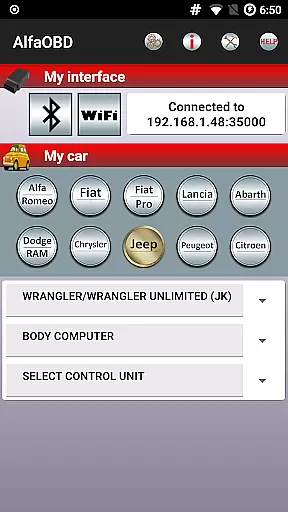
AlfaOBD is a comprehensive diagnostic tool tailored for vehicles produced by Stellantis, including brands like Alfa-Romeo, Fiat, and Jeep. This application offers car owners access to professional-level diagnostic features typically reserved for commercial scanners.
The software supports dealer-level diagnostic and configuration procedures, making it an invaluable resource for troubleshooting and vehicle maintenance. It also provides compatibility with certain Peugeot and Citroen models. Despite its advanced capabilities, the app maintains user accessibility through clear graphical presentations and detailed system status reports.
One of the key strengths of AlfaOBD is its native support for electronic control units found in Fiat group cars, setting it apart from generic OBDII applications. Whether you're reading fault codes or performing active diagnostics, this app ensures that users have the tools they need to maintain their vehicles efficiently.
AlfaOBD stands out with its robust feature set designed for in-depth vehicle diagnostics. The app provides native support for electronic control units (ECUs) used in Fiat group cars, offering functionalities beyond basic OBDII support. This includes monitoring dynamic parameters of various systems such as engine, gearbox, and climate control ECUs.
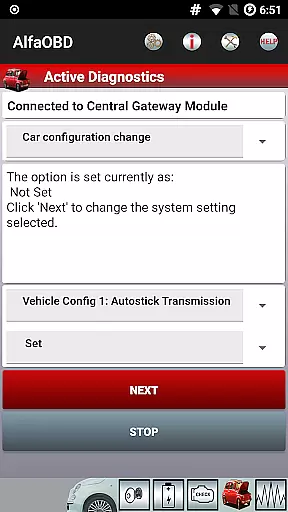
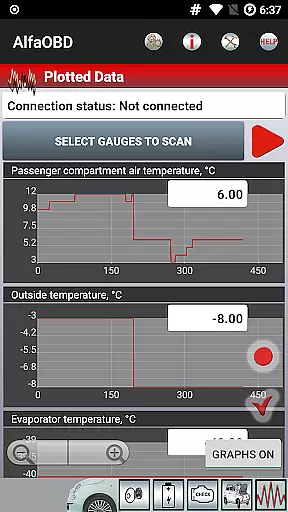
Users can visualize data through graphical plots and access static information like ECU identification and fault codes. The app enables clearing of fault codes and facilitates active diagnostics and configuration procedures for multiple vehicle systems. Additionally, AlfaOBD supports programming for electronic keys and RF remote controls, enhancing its utility for comprehensive vehicle management.
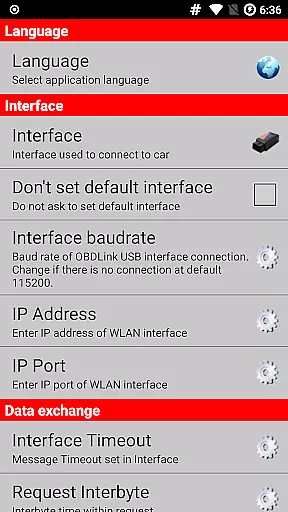
Available in multiple languages, AlfaOBD ensures global accessibility. Users can customize their experience via the Settings menu, selecting their preferred language for a more personalized diagnostic process.
AlfaOBD offers comprehensive access to detailed vehicle information, setting itself apart with native support for electronic control units found in Fiat group cars. This feature provides car owners with insights that go beyond the generic OBDII support offered by many other diagnostic applications.
The software enables users to monitor various dynamic parameters of critical systems such as the engine, gearbox, ABS, and climate control ECUs. These are presented graphically, allowing for an intuitive understanding of the vehicle's operational status.
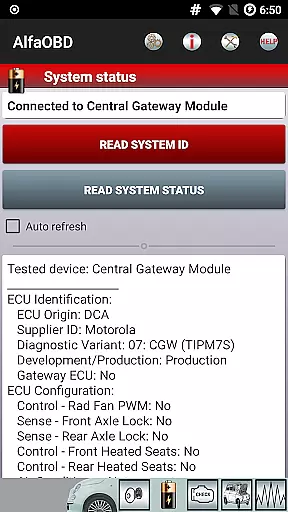
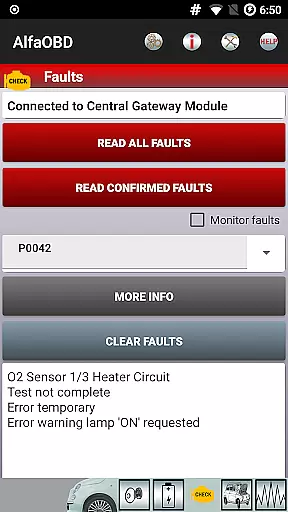
Additionally, AlfaOBD facilitates reading static data including ECU identification, system status, fault codes along with probable causes, and environmental information where applicable. This ensures that users have a complete picture of their vehicleu2019s health and performance metrics.
By providing dealer-level diagnostic and configuration procedures, AlfaOBD empowers users to perform advanced functions like clearing fault codes and conducting active diagnostics on different equipment controlled by various ECUs. This level of detail is invaluable for both troubleshooting and maintaining optimal vehicle performance.
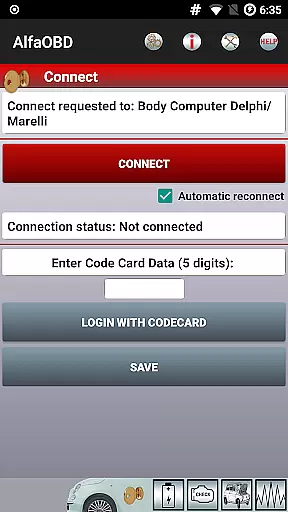
While AlfaOBD itself is a powerful diagnostic tool, potential users should be aware of additional costs associated with its use. The application requires a compatible OBD interface to connect to the vehicle, which may need to be purchased separately if not already owned by the user.
For vehicles produced from MY2018 onwards, there might be an additional cost due to the security gateway module (SGW) installed in these models. To gain full access to all diagnostic features, an SGW bypass might be necessary, representing another possible expense for users.
It's important to note that while AlfaOBD provides extensive functionality, some Android devices may face compatibility issues. Users experiencing problems installing or upgrading the app on unsupported devices can contact info@alfaobd.com for assistance, ensuring transparency regarding device compatibility.
Lastly, it's worth mentioning that certain functionalities within AlfaOBD could necessitate specific hardware capabilities or configurations. Users must ensure their setup meets these requirements to avoid unexpected limitations when using the software for diagnostics.
Comprehensive diagnostic tools
Native ECU support
Multi-language support
Professional-level features
User-friendly interface
Requires compatible OBD interface
Limited to specific vehicle brands
SGW may block access
Interface compatibility issues
Advanced settings may overwhelm novices

Take Control of Your Car
 4.80
4.80
Buy and sell your boat
4.70
The Texaco App allows you to pay for fuel from the comfort of your car!
4.80
Get your personalized financing options and shop for used cars today!
4.20
Club Car Wash Mobile App—the fast lane to managing your wash membership.
3.30
Car Sounds Engine Sounds app welcomes Auto Lovers to feel Car Simulator Sound
4.20
Your Path to Driving Licensing Success Begins Here! Develop your driving skills.
4.40
DMV practice test 2025: Driver License permit test & written test for all states
4.70
Autotrader is your online solution for buying and selling new and used cars.
4.40
Find, search, and browse 40,000+ used cars, SUVs, and trucks.
4.50
CVT diagnostics with ELM327 for Nissan-based vehicles
4.40
OBD2 car scanner and diagnostics: read Check Engine, DTC, economy....
4.30
BlueDriver® is a Premium Diagnostic OBD2 Scan Tool. www.BlueDriver.com
3.90
Take state-specific DMV permit tests and ace the exam.
3.90
PayByPhone: A quick and easy way to pay for parking.
3.80
Better fuel to help keep you on the road
3.20
Easily notify car owners in urgent situations, safe, fast, multilingual.
4.5
Attention! This is the theme for the Car Launcher app
4.1
Ferrari inspired analog & digital watch face with quick access and premium style
4.1


User Reviews