

PayByPhone is a leading mobile parking payment solution trusted by over 95 million drivers globally. The app simplifies the parking experience by allowing users to pay for parking directly from their smartphones. Available in 10 languages and used across more than 1,300 locations worldwide, including cities and private operators in the UK, North America, France, Germany, and Switzerland, PayByPhone makes parking quick, seamless, and secure.
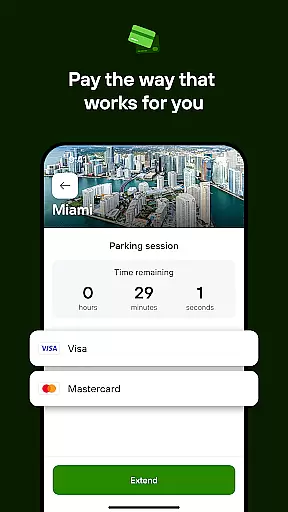
With features like remote session management, SMS notifications, and multiple payment options such as credit/debit cards, Google Pay, Apple Pay, and PayPal, the app ensures convenience and security. Whether you're parking in a busy urban area or need to extend your parking time while running errands, PayByPhone streamlines the entire process, letting you focus on what matters most.
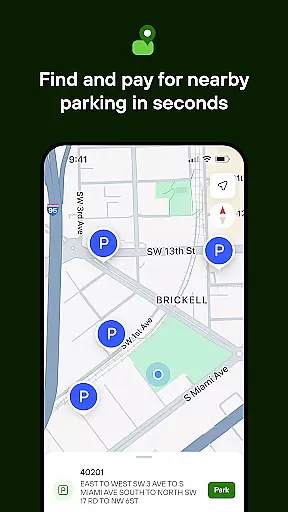
PayByPhone offers an array of innovative features designed to enhance user convenience. One standout feature is the ability to start and extend parking sessions remotely, eliminating the need to return to your vehicle or search for a parking meter. The Today View widget provides a quick overview of active parking sessions, while Maps and Nearby functionalities help locate available parking spots efficiently.
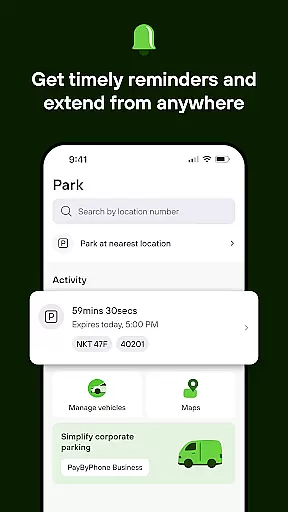
Users can set up SMS or push notifications to receive alerts before their parking session expires, ensuring they never incur unnecessary fines. Additionally, the app allows users to review their parking history, pin their parking location for easy vehicle retrieval, and receive emailed receipts for expense tracking purposes. These features collectively create a comprehensive parking management tool that saves time and reduces stress.
When it comes to managing parking sessions through the PayByPhone app, having access to detailed vehicle information is crucial. This feature allows users to input and store comprehensive details about their vehicles, ensuring a seamless parking experience.
The PayByPhone app enables drivers to register multiple vehicles with specific information such as license plate numbers, make, model, and color. This data is securely stored and can be easily accessed each time the user initiates a parking session, eliminating the need for repetitive data entry.
For users, this means there's no hassle of manually entering vehicle details every time they park. The app's ability to recall vehicle specifics not only saves time but also reduces the risk of errors that could lead to parking fines or tickets.
Ultimately, the detailed vehicle information feature in the PayByPhone app provides a reliable and efficient way for drivers to manage their parking sessions, contributing to a stress-free parking process.
Price transparency is a key factor in enhancing the user experience within the PayByPhone app. It ensures that users are fully aware of the costs associated with their parking sessions before confirming any payments.
With PayByPhone, users can view all potential charges, including hourly rates and any additional fees, directly within the app. This openness allows drivers to make informed decisions about their parking choices without worrying about hidden costs.
This level of transparency builds trust between the service provider and its customers. Users feel more confident using the app when they know exactly what they are paying for, which can lead to increased customer satisfaction and loyalty.
In summary, price transparency in the PayByPhone app empowers users by providing clear and upfront information regarding parking fees, thus simplifying the payment process and fostering a trustworthy relationship with the service.
User-friendly interface
Multiple payment options
Global availability
Remote session management
Convenient notification system
Limited to parking services
Requires internet connection
Occasional service fees
Location-dependent features
Potential app instability

Easily notify car owners in urgent situations, safe, fast, multilingual.
 4.3
4.3
On the CarShield app, you can view contracts, make payments, & request roadside.
4.40
Better fuel to help keep you on the road
3.20
Digital Car Key/Launcher, Screen Mirror, Android Dashboard, Remote Wireless Link
4.40
Boost profits and hit your goals faster with GigU's amazing tools for gigworkers
4.00
Control maps, media and messaging, with the Google Assistant while you drive
4.10
Car Sounds Engine Sounds app welcomes Auto Lovers to feel Car Simulator Sound
4.20
O'Reilly Pro will streamline your parts lookup and ordering process!
3.20
Find Your Local Store or Shop Online for the Car, Truck, or SUV Parts You Need
4.70
Play what you want through Android Auto
4.90
Get price alerts, vehicle history details and more for cars near you!
4.50
Instant diesel savings. No credit checks or fees. Nationwide growing network.
4.40
Secure mobile payments & fuel savings at Phillips 66®, Conoco® and 76® stations
4.40
A smarter way to park and reserve your spot ahead of time.
4.40
myAudi offers users services and Audi connect services for Audi drivers
4.10
OBD diagnostics, Live Data, DPF regeneration for BMW
4.00
Take state-specific DMV permit tests and ace the exam.
3.90
Earn and save with Fuel Rewards®
3.20
Theme for Car Launcher
4.2


User Reviews