Amazon Kindle is the quintessential reading companion for book lovers, offering access to millions of books, magazines, audiobooks, and more. This app transforms your mobile device into a personal library, allowing you to read anytime, anywhere. Whether you're commuting, taking a break, or relaxing at home, Kindle ensures you always have something engaging to explore.
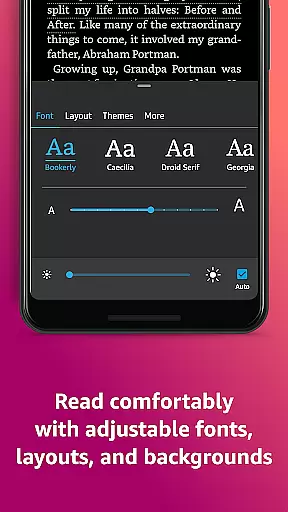
The app provides an array of customization options, enabling users to tailor their reading experience to their preferences. With features like adjustable text size, font selection, brightness control, and background color options, Kindle makes reading comfortable in any environment. Additionally, its seamless integration with Amazon's ecosystem allows users to sync their progress across devices, ensuring a smooth transition between reading sessions.
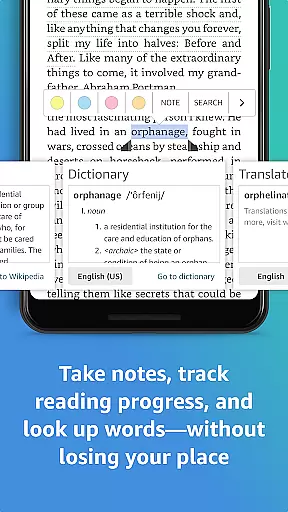
Kindle also offers tools that enhance comprehension and engagement, such as built-in dictionaries, Wikipedia lookups, and X-Ray for deeper insights into characters and themes. These features make it ideal for avid readers who want to maximize their understanding while enjoying their favorite titles.
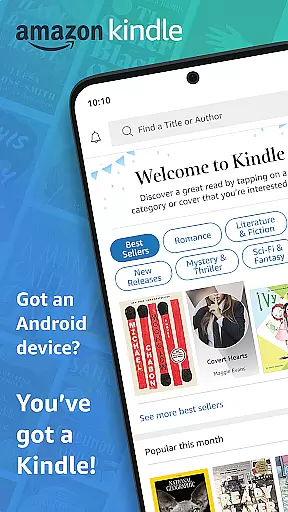
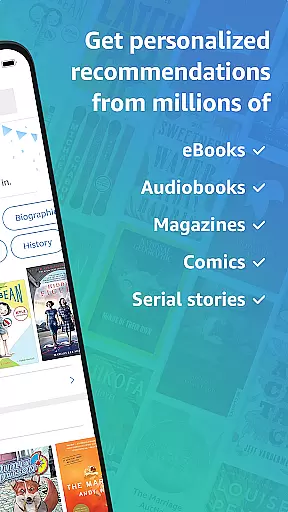
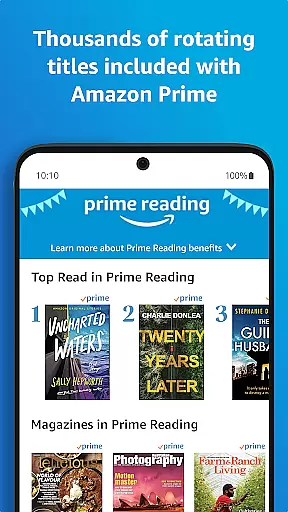
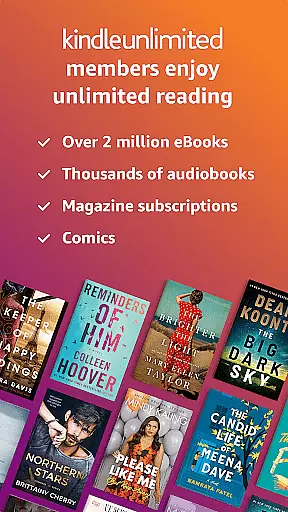
One of the standout aspects of the Amazon Kindle app is its extensive content library, which includes millions of books, magazines, audiobooks, and comics. Users can browse best sellers, new releases, and genre-specific titles, making it easy to discover their next great read. The app also supports Kindle Unlimited and Amazon Prime memberships, providing access to exclusive content and unlimited reading options.
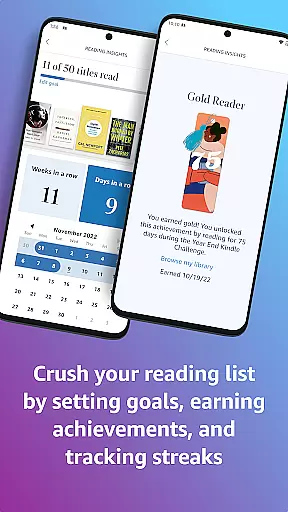
Customization is at the heart of Kindle's user experience. Readers can personalize nearly every aspect of their interface, from font type and text alignment to page orientation and scrolling preferences. Advanced features like Page Flip allow users to skim through pages effortlessly, while real-time reading progress tracking helps them stay informed about their pace and location within a book.
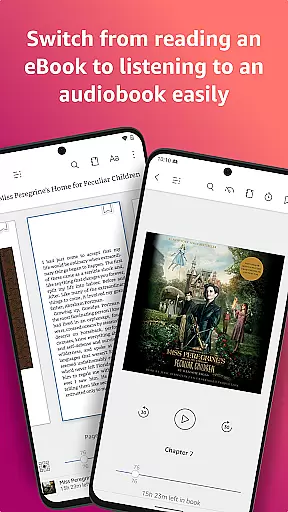
Another key feature is the app's cross-device syncing capability. Whether you're switching between your phone, tablet, or e-reader, Kindle automatically saves your place, bookmarks, highlights, and notes. This ensures continuity and convenience, letting users pick up exactly where they left off without missing a beat.
When it comes to digital reading, the size and authenticity of an e-book library are crucial factors for avid readers. Amazon Kindle boasts an extensive collection of millions of books, including bestsellers, magazines, newspapers, comics, and manga. This vast library ensures that users have access to a diverse range of reading materials across various genres such as romance, science fiction, and nonfiction.
Moreover, the credibility of this library is reinforced by stringent copyright measures. Each title available in the Kindle app has been vetted for copyright authenticity, providing users with peace of mind that their reading material is legitimate and respects intellectual property rights. Readers can explore new releases or delve into Amazon Charts best sellers knowing they are engaging with legally procured content.
The inclusion of Kindle Unlimited and Amazon Prime further enriches the user experience by offering unlimited reading from a selection of over a million titles, thousands of audiobooks, and current magazines. Members can enjoy these benefits without worrying about additional hidden costs or legal issues related to the content's origin.
For readers who switch between devices, format compatibility is essential for a seamless reading experience. The Amazon Kindle app excels in this area by supporting a wide array of formats which allows users to access their library on any device they choose. Whether you're using a smartphone, tablet, or dedicated e-reader, the Kindle app ensures your books are accessible.
In addition to supporting standard e-book formats, the Kindle app also offers features like adjustable text settings, font types, margins, and orientation options (portrait or landscape). These customization options allow readers to tailor their experience according to personal preferences and device specifications.
Furthermore, the Kindle app provides synchronization across devices, meaning your place in the book, bookmarks, highlights, and notes are always up-to-date regardless of where you last left off. This cross-device sync feature guarantees that whether you're switching from your phone to a tablet or any other supported device, your reading progress remains consistent and uninterrupted.
User-friendly interface
Extensive content library
Syncs across devices
Customizable reading settings
Integrated dictionary and X-Ray
Requires Amazon account
Limited offline functionality
Some features locked behind subscription
Ads in free version
Occasional syncing issues

“I am the Lorax. I speak for the trees.”
 4.80
4.80
Bible, Catechism, Study, Saints, Mass Readings, Rosary, Prayer, Bible in a Year
4.80
The Psalms for singing
4.1
Knots 360 Pro ( 3D ) shows you animated 192 knots in 3D perspective
4.10
Master AKC Rally signs with in-depth hints, diagrams, and expert guidance.
4.50
Battle Royale Chapter 5 Season 2 HD Wallpapers Emotes Skins and BattlePass
3.00
The Original & Authentic Crystals, Gemstones, Rocks & Minerals Encyclopedia.
4.60
Read Trending Romance Stories
4.00
The Apostolic Lutheran Church hymnal
4.5
Liturgy of the Hours totally off-line
4.80
Words spoken by native English speakers and full definitions.
4.60
Learn Electricians' Handbook PRO complete guide beginners to advance.
4.40
Shop over 13 million new and used books at up to 80% off list price
4.20
Prime novels await! Fantasy & Romance on JoyRead. Immersive reads!
4.20
WebNovel - Read Solo Leveling novel and comic
4.10
A story reading app: Read stories, novels and books, or write your own.
3.90
All in one Calibre libraries on your phones and tablets.
3.80
America's best dictionary and thesaurus - with premium content and no ads
3.40
University of North Carolina Herbarium presents the flora of TN, AL, & MS.
4.4


User Reviews