
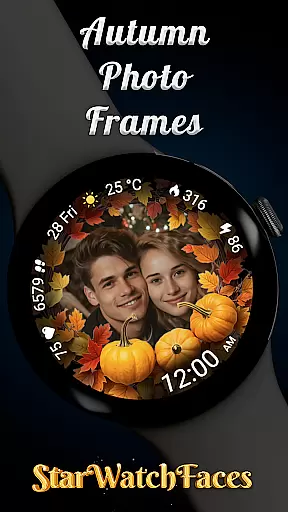
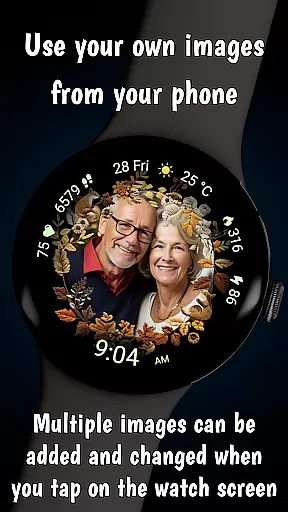
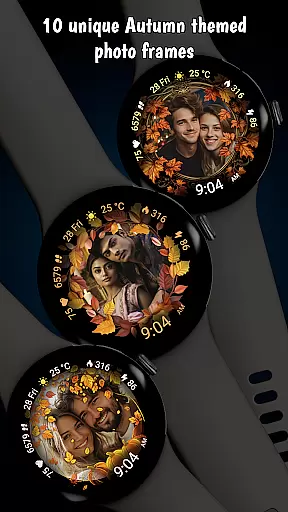

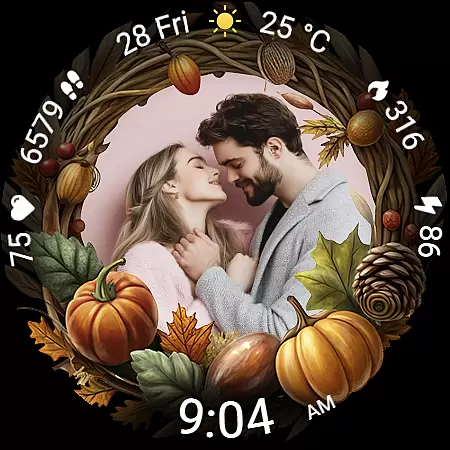
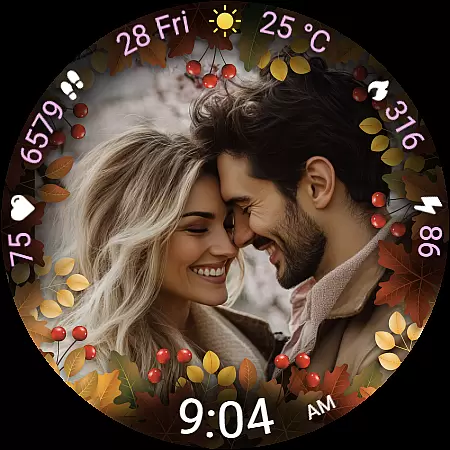
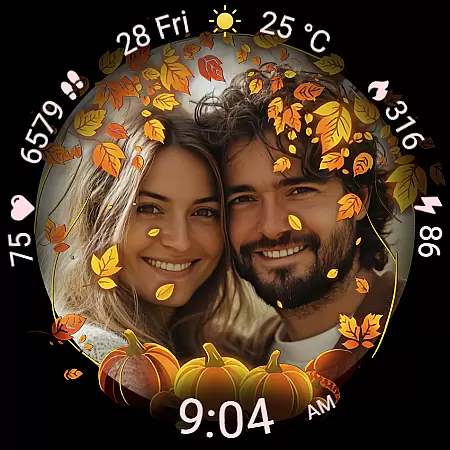
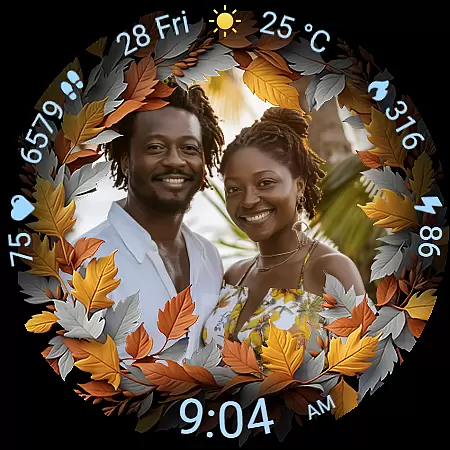
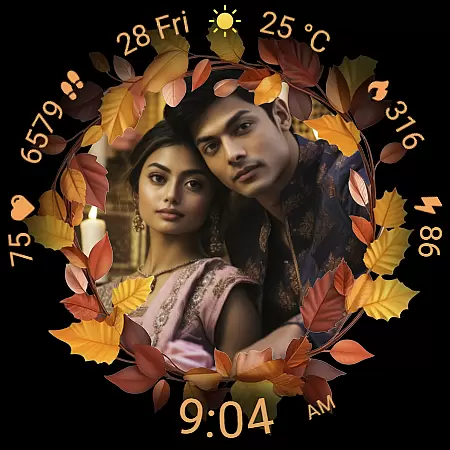
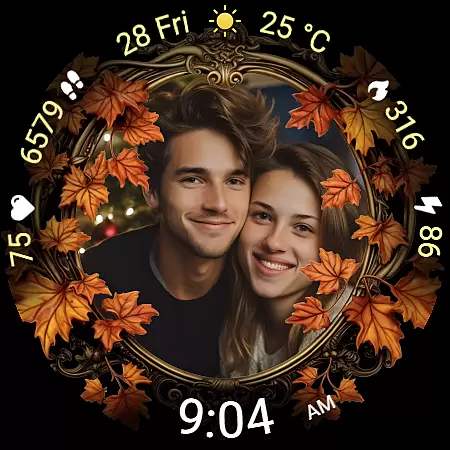
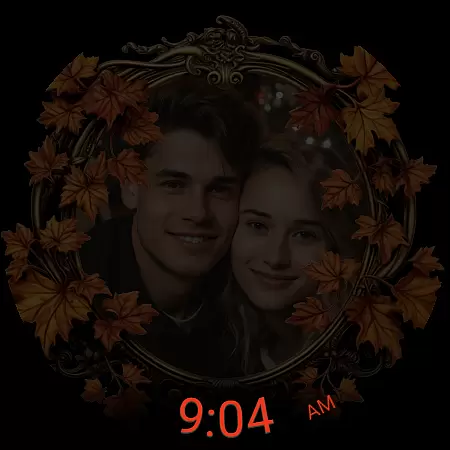
Autumn Photo Frames for WearOS is a premium lifestyle watchface that combines personalization with seasonal aesthetics. This app allows users to display cherished photos within beautifully designed autumn-themed frames directly on their smartwatch, creating an emotional connection with their device. With support for 10 unique frames and rich customization options, it offers both style and functionality.
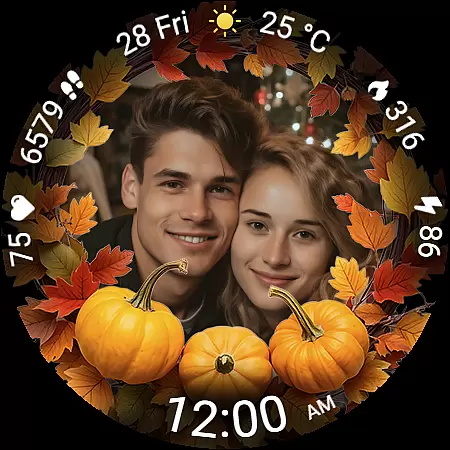
The watchface includes practical features like heart rate monitoring, step counting, calorie tracking, and weather updates, all presented in a clean digital format. Compatible with Wear OS 6 and newer, this app transforms your smartwatch into a personal gallery while delivering essential metrics and optimized battery performance through its Always-On Display technology.
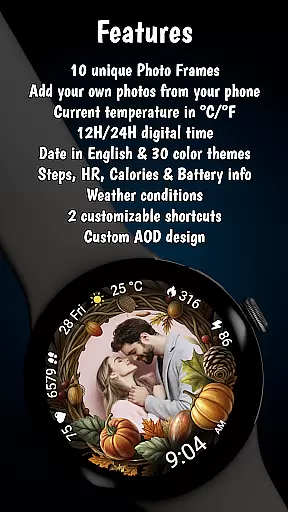
Autumn Photo Frames stands out with its robust feature set tailored for personal expression and utility. Users can upload custom photos via the companion app, choosing from 10 autumn-inspired frames that bring warmth and seasonal beauty to their wrist. The inclusion of 30 color themes ensures seamless integration with individual styles, making each watchface truly unique.
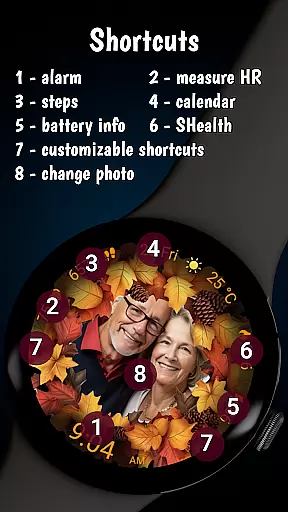
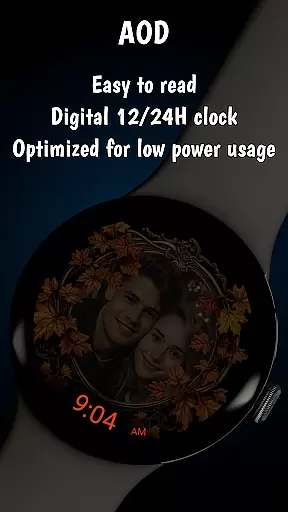
Beyond aesthetics, the app provides practical tools such as a configurable digital clock (in 12h/24h formats), date display, battery status indicator, fitness tracking (steps, calories), and real-time weather updates. Its Always-On Display (AOD) optimizes visibility without compromising battery life, while two customizable shortcuts allow quick access to frequently used apps or functions. These thoughtful additions make it not just visually appealing but also highly functional.
The Autumn Photo Frames watchface for Wear OS offers a comprehensive lifestyle experience by integrating personalization with practical functionality. This application is designed to cater to users who appreciate seasonal aesthetics and desire to keep their cherished memories close. With 10 unique autumn-themed frames, the app provides an impressive range of customization options that align with the user's personal style or mood.
Moreover, the app extends its utility beyond mere aesthetics. It includes features such as heart rate monitoring, step counting, calorie tracking, and weather updates, making it a central hub for daily activity and health tracking. The inclusion of these metrics ensures that users not only enjoy a personalized experience but also benefit from essential smartwatch functionalities.
By supporting multiple photos and offering 30 color themes alongside digital clock formats and date displays, this watchface ensures that every user can tailor their device to reflect their individuality while staying informed about their daily schedule and health statistics. Such extensive lifestyle category coverage makes Autumn Photo Frames a versatile choice for enhancing both the visual appeal and functional aspects of your smartwatch.
Authenticity and credibility are at the core of the Autumn Photo Frames watchface. Every feature within the app, from the beautifully designed photo frames to the accurate display of health metrics like heart rate and step count, has been crafted with precision and care. Users can trust in the reliability of the information presented, such as weather conditions and battery status, which are updated in real-time to ensure accuracy.
In addition to providing dependable data, the app emphasizes the importance of genuine user experiences. All promotional materials, including screenshots featuring couples, are clearly stated to be AI-generated, thus maintaining transparency with the user base. This commitment to honesty reinforces the credibility of the content provided by the developers.
Furthermore, the app's compatibility with Wear OS 6 or newer and the availability of customization through companion apps highlight the developer's expertise in creating a seamless and integrated user experience. By combining authentic content with expertly designed features, Autumn Photo Frames establishes itself as a trustworthy and authoritative option within the lifestyle category on Wear OS devices.
Highly customizable
Beautiful autumn designs
Practical health metrics
Optimized AOD feature
Wide color theme selection
Requires Wear OS 6+
No automatic photo sync
Limited free frame options
Premium pricing model
Companion app dependency

Unique informative Dial with Live Moon Phase at a glance!
 3.60
3.60
Daily lessons from A Course in Miracles with scheduled reminders
4.80
Duo Watch Face (animated)
4.5
Unique Dual Colors with 6 Custom Complications for Wear OS watches!
3.40
This minimalist yet classic board design brings a futuristic twist to your wrist
4.20
Falling Fruit is a massive collaborative map of food in our cities.
3.20
The cutest Autumn watchface featuring the adorable Mr. Squirrel
4.3
Mixing Colors for Menswear
4.20
Subwoofer school’s in session! You’ve now enrolled into KICKER U.
3.80
Discover the "To Be a Christian" App: Your Guide to Deepening Faith!
5.00
My Diary - Daily Journal with lock: Diary journal app and secret diary with lock
4.80
This app is intended to support professional EMDR therapy.
4.50
Unique "Isometric" style digital watch face for Wear OS
4.50
Share opinions, get paid cash
4.30
Earn points with every purchase with Moe Rewards.
4.20
Paranormal EVP, Ghost Box, Spirit box, ITC, Haunted, Spirit communication device
3.70
Going above and beyond known spirit communication
3.60
LineLearner, the quick way to learn lines.
2.90
Immerse yourself in the serenity of lavender fields and white butterflies
4.2


User Reviews