
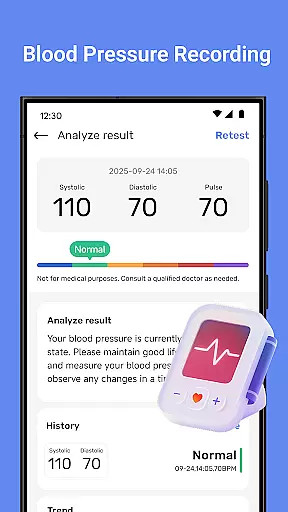
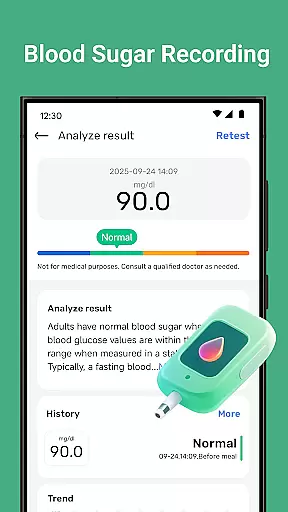
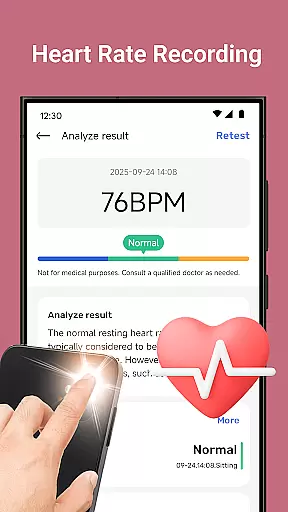
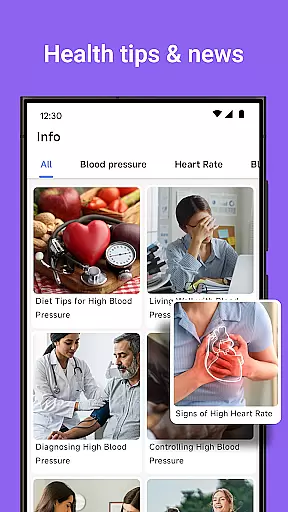
Blood Pressure Tracker is a comprehensive health companion app designed to help users monitor and manage their heart rate, blood pressure, and blood sugar levels. The app provides smart trend analysis through visual charts, allowing users to easily understand their health patterns over time.
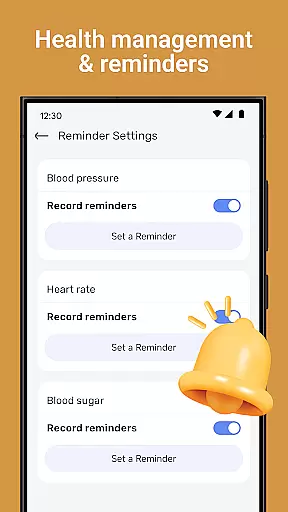
In addition to vital sign tracking, the app offers wellness reminders for hydration, exercise, and rest, along with weight management tools and nutrition tips. It also includes mindfulness features such as guided meditation and breathing exercises to help reduce stress. With personalized recommendations and daily health insights, Blood Pressure Tracker aims to be an essential tool for those looking to maintain a healthier lifestyle.
Blood Pressure Tracker stands out with its all-in-one approach to personal health management. Users can log their heart rate, blood pressure, and blood sugar readings effortlessly, while smart trend analysis presents this data in easy-to-understand visual charts.
The app goes beyond basic tracking by offering features like wellness reminders, weight management support, and nutrition advice. Its mindfulness and relaxation section helps users manage stress through guided meditations and breathing exercises. Personalized recommendations based on individual health metrics make it a tailored experience for each user.
With an intuitive interface suitable for all ages, Blood Pressure Tracker ensures that everyone can benefit from its powerful data visualization and lifestyle management tools without any hassle.
Personalized planning in health applications refers to the ability to create tailored health management strategies based on individual user data. This feature is crucial as it allows users to address their unique health needs effectively.
Blood Pressure Tracker excels in personalized planning by offering smart trend analysis and personalized recommendations. The app meticulously records heart rate, blood pressure, and blood sugar levels, providing a comprehensive view of the user's health. These data points are then analyzed to generate personalized insights and recommendations that guide users in managing their health metrics.
Users benefit significantly from this feature as it empowers them with actionable insights. For instance, the app provides tailored advice on lifestyle adjustments, helping users make informed decisions about their diet, exercise, and stress management practices.
The true value of personalized planning in Blood Pressure Tracker lies in its ability to transform complex health data into understandable and actionable health strategies. This not only enhances user engagement but also promotes long-term health improvements.
Progress visualization involves presenting user health data in an easily digestible graphical format, which is essential for understanding health trends over time. Visual representation aids in recognizing patterns and making necessary lifestyle adjustments.
In Blood Pressure Tracker, progress visualization is achieved through intuitive data visualization tools. The app features visual charts that display heart rate, blood pressure, and blood sugar fluctuations, allowing users to grasp their wellness trends instantly.
This functionality offers immense benefits to users by simplifying complex data sets into clear visual formats. Users can easily monitor their health improvements or identify potential issues that need attention, thus facilitating timely interventions.
By integrating advanced visualization techniques, Blood Pressure Tracker ensures that users can maintain an accurate and ongoing assessment of their health status. This fosters a proactive approach to health management and encourages sustained use of the app for continuous health monitoring.
User-friendly interface
Comprehensive health tracking
Personalized recommendations
Daily health insights
Mindfulness exercises
No direct measurement
Limited medical use
Requires manual input
Premium features may cost
Internet connection needed

Chair Workout: Women's Edition for safe, flexible, and personalized fitness.
 4.40
4.40
Weight loss app: home workout for women to lose weight & burn calories.
4.80
App to stop smoking slowly or now with a motivational badges and helpful tips
4.80
Build Healthy Habits!
4.60
Measure your Pupil Distance for Eyeglasses and VR headsets in 3 quick steps.
4.70
Your AI pet BFF. Talk, play, and beat anxiety in this calming game.
4.60
Personal step counter for you, private and accurate
4.50
Fast Body building & Weight Loss. Home Workouts with Daily Coach, No Equipment.
4.30
Mood journal, habits, self-care tracker, self-love
4.90
Wall Pilates at home & Pilates workout for beginners for core and weight loss.
4.80
Load the bar with this barbell & plate calculator. It's leg day, not brain day!
4.70
Track heart rate & HRV in 30s! Get live health insights and anomaly alerts
4.40
Get alert about getting out of desired heart rate zone.
4.10
Your personal BP tracking companion, focus on helping you achieve wellness goal.
4.10
Turn your steps into cash, gift cards & rewards with our step counting pedometer
3.80
Make sense of your health data.
3.80
GloryFit is a companion app for the smart bracelet.
3.60
The Wear OS BeechBand app is designed to alleviate anxiety and other conditions
4.2
Using Recognise™ has been shown to reduce pain and improve performance
4.0


User Reviews