
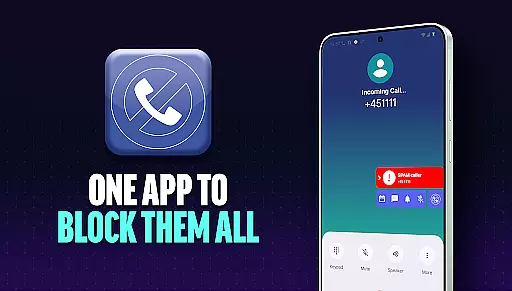
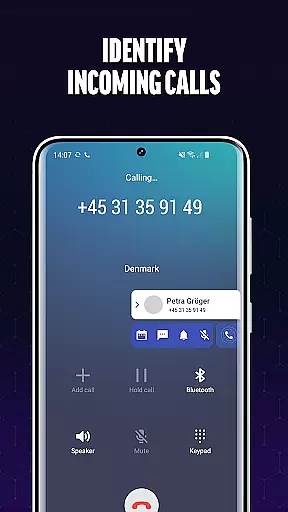
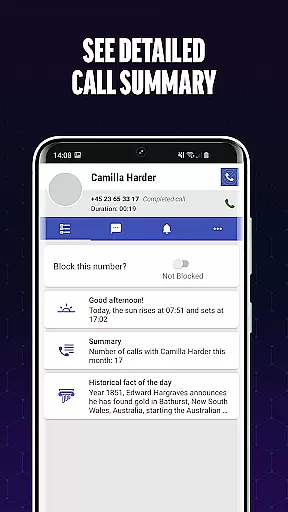
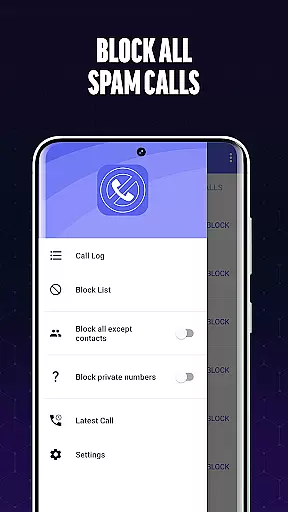
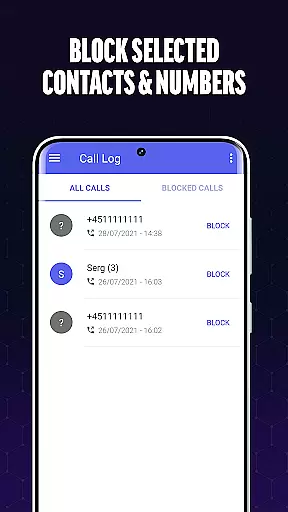
Call Blocker is a powerful communication app designed to help users eliminate spam calls and unwanted interruptions. The app's core functionality revolves around its advanced call filtering technology, which identifies and blocks spam numbers before they can reach the user. With features like real-time caller identification and customizable blacklisting options, Call Blocker provides a comprehensive solution for managing incoming calls.
The app allows users to create personal blacklists by adding specific numbers or number patterns, ensuring that known spam sources are permanently blocked. Additionally, its intuitive interface makes it easy to block calls instantly with just one click, giving users complete control over their calling experience. Whether it's avoiding fraudulent schemes or silencing telemarketers, Call Blocker offers a seamless way to protect your phone from intrusive calls.
This app is particularly useful for professionals and individuals who receive frequent sales calls or automated robocalls. By using Call Blocker, users can focus on important communications without being disturbed by irrelevant or harmful callers, ultimately improving their overall smartphone experience.
Call Blocker stands out in the Communication category due to its robust feature set tailored specifically for blocking unwanted calls. One of its key features is the Spam Call Blocker, which uses advanced algorithms to scan incoming calls and filter out potential spam based on an extensive database of known spam patterns. This ensures that users are protected from both common and emerging spam threats.
Another notable feature is the Blacklist functionality, which allows users to manually add specific numbers or number prefixes to their personal block list. This gives users the flexibility to customize their blocking preferences according to their unique needs. Additionally, the app provides real-time caller identification, enabling users to make informed decisions about accepting or rejecting unknown calls.
What sets Call Blocker apart is its user-centric design. Unlike other apps that may automatically block numbers without user consent, Call Blocker puts the power in the user's hands. Each action requires explicit approval, ensuring that no important calls are mistakenly blocked. This combination of powerful filtering technology and user control makes Call Blocker an essential tool for anyone looking to maintain a spam-free phone experience.
In today's fast-paced digital environment, the speed and reliability of real-time messaging are crucial for effective communication. Call Blocker addresses this need by providing instantaneous call scanning and filtering. The app employs advanced algorithms that work in real time to identify and block spam calls before they reach the user.
The technology behind Call Blocker ensures that incoming calls are processed with lightning speed. This rapid assessment is vital for maintaining uninterrupted communication flow. By swiftly recognizing potential spam numbers, the app prevents unnecessary disturbances, allowing users to focus on important conversations without delay.
Users benefit significantly from this feature as it creates a seamless communication experience. With real-time processing, individuals can trust that their phone lines are free from unwanted interruptions. This reliability transforms the way people interact with their mobile devices, knowing they are protected from pesky robocalls and fraudulent schemes.
The true value of real-time messaging speed lies in its ability to stay ahead of spammers. Call Blocker maintains an extensive database of spam patterns and numbers, which is regularly updated. This proactive approach ensures users remain protected against emerging threats, making their communication not only faster but also more secure than ever before.
In addition to its core functionality of blocking unwanted calls, Call Blocker also provides essential media sharing support. This feature allows users to exchange blocked number lists and spam call information with others, creating a community-driven approach to combat nuisance calls.
The implementation of media sharing within the app enables seamless transfer of critical data between users. Through this feature, individuals can export their blacklist and share it with friends, family, or colleagues who use the same application. This collaborative system helps expand the database of known spam numbers across different devices and networks.
This sharing capability brings substantial benefits to the user community. As more people contribute their data, the collective protection against spam calls grows stronger. Users can import shared lists to enhance their own blocking parameters, effectively multiplying the protective coverage of the app.
The innovative media sharing support demonstrates Call Blocker's commitment to creating a comprehensive defense system against unwanted communications. By facilitating information exchange, the app empowers users to take collective action against spam callers, making the entire network more resilient and responsive to emerging threats in real-time communication channels.
Effective spam blocking
User-friendly interface
Customizable blacklist
Real-time caller ID
One-click call blocking
Limited to Android
No automatic blocking
Database updates needed
Basic UI design
Premium features cost extra

Identify unknown numbers, block spam calls, customize calls with cool themes.
 4.60
4.60
Enjoy secure messaging & calling. Safe Messenger: group chats, calls, messages.
4.20
At select facilities, you now have an easy way to video visit your loved ones!
3.30
Messenger app for faster and simpler SMS text messaging, and personalized themes
4.10
A Browser with powerful ad blocker to help focus on what really matters.
3.00
Messenger, an MMS & SMS messages app with Blockers, Driving mode & Private box
4.60
Faster version of Messages. Messenger for your contacts.
4.50
Simple tool for businesses to talk to their customers.
4.40
Group Chat That’s Fun & Games
4.30
Stay in touch with the people who matter most.
4.60
Adblock & VPN Browser: Blocks banners, pop-ups and video ads, fast downloader!
4.60
Connect and browse the internet with a fast VPN proxy server and IP blocker.
4.50
HD Video Meeting app is a fast & unlimited video conferencing app across world.
4.30
BE PRIVATE
Anonymous. No Trace. Fast.
4.20
Threema is the messenger with the most consistent focus on security and privacy.
4.00 3.90
3.90
Manage and Fund Calling Accounts and Schedule and Join Video Sessions
3.60
Comprehensive and powerful scan tool app with enhanced functions
3.00
Radio communication simulator for gaming communities
4.1


User Reviews