

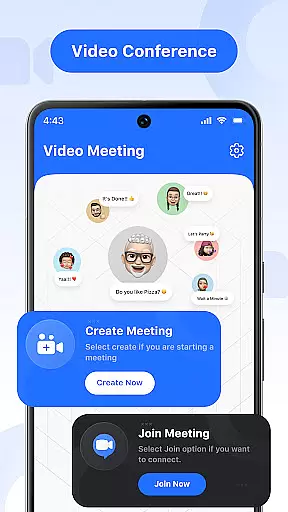
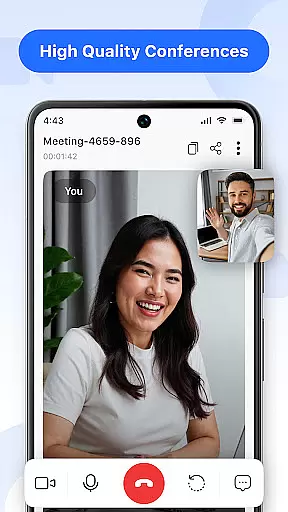
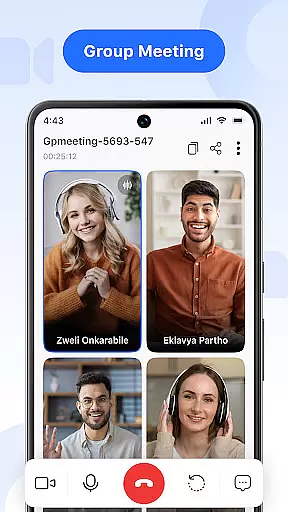
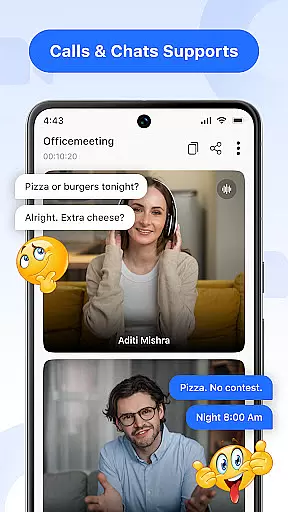

Video Meeting is a cutting-edge video conferencing app designed to enhance virtual communication and collaboration. With features like HD video calls, real-time team interaction, and seamless screen sharing, it ensures productive and secure online meetings. Whether for business discussions, educational sessions, or casual chats, this app provides a reliable platform that makes every connection smooth and efficient.
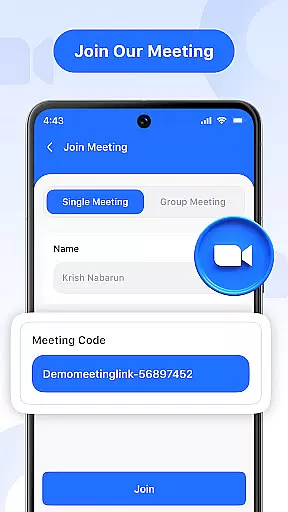
The app supports various meeting formats including one-on-one chats, group hangouts, and large-scale webinars. Its intuitive interface allows users to easily host or join meetings using unique codes, ensuring privacy and quick access. Additionally, the inclusion of real-time chat, audio controls, and multi-language support makes Video Meeting an adaptable tool suitable for professionals, educators, and everyday users alike.
Video Meeting offers a comprehensive suite of features tailored to meet diverse communication needs. Host meetings instantly with just a few clicks, allowing participants to join effortlessly via shared links or secure codes. The app's real-time chat functionality enables seamless messaging without interrupting ongoing calls, while its audio and video controls provide users with the flexibility to manage their presence during conversations.
Screen sharing capabilities allow for dynamic presentations, making it easy to showcase documents, slides, or applications live. Users can also enjoy private one-on-one chats or engage in lively group hangouts, catering to both professional and social interactions. With support for multiple languages, Video Meeting breaks down communication barriers, ensuring accessibility for a global audience. These robust features collectively deliver a superior virtual meeting experience.
Real-time messaging speed and reliability are crucial for effective communication in video conferencing apps. This feature ensures that messages are delivered instantly without delays, maintaining the flow of conversation.
Video Meeting app excels in this area by providing seamless real-time messaging capabilities. The app's infrastructure is designed to handle high volumes of messages with minimal latency, ensuring that users can communicate efficiently during meetings.
Users benefit from this feature as it allows them to send quick updates, ask questions, or provide feedback without interrupting the main video or audio streams. This enhances collaboration and keeps all participants on the same page throughout the session.
The reliability of message delivery also means that important information is less likely to be missed, contributing to more productive and organized virtual meetings.
Media sharing support in a video conferencing app refers to the ability to share various types of media, such as documents, images, and presentations, directly within a meeting. This feature enriches the collaborative experience by allowing users to present information visually.
In Video Meeting, media sharing is streamlined and user-friendly. Participants can easily share their screens or specific files, making it simple to conduct presentations or collaborate on projects in real-time. The app supports multiple formats, ensuring compatibility and ease of use.
This functionality benefits users by enabling more engaging and informative meetings. Whether it's for educational purposes, business presentations, or casual sharing, the ability to display media enhances understanding and interaction among participants.
Furthermore, Video Meeting ensures that media sharing is secure and stable, preserving the quality of the shared content and protecting sensitive information during transmission.
User-friendly interface
HD video quality
Secure meeting codes
Real-time chat
Multi-language options
Limited free features
Occasional lags
No offline mode
Premium subscription
Device compatibility

Call Forwarding is easy and simple application to use.
 3.80
3.80
فیلتر شکن قوی پرسرعت کلید جدید برای اندرویدسریع ترین وی پی ان برای همه اپراتورها
4.70
SMS & MMS Messaging App to easily send messages or schedule SMS on Chat
4.10
Messenger, an MMS & SMS messages app with Blockers, Driving mode & Private box
4.60
Experience real private browsing without tracking, surveillance, or censorship.
4.50
Faster version of Messages. Messenger for your contacts.
4.50
Read OBD2 data and DTCs Create custom dashboards Enhanced diagnostics available
4.70
SMS Messenger is a lightning-fast messaging app.
4.20
Useful. Social. Expressive.
4.70
Enhance browsing with AI-powered features and Copilot.
4.70
Messenger for SMS - texting message app, faster, simpler & safer, for you.
4.70
The ultimate productivity solution for all your email communication needs.
4.40
Block spam calls & scam - no more annoying calls with the call blocker function
4.30
Group Chat That’s Fun & Games
4.30
BE PRIVATE
Anonymous. No Trace. Fast.
4.20
WazzapMigrator: transfer your WhatsApp history from iPhone to Android
4.00 3.90
3.90
Watchgram for Telegram: Experience seamless Telegram messaging on your watch
1.80
An app dedicated solely to marriage, not dating, and supported by a rigorous verification mechanism to ensure seriousness.
4.3


User Reviews