
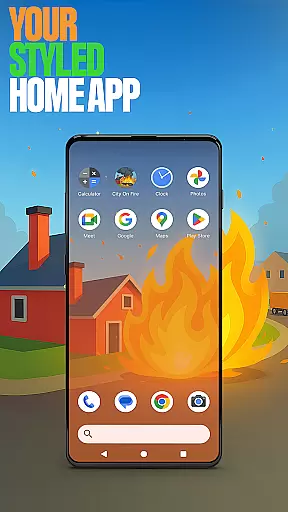




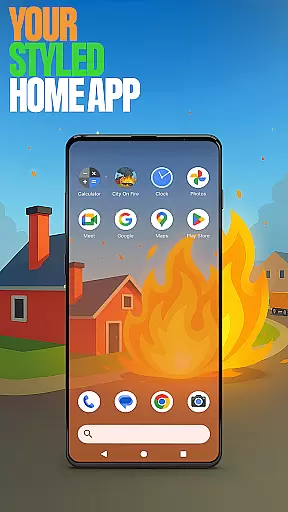

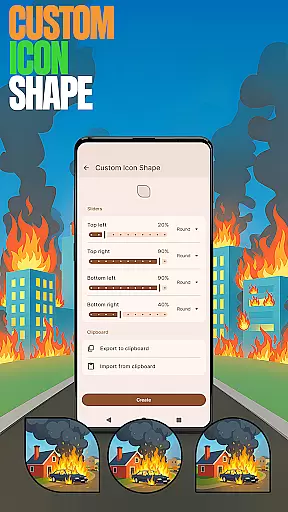

City On Fire Home App is a dynamic personalization tool that allows users to create a customized home screen experience. This launcher offers complete layout customization, folder organization, and personalized color schemes, providing a fresh and tailored interface for daily use.
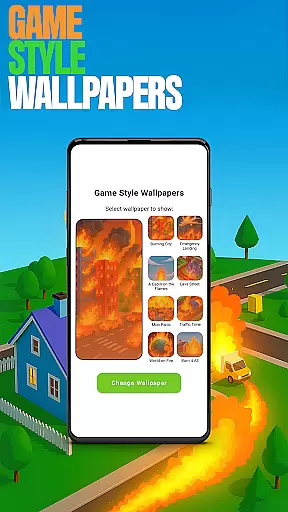
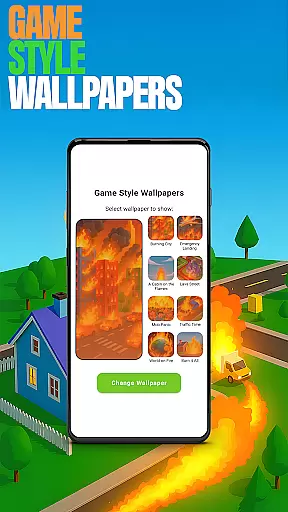
The app also integrates gaming elements from the City On Fire game, enabling users to engage with unique wallpapers and themes inspired by the fast-paced, fiery adventure. With features like custom gestures, hidden apps, and accent color options, it combines functionality with personal style, making it a versatile choice for those seeking both utility and aesthetic appeal in their mobile experience.
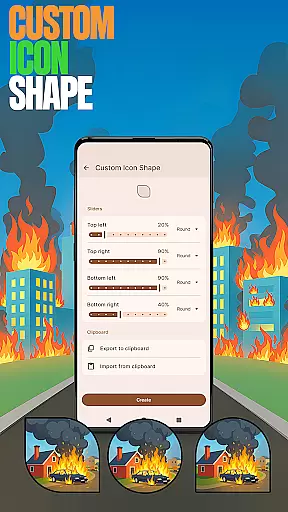
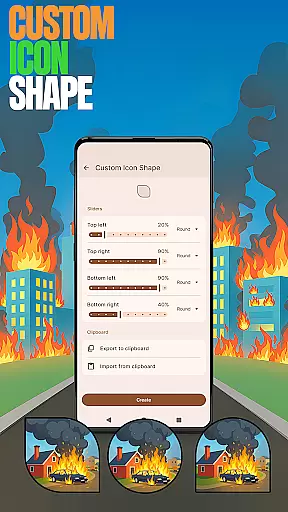
City On Fire Home App stands out with its robust customization capabilities. Users can personalize every aspect of their home screen, including icon shapes, gestures, and color accents. The app provides unique game-style wallpapers that bring the thrill of City On Fire's explosive gameplay to your device.
Practical features such as custom gestures allow quick access to apps or settings through intuitive swipes or taps. The ability to hide apps ensures privacy while maintaining full control over your device. These functionalities not only enhance usability but also offer a personalized touch, ensuring that each user's home screen is a true reflection of their individual preferences and needs.
Customization is at the heart of City On Fire Home App, offering users a wide array of personalization options to truly make their device their own.
This app allows you to tailor your home screen layout, organize apps into folders, and select from a spectrum of color schemes. The ability to customize icon shapes and apply unique game-style wallpapers inspired by the City On Fire game adds an extra layer of individuality.
With features like custom gestures for quick access to apps or settings, and options to hide private apps, users can streamline their experience according to their preferences. These customization options ensure that every interaction with your device reflects your personal style and meets your functional needs.
The value of such extensive customization is clear: it enhances user engagement by making the interface not just a tool, but a representation of the user's personality and workflow, leading to a more intuitive and enjoyable daily experience.
Theme compatibility in City On Fire Home App ensures that aesthetic changes are seamless and visually cohesive across your device.
By allowing users to choose from preset accent colors or create their own, this app maintains a consistent look and feel that aligns with personal tastes or mood. Whether you prefer a subtle theme that blends into the background or vibrant hues that pop, the app supports various visual styles.
Moreover, when switching back to a previous launcher, your original theme remains unaffected, providing peace of mind for those who enjoy experimenting with different looks without commitment. This flexibility empowers users to express themselves freely while maintaining usability standards.
Ultimately, robust theme compatibility enriches the overall user experience by bridging personal expression with functional design, ensuring every element on the screen works harmoniously together.
Highly customizable
Unique game-themed design
Intuitive gesture controls
Privacy-focused app hiding
Vibrant color options
May overwhelm new users
Limited default themes
Advanced features require setup
Game integration is minimal
Occasional performance lags

Ultra realistic gold analog watch face with lots of customization options.
 4.50
4.50
Only for Wear OS devices!
4.90
Winter's Journey: digital watch face for Galaxy Watch & Wear OS
4.80
Sparkle your screen with Glitter Wallpapers For Girls and Cute Backgrounds!
4.80
Turn your lock screen into fun with smile live wallpapers & animated wallpapers!
2.50
Zip lock screen with magic wallpaper to decorate your phone with fun zipper lock
4.60
350+ widgets with a premium glass-style finish, perfect for home & lock screens.
4.70
Create unique, fun emojis with Funny Emoji Maker! Unlimited creativity!
4.00
Fast SMS & group chat - use GIFs and emojis from your home screen launcher.
4.50
100+ Stylish Fonts, Emojis, Symbols keyboard for Instagram & TikTok!
4.80
A Colorful and Minimal icon pack in an Outline Style - Over 13,600 icons!
4.70
Nothing Icon pack with more than 3750+ highly crafted icons.
4.70
300+ Stunning and well-designed widgets inspired by NOTHING.
4.70
Classic analogue watch face. For wear os devices.
4.60
Choose your keyboard with RGB colors effect, themes, fonts, emojis.
4.60
Ninja Turtles Cowabunga SE watch face for Wear OS
4.50
3D, live, and moving wallpapers & themes in 4K and HD for your device.
4.50
AI-powered Copilot. Personalized keyboard with gifs, stickers & themes
4.40
Yandex Browser — stylish and secure, with voice search and data compression
4.40


User Reviews