
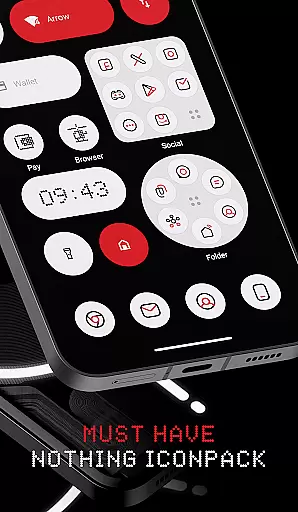
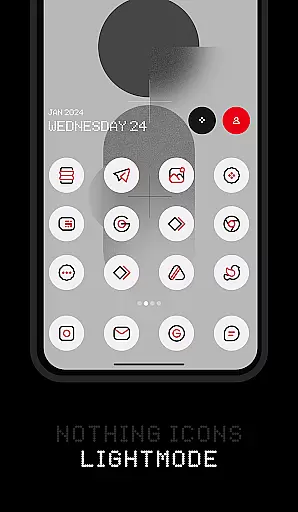
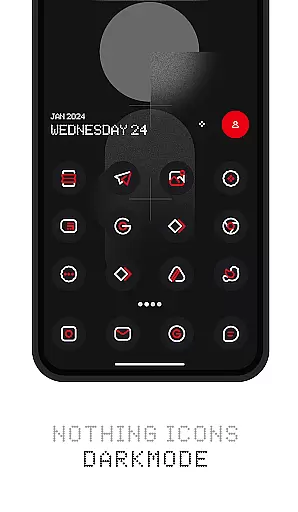
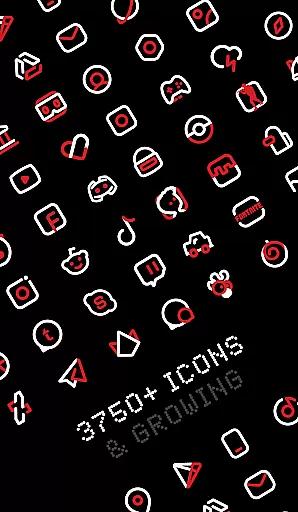
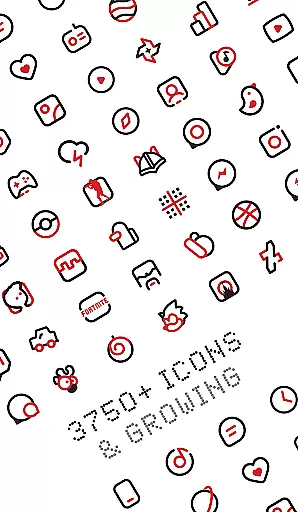
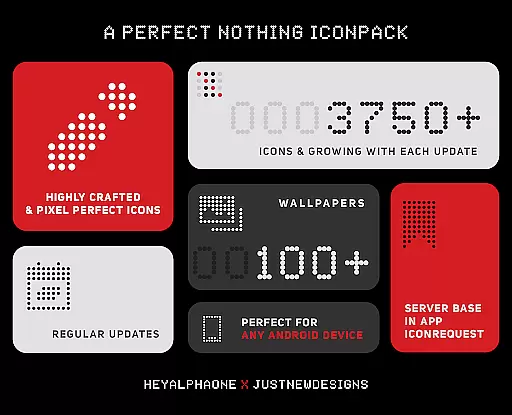
Nothing Icon Pack : Line is a visually striking icon pack inspired by the Nothing brand's design philosophy. With over 3750 meticulously crafted icons, it offers a perfect way to revamp your Android device's interface, especially complementing Nothing Phone users. The pack follows Google's Material Design guidelines while incorporating unique creative touches that make each icon a miniature masterpiece.
This icon pack stands out with its vibrant colors and linear minimalistic style. It includes features like alternative icons for popular apps, dynamic calendar support, and a material dashboard. Users can also access a vast collection of cloud-based wallpapers that perfectly match the icon designs. Whether you're using Nova Launcher or other supported launchers, this pack provides a cohesive and polished look that transforms your device's appearance.
Ideal for users seeking a modern and distinctive aesthetic, Nothing Icon Pack : Line brings both functionality and style to your smartphone. Its frequent updates and responsive developer support ensure that users receive new icons regularly and can request missing ones through the app's built-in system.
Nothing Icon Pack : Line distinguishes itself through several notable features. First and foremost, the pack boasts over 3750 high-quality icons, each designed with meticulous attention to detail. These icons adhere to Google's Material Design principles while incorporating unique artistic elements that give them a distinct identity. This combination ensures both familiarity and freshness in the user interface.
Beyond the extensive icon library, the pack offers practical functionalities such as alternative icons for popular applications and system apps. Users can enjoy dynamic calendar support, custom folder icons, and an intuitive icon preview and search system. Additionally, the inclusion of Muzei Live Wallpaper support and a server-based icon request system demonstrates the developer's commitment to user convenience and satisfaction.
The pack also provides access to a vast collection of matching wallpapers, enhancing the overall visual experience. With frequent updates that introduce new icons and features, Nothing Icon Pack : Line remains a dynamic and evolving tool for personalizing your device. Its compatibility with numerous launchers makes it a versatile choice for Android users looking to refresh their home screens.
Customization is at the heart of personalizing your smartphone experience, and Nothing Icon Pack : Line offers a vast array of options to transform your device's interface. With over 3750 icons designed with a minimalist and colorful linear style, this icon pack provides users with the tools needed to refresh their phone's aesthetics significantly.
Each icon within the pack is crafted meticulously, adhering to Googleu2019s Material Design guidelines while incorporating a unique creative touch. This ensures not only consistency in design language but also an element of distinctiveness that sets it apart from stock icons. The attention to detail guarantees that every icon is not just functional but a piece of art.
Beyond static icons, the pack supports dynamic calendars, ensuring that your home screen remains fresh and up-to-date throughout the year. Moreover, features like alternative icons for popular apps, custom folder icons, and app drawer icons provide additional layers of customization, allowing users to tailor their devices precisely to their liking.
The inclusion of a Muzei Live Wallpaper support and a collection of cloud-based wallpapers further enhances the customization potential, offering complete aesthetic freedom. Whether you're looking to revamp your phone's look entirely or seeking specific adjustments, Nothing Icon Pack : Line delivers both breadth and depth in its offerings.
Theme compatibility is crucial when selecting an icon pack, as it determines how seamlessly the icons integrate with your device's existing interface. Nothing Icon Pack : Line boasts extensive compatibility with a wide range of launchers, making it versatile for various Android devices.
This icon pack is optimized for popular launchers such as Nova Launcher and Lawnchair, which are recommended for the best experience. However, its compatibility extends far beyond these two, encompassing Action Launcher, Apex Launcher, GO Launcher, and many others. This broad support ensures that regardless of your preferred launcher, you can enjoy the enhanced visual appeal offered by this icon pack.
In cases where direct application through the dashboard isn't available, users can still apply the theme via their launcheru2019s settings. This flexibility underscores the pack's adaptability across different systems and configurations, providing peace of mind that it will function smoothly on most setups.
It's important to note that while Google Now Launcher and ONE UI do not support third-party icon packs, many other launchers do, including some stock launchers like Oxygen OS and Mi Poco. Thus, whether youu2019re using a mainstream or niche launcher, Nothing Icon Pack : Line stands ready to elevate your device's appearance with minimal hassle.
Unique design
Frequent updates
Wide launcher support
High-quality icons
Responsive support
Paid app
No stock support
Limited iOS
Varied quality
Feature gaps

Ninja Turtles Cowabunga SE watch face for Wear OS
 4.50
4.50
Art & Emoji Keyboard with Cool Fonts, Cute Themes and Custom Designs.
4.40
Interactive Miniature Painting Catalogue
3.30
More than 3000+ themes and 9000+ wallpapers for everybody!
4.10
The definitive Icon pack maker and editor
4.30
Unique Fonts, typefaces and stylish text. Fonts for Instagram, Whatsapp & others
4.20
Organize and manage your photos and videos effortlessly with Photo Gallery
4.20
Stylish Pink Cute Hippo keyboard with 10000+ customized keyboard themes!
4.60
Amazing letter fonts in your messages and social statuses
4.70
400+ Beautifully crafted widgets inspired by NOTHING.
4.70
Ultimate Gallery Lock App - Hide Pictures, Videos and Lock Apps Instantly!
4.60
Zip lock screen with magic wallpaper to decorate your phone with fun zipper lock
4.60
Customizable screen pets that play, climb, and keep you company.
4.50
Your home screen, just the way you like it.
4.30
Adult video chat, dating, making friends, random matching
4.20
Magic fluids wallpaper 4D: Relax with stunning fluid simulation wallpaper app
4.20 4.10
4.10
Crystal-clear, square icon provides a sleek and sophisticated visual upgrade
4.00
Emoji Maker app - Design custom emojis and effortlessly blend them with Mixer
3.80


User Reviews