
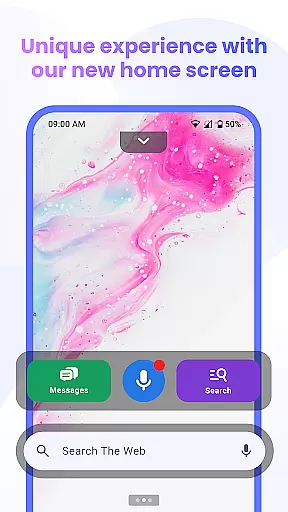

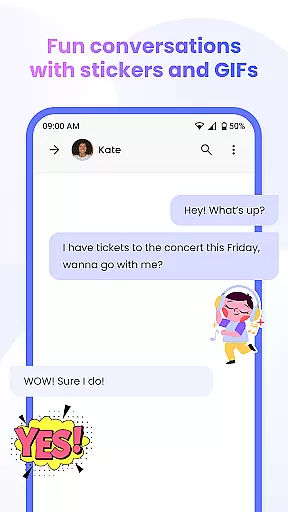

Messenger Chat Home is a unique personalization app that transforms your Android home screen into an efficient messaging hub. This innovative SMS launcher allows users to send and receive text messages, access group chats, and utilize creative communication tools like stickers and GIFs directly from their home screen.
The app combines the simplicity of traditional texting with modern launcher capabilities, creating a seamless communication experience. Its smart widget functionality enables quick message previews and replies, while features like voice-to-text provide hands-free convenience. Messenger Chat Home is designed for users seeking organized, private, and expressive texting without app-switching interruptions.
Messenger Chat Home offers several distinctive features that enhance mobile communication. The app's home screen integration provides instant access to messaging functions, eliminating the need to open separate applications. Its SMS and MMS capabilities are complemented by rich media support, allowing users to share various content types efficiently.
A notable innovation is the inclusion of free creative elements such as stickers, GIFs, and emojis, enabling more personalized conversations. The app maintains performance optimization through its lightweight design and minimal advertising approach. These features collectively create a messaging solution that balances functionality with user experience, making daily communication both practical and enjoyable.
Customization is at the heart of Messenger Chat Home, allowing users to tailor their messaging experience to fit their personal style. With a wide array of customization options, users can modify their home screen interface to streamline their communication process.
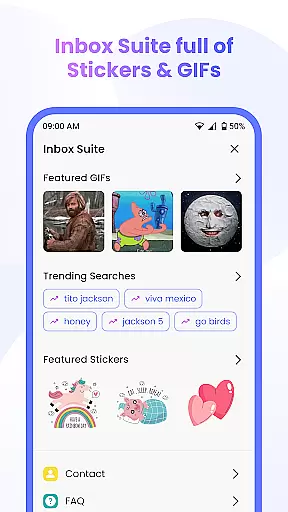
The app offers an extensive selection of stickers, GIFs, and emojis that are fully integrated into the texting platform. This means users can express themselves more vividly and with greater creativity without leaving the conversation window. The inclusion of these features ensures that every message can be as unique and expressive as the user intends.
Messenger Chat Home also provides a personalized chat experience by enabling users to customize chat backgrounds and notification settings. This level of personalization ensures that the app not only meets functional needs but also resonates with the aesthetic preferences of each user.
By integrating these customization features, Messenger Chat Home enhances user engagement and satisfaction, making daily communications not just a task but a delightful experience. Users can enjoy a blend of utility and personality in their interactions, which sets the app apart from conventional messaging solutions.
Theme compatibility in Messenger Chat Home ensures that users can seamlessly integrate their preferred aesthetics across their devices. This feature allows for a visually cohesive experience whether you're texting, sharing media, or using widgets.
The application supports various themes, which means it can adapt to different visual styles and preferences. Whether you prefer a light, vibrant theme or a dark, subdued mode, Messenger Chat Home maintains the integrity and readability of your chats without compromising on style.
Moreover, the app's design philosophy prioritizes user interface harmony. This ensures that regardless of the theme selected, all elements from stickers to emojis appear consistent and clear. Such attention to detail in theme management elevates the overall user experience, providing both comfort and style.
Ultimately, the theme compatibility feature empowers users to personalize their digital space while maintaining optimal usability. It reflects Messenger Chat Home's commitment to delivering a messaging solution that is as flexible and individual as its users, enhancing both the function and form of everyday communications.
Fast SMS access
Free creative tools
Lightweight design
Smart widget feature
Ad-light experience
Limited customization
No video calls
Basic encryption
Few themes
Occasional bugs

Only for Wear OS devices!
 4.90
4.90
Wear Os Watch Face - Seasonal - Animated Snow Effect - 9 Animals
4.20 4.50
4.50
Custom edge gestures for volume control, brightness, apps, and shortcuts.
4.2
Embrace the Night. Unleash the power of darkness with Raven Dark Icon Pack
4.60
HappyLighting is a Bluetooth lamp control software.
3.40
300+ Beautifully crafted widgets inspired by OneUI.
4.60
Handcrafted pixel art icons, widgets & wallpapers
4.60
Create unique, fun emojis with Funny Emoji Maker! Unlimited creativity!
4.00
A launcher for Samsung Good Lock and Good Guardians modules without ads
4.70
Shimeji adds cute animated characters to your screen, lively and fun.
4.70
A minimalist productivity launcher. One-hand-friendly. Zero ads.
4.70
Glass style colourful icons with a One UI look and feel
4.60
Zip lock screen with magic wallpaper to decorate your phone with fun zipper lock
4.60
Icons made of colorful linear lines
4.60
Transform your device in a game console
4.40
Launcher OS™ Pro without ads help make your phone simple and pretty
4.30
Unique Fonts, typefaces and stylish text. Fonts for Instagram, Whatsapp & others
4.20 3.50
3.50


User Reviews