
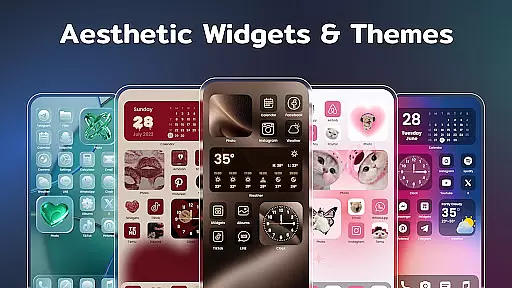
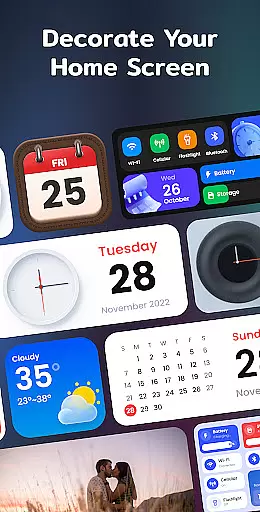
Color Widgets, Theme is a versatile lifestyle app designed to enhance your Android device's home screen with customizable widgets and themes. The app offers a wide range of aesthetic options including clock, photo, X-panel, calendar, weather, battery level, Bluetooth status, and event timer widgets in multiple sizes.
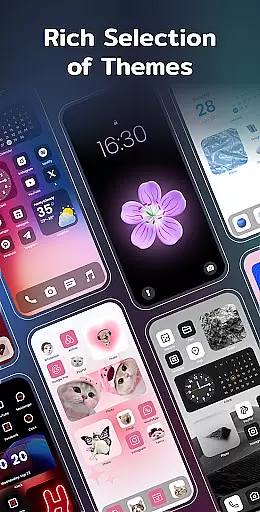
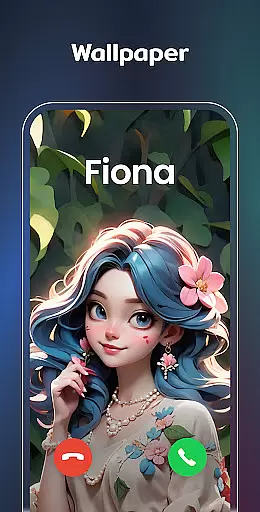
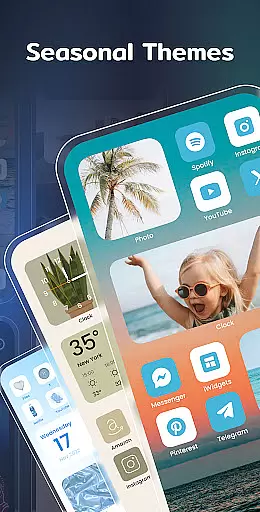
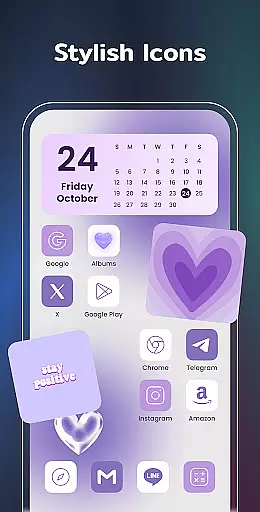
With its user-friendly interface, you can easily personalize your phone screen to reflect your unique style. Whether you want to add functional widgets for practicality or stylish themes for aesthetics, this app caters to all your customization needs. From anime to neon styles, the preset themes allow you to change app icons and wallpapers effortlessly.
The true value of Color Widgets, Theme lies in its ability to make your device truly yours. With features like one-click widget addition, custom icon redesign, and event countdown timers, it helps keep your life organized while showcasing your personal flair.
Color Widgets, Theme stands out with its extensive collection of customizable widgets and themes. The X-Panel widget consolidates essential shortcuts and system information onto your home screen, allowing quick access to flashlight controls, Wi-Fi toggles, and more.
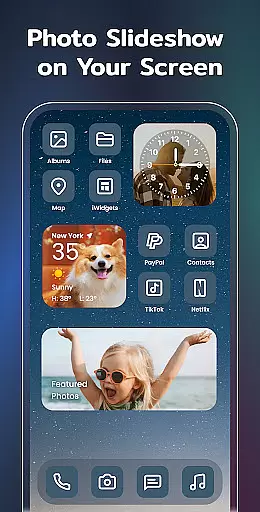
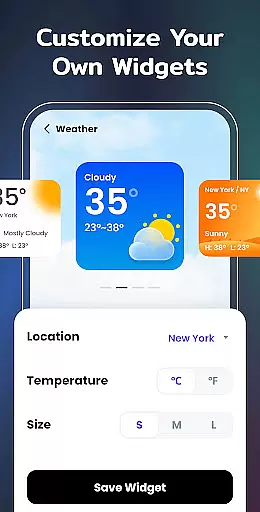
For those who love personal touches, the Photo Widget lets you display cherished memories as slideshows right on your home screen. The Clock Widget offers both analog and digital formats in various elegant styles. Weather enthusiasts will appreciate the real-time local weather updates provided by the Weather Widget.
Additional features include creative Calendar Widgets, preset Themes in diverse styles, and Event Timers for important occasions. Upcoming additions like To-do lists and Notes widgets promise even more functionality. These comprehensive tools ensure that users can create a personalized and efficient mobile experience.
Color Widgets, Theme offers extensive lifestyle category coverage through its diverse range of widgets and themes. The app provides users with a variety of functional widgets including clock, photo, X-panel, calendar, weather, battery level, Bluetooth status, and event timer. These widgets cater to different aspects of daily life, ensuring that users can customize their home screens to suit various practical needs.
The app stands out by offering multiple sizes for its widgets, allowing users to optimize screen space according to their preferences. With aesthetic themes covering styles such as anime, neon, and vintage, it enables personal expression while maintaining functionality. This comprehensive approach ensures that whether users need quick access to system information or want to track important events, they can find a widget that fits their lifestyle.
By incorporating upcoming widget types like to-do lists and notes, Color Widgets, Theme demonstrates its commitment to expanding its lifestyle offerings. Users benefit from having essential tools at their fingertips, which helps them stay organized and productive throughout their day. The combination of practical features and stylish customization options makes this app a complete solution for personalizing the mobile experience.
When evaluating content authenticity and expert credibility, Color Widgets, Theme establishes trust through its professionally designed widgets and themes. Each component has been crafted with attention to detail, ensuring accurate functionality and reliable performance. For instance, the weather widget provides real-time local weather information, while the X-panel widget delivers precise system status updates.
The app's developers have clearly outlined the required permissions for each feature, demonstrating transparency in how user data is handled. By requesting only necessary permissions such as location for weather and storage for photo display, they maintain a balance between functionality and privacy protection. This responsible approach to data management enhances the app's credibility among users.
Furthermore, the application's support team encourages user feedback through their provided email address, indicating their commitment to continuous improvement. Regular updates introducing new widget types and theme collections show that the development team stays current with user needs and technological advancements. This dedication to quality and responsiveness helps establish Color Widgets, Theme as a trustworthy source for mobile customization solutions.
User-friendly interface
Wide variety of widgets
Highly customizable themes
One-click widget addition
Regular feature updates
Requires multiple permissions
Some features may feel redundant
Premium themes cost extra
Occasional performance lags
Limited iOS compatibility

Design and brew great homebrewing beer, mead, cider and wine recipes on the go!
 3.60
3.60
Big bold weather watch face with dynamic backgrounds and 3 complications
4.3
BILT interactive 3D instructions help you get the job done right
3.50
Customize your Wear OS watch with festive Christmas figures and colors!
4.3
Get the news, events and savings that matter to you with AARP Now.
4.80
Earn money & gift cards when you take surveys, play games, scan receipts & more.
4.50
A smart Siddur with halachic times
4.50
LineLearner, the quick way to learn lines.
2.90
Redecor your home with Home AI interior design, room planner and home designer.
4.50
Simple, stylish & fresh watch face. Customize colors, gradients & complications.
4.70
The go to app for taking unlimited notes!
4.50
PARAVOX 4 is a professional ITC paranormal research application.
4.50
Play fun games, complete quick surveys, and earn money. It's fun and easy!
4.40
Smart controls for your Ember Smart Mugs
4.10
Use your device sensors to detect energy and convert it into spoken words.
4.10
SmartHQ: Your Connected Home Command Center
4.10
Digital watch face design. Modern looking, hi-res & battery friendly.
4.00
A watch face with transparency and fluid visuals inspired by liquid glass design
4.1
Futuristic watchface inspired by Back to the Future: sleek, retro, timeless
4.2


User Reviews