
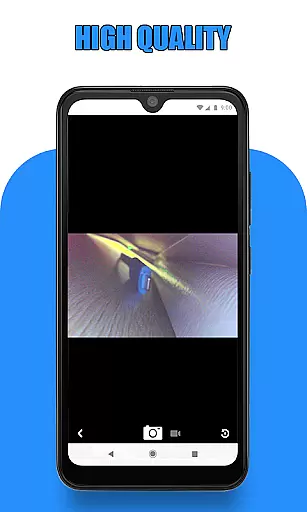
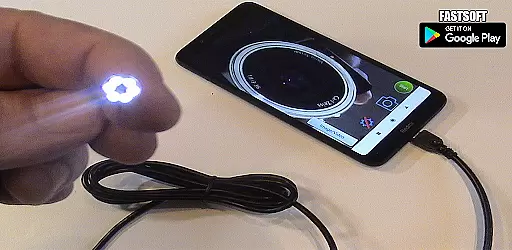
Endoscope Camera Connector is a specialized application designed to connect Android devices with external cameras such as endoscopes, USB cameras, or Borescope cameras. This app enables users to view live feeds, capture images, and record videos from these external devices directly on their smartphones. The app functions similarly to an OTG viewer, allowing seamless integration with UVC-compatible cameras through USB OTG or Type-C connections.
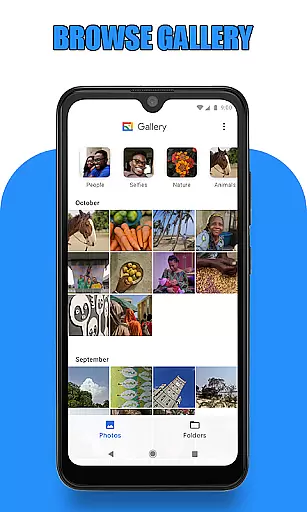
One of the key features of Endoscope Camera Connector is its ability to work with inspection cameras used in various professional fields like plumbing and sewer inspections. By checking the compatibility of both the smartphone and the camera beforehand, users can ensure smooth operation. The app also provides access to a gallery where captured media can be viewed, managed, and deleted easily, making it a versatile tool for both personal and professional use.
Endoscope Camera Connector offers a range of features tailored for users who need to integrate external cameras with their mobile devices. Upon launching the app, users can verify if their device supports USB OTG technology through the built-in USB OTG checker. Once confirmed, connecting a UVC-compatible USB camera is straightforward—simply plug in the camera via USB or Type-C, and the app will recognize it instantly.
The app's interface includes essential controls for capturing photos and recording videos with sound. Users can conveniently access all captured media through the integrated gallery feature. The gallery supports easy navigation between images and videos, and media management functions like deletion are readily accessible. Whether it's for inspecting blocked drains or conducting detailed sewer assessments, this app transforms your smartphone into a powerful inspection tool.
Endoscope Camera Connector offers a comprehensive solution for connecting your mobile device with various external cameras, including endoscopes, USB cameras, and Borescope cameras. This app ensures that users can seamlessly integrate their smartphones with specialized devices such as Depstech or sewer inspection cameras, broadening the scope of its functionality.
The app operates on the principle of USB OTG technology, allowing users to view and control external cameras directly from their Android devices. By supporting both USB OTG and Type-C connections, it provides flexibility in how users can connect their devices. The app facilitates not only video recording with sound but also enables reading and writing of pictures and videos through the phone's gallery.
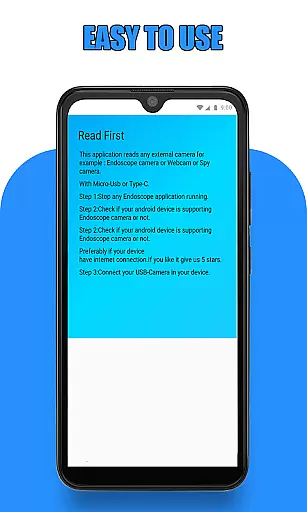
Before using the Endoscope Camera Connector, users are guided to verify if their device supports USB OTG and whether their camera is UVC-compatible. These preliminary checks ensure a smooth user experience by confirming hardware compatibility. Once connected, users can effortlessly capture photos, record videos, and manage their media files within the app's integrated gallery.
This application empowers users to perform tasks that traditionally required specialized equipment, such as inspecting blocked drains or conducting plumbing repairs without needing a dedicated drain unblocker or plumbing cam repair tool. Its versatility makes it suitable for professional inspections and personal projects alike.
Usability is at the core of the Endoscope Camera Connector's design, ensuring an intuitive and efficient user experience. Upon launching the app and connecting an endoscope camera via USB, users can immediately begin viewing live footage by simply clicking the camera icon. This straightforward process eliminates unnecessary steps, making it accessible even for those who may not be technologically savvy.
The app's interface is crafted to facilitate ease of use when capturing media. Users can take photos and record videos with minimal effort, while the integrated gallery allows for seamless management of these files. By swiping left within the gallery, users can easily switch between viewing images and videos, enhancing navigation and accessibility.
Additional features further contribute to operational smoothness; for instance, deleting unwanted media requires only a long press on the respective file, revealing a deletion icon. Such thoughtful design elements reduce friction during regular usage, enabling users to focus more on their inspection tasks rather than struggling with complex controls.
Overall, Endoscope Camera Connector stands out for its ability to transform a smartphone into a versatile inspection tool. Whether used professionally for sewer line examinations or casually for exploring tight spaces, this app delivers reliable performance wrapped in an easy-to-navigate package.
User-friendly interface
Wide compatibility with cameras
Integrated gallery for media
Real-time video feed
Easy media management
Limited to compatible devices
Requires OTG support
No advanced editing tools
Dependent on external hardware
Basic UI design

Read Holy Quran Feel Like Real Quran & Listen Al Quran Mp3 Audio Online Offline.
 4.70
4.70
Tune your game graphics with our GFX optimizer for optimal gaming experience
4.50
Block and secure the microphone and protect from secret listening and recording.
4.50
Connect your phone to any endoscope camera, USB camera, or borescope with ease.
3.70
A great tool help you to format Micro SD memory Card
3.10
Mobs maker Minecraft help MCPE creators make their own mob by using Blockbench
3.50
Mirror link car connector to share your screen with car dashboard
3.80
Phone Software Update Quick Checker helps you to keep your phone apps up to date
4.50
Unlock the hidden menus of your phone with our mobile secret codes app.
4.20
Wireless reverse charging using phone now is possible
4.30
Al QURAN-القرأن الكريم app to read Quran offline just like an actual Quran book
4.30
An impressive collection of tools, characters, weapons, skins and more!
4.30
Android secret code for smart phone, mobile codes, with secret codes app
4.20
Test DPC is a sample device policy controller for use with Android Enterprise.
4.20
A Pydroid Quick Install repository provider.
4.00
a wireless controller that provides a seamless and gaming experience for players
3.80
Mobile Connect To TV - HDMI USB & WiFi Screen Mirroring
3.70
Simulator of real black light
3.50
If you are looking for melon playground mod that fun you deffinitely try our app
2.70


User Reviews