
Micro SD Card Formatter is a specialized application designed to help users format and repair their SD cards directly from their mobile devices. The app offers an efficient solution for erasing and formatting damaged memory cards while ensuring the safety of important files and data.
With its user-friendly interface, this tool allows you to browse all folders and files on your device or Micro SD card, select specific memory types for formatting, and recover lost data such as pictures, videos, and files. Additionally, it provides features like memory cleanup, file copying, and moving between your phone and SD card.
This app is particularly useful for individuals who frequently use memory cards for data storage and need a reliable solution to fix corrupted or malfunctioning SD cards without losing valuable information.
Micro SD Card Formatter stands out with its comprehensive set of features tailored for SD card management. One of its key capabilities is the ability to format damaged Micro SD memory cards efficiently and securely. This ensures that users can transform their SD cards into a new state while keeping their important data safe.
The app also excels in data recovery, allowing users to recover files from damaged SD cards with ease. It includes functionalities such as browsing all folders and files on the device or Micro SD card, selecting specific memory types for formatting, and transferring files between the phone and SD card. These features collectively provide a robust solution for managing and maintaining memory cards.
Moreover, the lightweight and easy-to-use nature of the app enhances its appeal. Users can perform tasks like cleaning up memory, copying, and moving files with minimal effort. This makes Micro SD Card Formatter not only a powerful tool but also a convenient one for everyday use.
When it comes to formatting and recovering data from a damaged Micro SD card, the functionality of an app is crucial. The Micro SD Card Formatter app offers a comprehensive set of features that cover all essential aspects of memory card management.
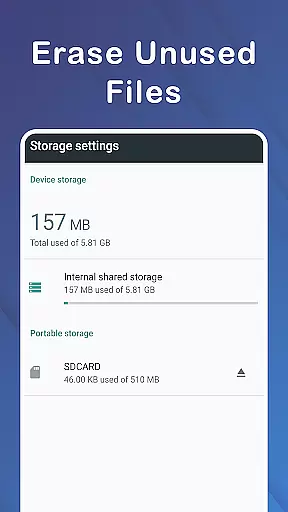
This app allows users not only to format their SD cards but also to browse through all folders and files on both the device and the Micro SD Card. It provides options to select either internal memory or SD Card for formatting, ensuring that users have control over which storage they wish to manage.
Moreover, the app addresses common issues such as the inability to write or transfer files, preventing unauthorized changes to the SD memory card, and dealing with sudden changes in the overall size of the SD card. These features collectively ensure that the app's functionality is complete and covers a wide range of user needs.
By offering these extensive capabilities, the Micro SD Card Formatter app ensures that users can effectively manage their storage devices without worrying about data loss or corruption.
Usability is a key factor in determining the success of any application, especially one designed for tasks like formatting and data recovery. The Micro SD Card Formatter app excels in providing a user-friendly experience with its lightweight design and straightforward interface.
One of the standout features of this app is its ease of use. Users can format their SD cards and recover lost data (pictures, videos, files) with just a few clicks. This simplicity makes it accessible even to those who may not be tech-savvy, ensuring that everyone can benefit from its powerful capabilities.
In addition to formatting, the app also supports file management operations such as copying and moving files between the phone and the SD Card. This versatility enhances the overall usability of the app, making it a one-stop solution for all memory card-related tasks.
The operational smoothness of the Micro SD Card Formatter app ensures that users can perform their desired actions without encountering glitches or delays. Its efficient performance and intuitive controls make it a reliable tool for maintaining and optimizing storage devices.
Efficient formatting
Data recovery
User-friendly
Lightweight
Secure erasing
Limited advanced options
Basic UI design
Occasional bugs
No cloud backup
Ads present

If you are looking for melon playground mod that fun you deffinitely try our app
 2.70
2.70
Mobs maker Minecraft help MCPE creators make their own mob by using Blockbench
3.50
MirrorLink for connecting your Android phone to your car’s infotainment screen.
4.50
An impressive collection of tools, characters, weapons, skins and more!
4.30
Barcode scanning made simple!
4.40
DamonSx2 is the open Source LGPL Emulator
3.20
Phone Software Update Quick Checker helps you to keep your phone apps up to date
4.50
Mirror phone to TV effortlessly! Stream, share & connect with Airplay ease.
3.60
Unlock the hidden menus of your phone with our mobile secret codes app.
4.20
Tune your game graphics with our GFX optimizer for optimal gaming experience
4.50
Popular mods fnaf mods for melon playground
4.50
An essential GFX utility developed for specific FPS mobile games
4.50
Manage apps & elevate your gaming experience with Game Launcher: Gaming Hub app.
4.30
View your cameras anywhere and anytime
4.20
a wireless controller that provides a seamless and gaming experience for players
3.80
Ps2 plugins for 64 bit artitechture
3.70
Simulator of real black light
3.50
Looking to connect your phone to your car screen? Mirror Link is the solution.
3.20
Zlink Carplay Android a mirror link app with a Carplay interface style
4.3


User Reviews