
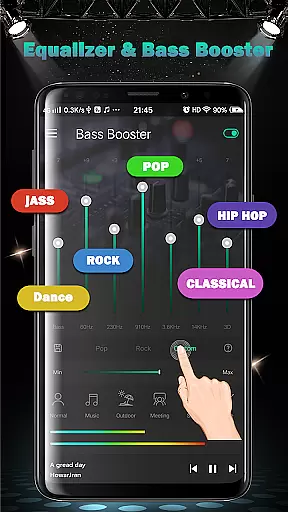
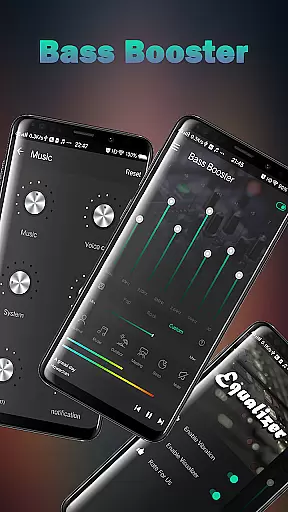
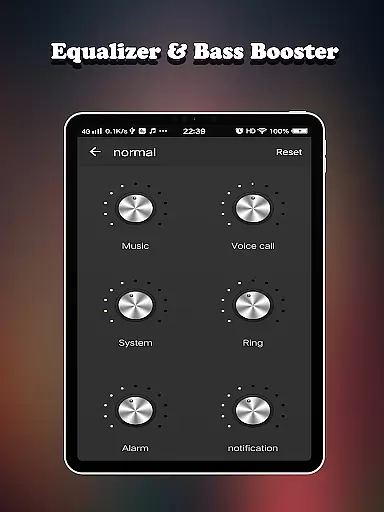
Equalizer FX Pro is a comprehensive audio enhancement application designed for Android users who seek to elevate their sound experience. This app combines an equalizer, bass booster, and volume booster to optimize audio quality across all media players. Whether you're listening to music, watching videos, or playing games, Equalizer FX Pro adjusts the sound frequencies to deliver richer bass and clearer tones.
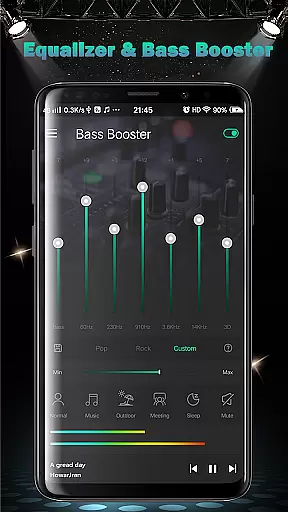
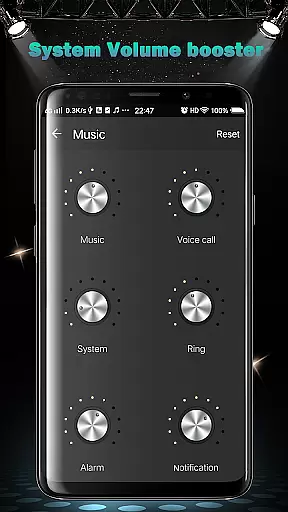
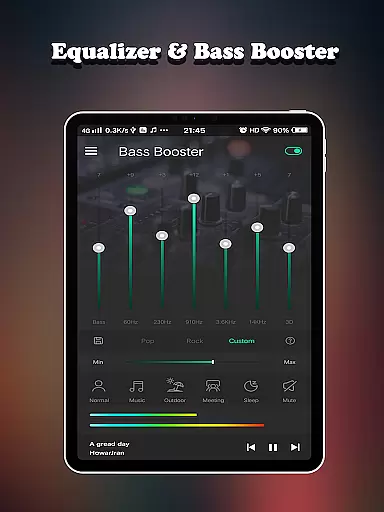
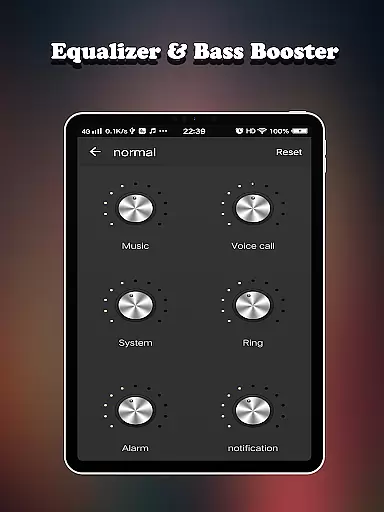
The app offers six distinct volume modes tailored to various scenarios such as normal, music, outdoor, meeting, sleep, and mute modes. These presets allow users to customize their audio experience according to their environment. Additionally, the volume booster feature enables precise control over different types of system volumes including media, voice, ringtone, alarm, and notifications.
With its user-friendly interface and powerful features, Equalizer FX Pro enhances your listening experience by providing detailed sound adjustments and visual spectrums. Whether using headphones or speakers, this app ensures that every note and beat is heard with exceptional clarity and depth.
Equalizer FX Pro boasts a range of advanced features designed to enhance your audio experience. The app includes a 7-band equalizer that allows users to fine-tune specific frequency ranges, ensuring optimal sound quality for any type of audio content. With ten predefined equalizer presets, users can quickly select a setting that best matches their current activity or mood.
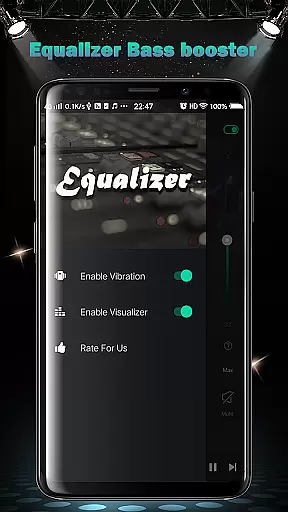
In addition to the equalizer, the app provides a bass booster and virtualizer effect to deepen the low-end frequencies and create a more immersive listening experience. Users can also enjoy two visual spectrums that display real-time audio levels, adding a dynamic visual element to their music playback.
One of the standout features of Equalizer FX Pro is its ability to control six different volume types within the Android system. This granular control ensures that users can adjust media, voice, ringtone, alarm, notification, and system volumes independently. Furthermore, the app supports music playback controls, allowing seamless integration with any media player on your device.
Equalizer FX Pro offers a comprehensive suite of audio enhancement features that elevate the listening experience on your Android device. While it doesn't provide a traditional music library, the app enhances whatever music you choose to play, ensuring optimal sound quality and richness.
The application works seamlessly with any media player, allowing users to enjoy enhanced sound regardless of their music source. This versatility ensures that whether you're streaming music online or playing local files, you'll benefit from improved audio quality.
Regarding copyright authenticity, Equalizer FX Pro respects user's existing music libraries and doesn't interfere with or modify original audio files. The app focuses solely on enhancing playback quality through its sophisticated equalization features.
Users can rest assured that while using this app, they're not violating any copyright laws as it doesn't distribute or alter copyrighted material. Instead, it provides tools to optimize personal listening experiences while maintaining legal compliance.
One of Equalizer FX Pro's standout features is its extensive range of audio quality enhancement options. The app offers a 7-band equalizer with 10 presets, allowing users to fine-tune their listening experience across different frequency ranges for optimal sound reproduction.
The inclusion of both virtualizer effects and bass boost capabilities provides users with professional-grade audio adjustment tools. These features enable precise control over spatial effects and low-frequency response, making it possible to achieve studio-quality sound on mobile devices.
With 6 volume modes catering to various listening scenarios - from normal to custom settings - users can adapt their audio experience to specific environments. Whether you're at home, outdoors, or in a meeting, there's an appropriate setting to enhance your audio experience.
The app also features two visual spectrums that display real-time audio information, helping users make informed adjustments to their sound settings. This combination of technical features and visual feedback ensures that users can achieve the best possible audio quality for their personal preferences and listening conditions.
Enhances sound quality
User-friendly interface
Multiple volume modes
Real-time visual spectrums
Wide compatibility
Premium version required
Occasional bugs
Ads in free version
Complex for beginners
Drains battery

Fun & Easy Voice Changer – Record, Edit & Add Hilarious Effects!
 4.50
4.50 4.70
4.70
The Skullcandy App Experience
3.20
JBL PartyBox APP works with 110/310/710/120/320/520/Encore/Encore 2/Encore Ess 2
4.80
Brian Eno and Peter Chilvers’ acclaimed music app Bloom, radically reinvented.
4.80
The only true audiophile music player with Hi-Fi audio rendering and DSP engine
3.90
Bass Booster Pro takes auto-equalizing to the next level!
4.30
Enjoy singing any song, no matter how high or low it is
4.30
Uninterrupted Tunes, Unmatched Vibes
3.90
Full-featured, High-Quality Groovebox Workstation, perfect for Live Performance!
4.80
Gorgeous UI, Powerful music Search and Equalizer, the great choice for you!
4.70
Taal player that lets you sing any Indian & Western song with Tabla & Tanpura
4.60
Your HD audio recorder on the go for music, meetings, ambience, animal sounds…
4.30
Time Guru will strengthen your internal sense of musical time via random muting.
4.30
Master Salsa Rhythm quickly and with a lot of fun!
4.30
Smart piano keyboard, Classical to Pop, Real-time multiplayer connection!
4.20
Turn your Android phone into a professional audio analyser with up to 120 bands.
4.00
USB audio recording and playback finally possible on Android 3.1 or higher!
3.90
Music Streaming suite for Ampache, Nextcloud Music and compatible backends.
4.4


User Reviews