
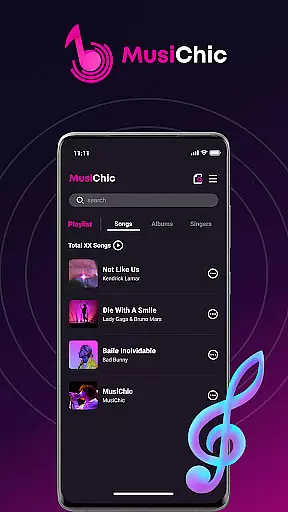
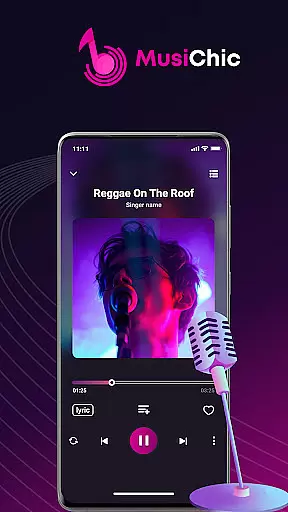
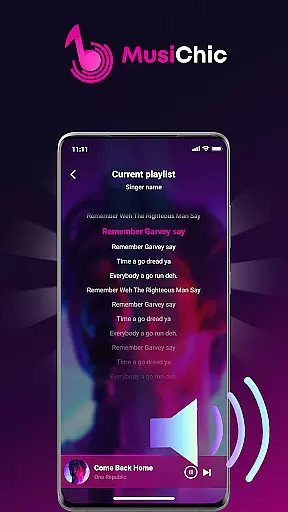
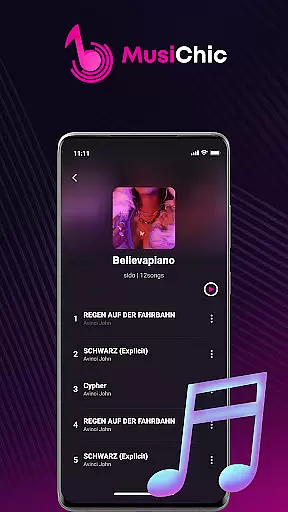
MusiChic is a premium offline music player designed for discerning music enthusiasts who value both quality and functionality. This application transforms your mobile device into a personal concert hall, delivering lossless audio playback across multiple formats including MP3, FLAC, and WAV.
The app's intelligent scanning system instantly organizes your entire local music library, creating a seamless navigation experience through albums, artists, and genres. Whether you're curating custom playlists for work or managing exclusive collections for special occasions, MusiChic provides the perfect soundtrack for every moment of your life.
Beyond basic playback, MusiChic offers sophisticated music management tools that set it apart from standard players. The app's smart curation system automatically categorizes your collection while enabling rapid search capabilities across all metadata fields.
Advanced customization options allow users to create unlimited personalized playlists and maintain private music libraries. The player's offline functionality ensures uninterrupted listening without internet dependency, making it ideal for travelers and commuters who demand consistent audio quality in any environment.
Additional features include customizable equalizer settings, detailed file information display, and seamless integration with your device's local storage system, providing complete control over your music library management.
When it comes to digital music players, the size and authenticity of the music library are crucial factors for any audiophile. MusiChic offers an impressive local music library that is instantly accessible through its smart scanning feature.
The application supports a wide array of audio formats, allowing users to enjoy their existing music collection without compatibility concerns. This extensive format support ensures that whether you have MP3s or lossless FLAC files, your library is ready for playback.
While MusiChic specializes in offline playback, ensuring that all music is legally owned by the user, it provides tools for organizing and managing personal collections with ease. The emphasis on a local library means users can be confident in the copyright legitimacy of their music.
With features like auto-organization by album, artist, and genre, listeners can curate their music library to reflect their unique tastes and preferences, making every listening session a personal journey through their legitimate music collection.
For those who demand the best in audio fidelity, MusiChic stands out with its commitment to delivering concert-hall quality sound. The player supports lossless audio playback, preserving the original quality of your music files for an unmatched auditory experience.
Whether you're using high-end headphones or a premium speaker system, MusiChic ensures that every note is rendered with precision. The absence of compression artifacts makes it ideal for enjoying music in its purest form, just as the artists intended.
Beyond supporting various high-quality audio formats, MusiChic also offers customizable audio settings. Users can tailor their listening experience to match their preferences or equipment capabilities, enhancing the overall enjoyment of their music library.
This dedication to superior sound quality means that from the deepest basslines to the crispest high notes, MusiChic provides an immersive and authentic musical experience that satisfies even the most discerning ears.
Lossless audio quality
Intelligent library scanning
Unlimited playlist creation
Offline playback capability
Multi-format support
No streaming service
Premium price point
Complex interface
Limited social features
High storage usage

Make music anywhere. Turn your device into an instrument.
 4.4
4.4
Control your MIDI USB or Bluetooth devices in app and avoid some trampling
3.30
Your song collections with lyrics and chords on Android smartphones and tablets.
4.80
The ultimate media player for Android devices
3.90
The alternative folder based music player.
4.20
Enjoy singing any song, no matter how high or low it is
4.30
The Minimalistic Premium Music Player. Handmade with passion for music
2.20
Play KORG’s revolutionary touch-based instrument on a variety of devices.
4.40
Get alarms that fit your lifestyle and wake up to the sounds you love.
4.80
Brian Eno and Peter Chilvers’ acclaimed music app Bloom, radically reinvented.
4.80
Responsive piano with great sounds, graphics, and songs
4.80 4.70
4.70
Most Advanced AI Song Generator and Music Creator. Rap, Pop, Rock, Gospel & more
4.70
Taal player that lets you sing any Indian & Western song with Tabla & Tanpura
4.60
Visualize the guitar fretboard, master scales & play through changes like a pro!
4.50
Formerly known as Spotistats! View your top tracks, artists, albums and more!
4.40
Equalizer, Bass Booster and Volume Booster (Eq & Bass) improve sound quality
4.30
The original SP-1200 experience on your iPad
4.20
PowerAudio is a powerful offline music player.
4.20


User Reviews