
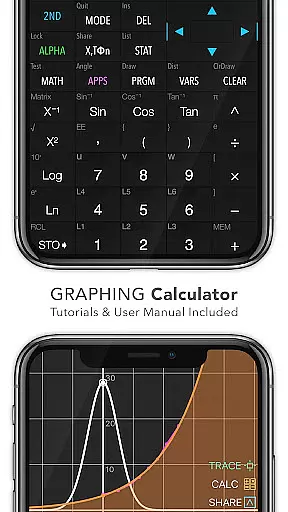
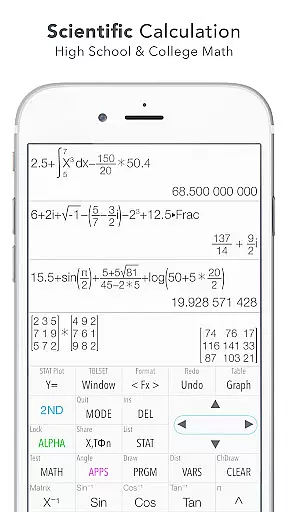
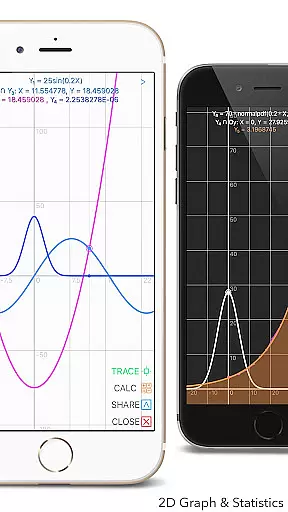
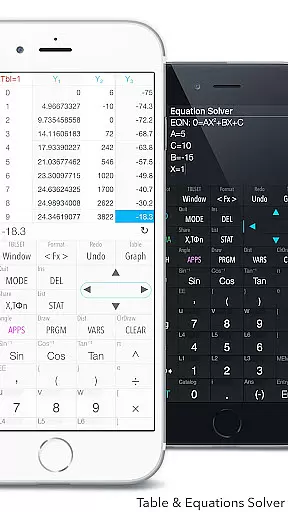
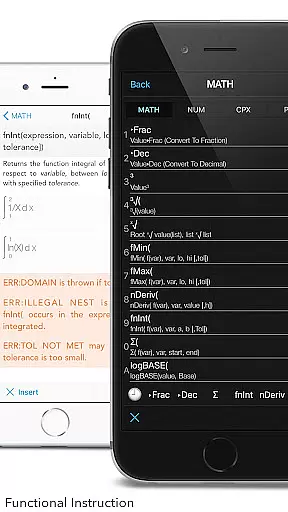
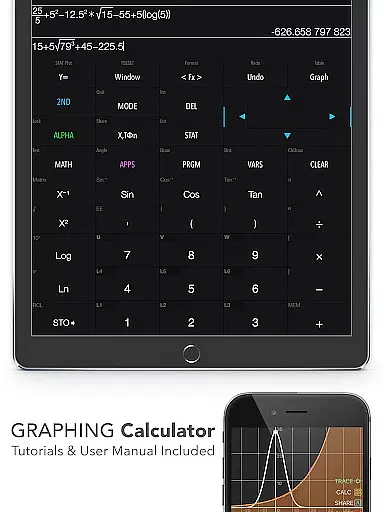
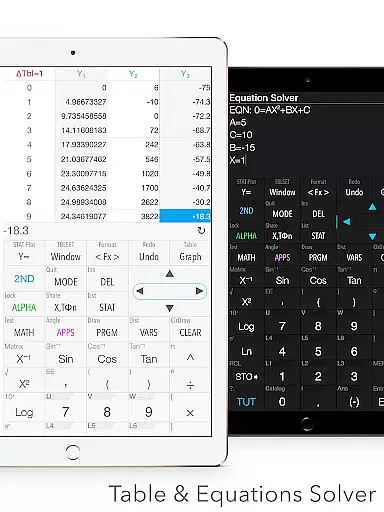
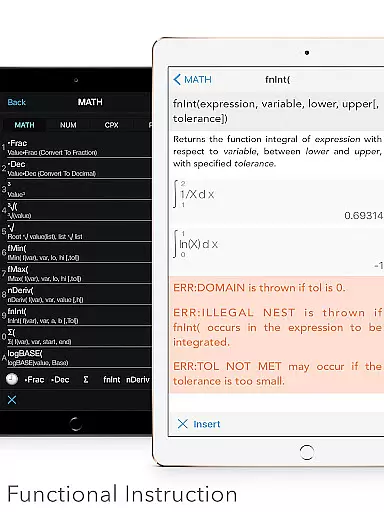
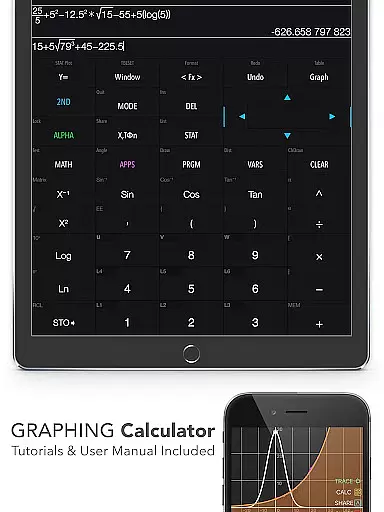
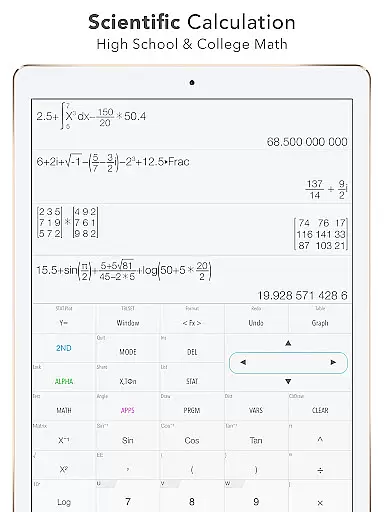
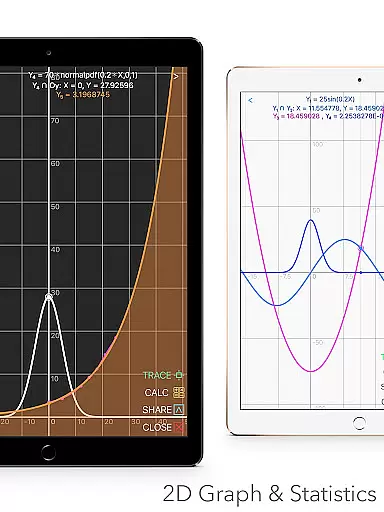
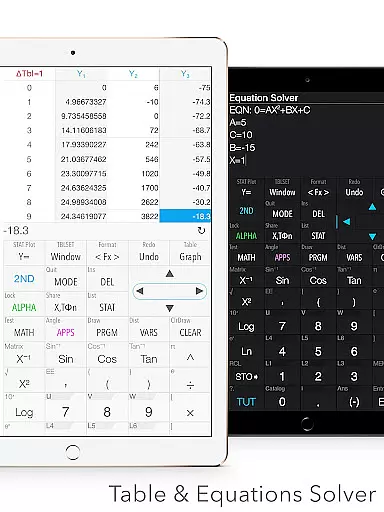
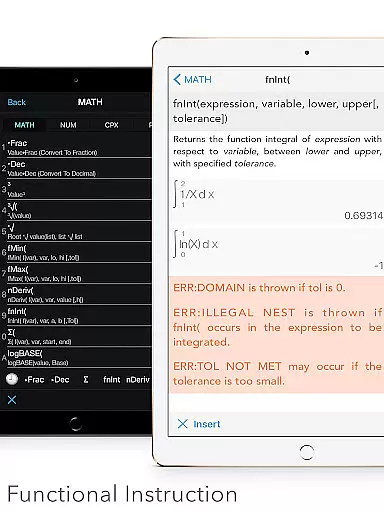
Graphing Calculator Plus represents the pinnacle of advanced calculation tools available on mobile devices, specifically designed for students, educators, and professionals in math-heavy fields. This app mirrors the functionality of traditional TI-84 and TI-83 calculators while offering a more accessible and versatile experience through its digital platform.
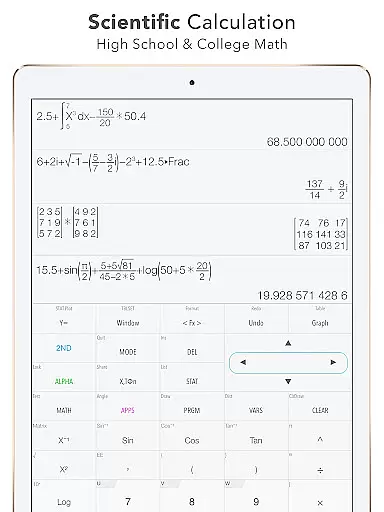
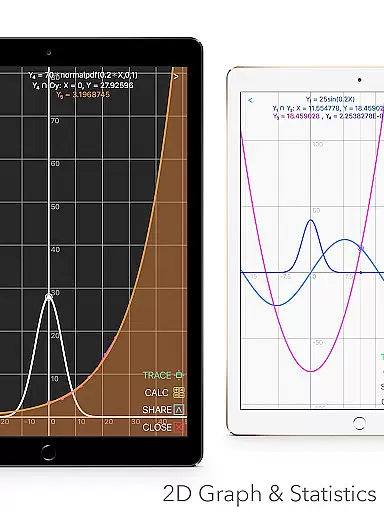
The calculator is equipped with an extensive range of features including 2D graphing, statistical analysis, matrix operations, and programmable functions. Its intuitive interface supports both basic calculations and complex mathematical tasks such as integral calculus, polynomial solving, and regression analysis. With dual themes, customizable functions, and over 40 common constants, it caters to a variety of preferences and needs.
Ideal for academic and professional settings, Graphing Calculator Plus allows users to visualize data, solve equations, and perform advanced computations on-the-go. Whether you're tackling high school algebra or engineering problems, this app provides the tools necessary to succeed.
Graphing Calculator Plus stands out due to its comprehensive feature set tailored for diverse mathematical applications. The app includes a robust MATH CORE with mathematical display support, enabling precise calculations ranging from basic arithmetic to advanced calculus operations.
One of its key strengths lies in the specialized modes it offers, such as Number Base-N mode for binary operations, Financial Calculation for time-value-of-money problems, and Geometry & Chemistry apps for educational purposes. Additionally, the app provides built-in documents that guide users through essential processes like X & Y calculations, local maxima/minima determination, and statistical regression.
Other notable features include simultaneous graphing with smooth zoom capabilities, unit conversion across 50 categories, and programmable commands for custom workflows. These functionalities ensure that users can tackle any mathematical challenge efficiently while enjoying a seamless user experience.
In the realm of education, content accuracy is paramount. Graphing Calculator Plus ensures precision by integrating a powerful MATH CORE and MATH DISPLAY support, making it an indispensable tool for engineers and math students alike. This app doesn't just replicate the functions of traditional calculators; it enhances them with advanced capabilities like statistics, regression analysis, and matrix operations.
Every feature within Graphing Calculator Plus has been meticulously crafted to adhere to mathematical standards. With built-in documents covering basic general calculations, X & Y calculation, intersection of functions, local maxima and minima computation, and integral functions, users can trust that they are engaging with authoritative content. The inclusion of over 40 common constants and more than 50 categories in its unit converter further solidifies its standing as a reliable educational resource.
For learners who require guidance, the app provides an in-depth user manual and tutorial. These resources not only answer queries about the application but also deepen one's understanding of complex mathematical concepts. By offering such comprehensive support, Graphing Calculator Plus empowers students to tackle their studies confidently, knowing they have access to accurate information at all times.
Graphing Calculator Plus stands out in the Education category by offering personalized learning paths tailored to individual needs. Whether you're a student grappling with algebra or an engineer performing intricate calculations, this app adapts to your level of expertise. Its versatility is showcased through diverse functionalities ranging from basic arithmetic operations to solving equations and polynomials, thus catering to various stages of mathematical proficiency.
The calculator's programming environment allows users to create custom functions (F1, F2, F3) and even includes example source codes for inspiration. This flexibility enables learners to develop their own problem-solving strategies, effectively personalizing the educational journey. Moreover, the ability to edit and export expressions/results fosters a hands-on approach to learning where experimentation leads to mastery.
With dual themes available for interface customization, along with financial calculation tools and geometry applications, Graphing Calculator Plus supports multiple learning styles. As updates continue to roll out, additional features will be incorporated, ensuring that each useru2019s path remains dynamic and relevant. Such adaptability makes it an invaluable companion on any learner's quest for knowledge.
Powerful math engine
User-friendly interface
Comprehensive documentation
Versatile calculator modes
Regular updates
Premium pricing model
Occasional bugs reported
Steeper learning curve
Limited offline support
Heavy on system resources

An animated storybook app to help ease your child through toilet training.
 3.70
3.70
Childcare Management App: Daily sheets, sign in-out, billing and learning tools
4.70
The Only Official DVSA Theory Test Kit App
4.50
The official CCM Glossary app, including 700+ terms and definitions.
2.90
Monkey Preschool Lunchbox: 7 exciting educational games for your preschooler.
4.30
For medical training - Visualize complex vein maps and structures in real-time.
4.10
A realistic sky map to observe stars, planets, satellites and constellations!
4.80
Learn & Speak New Languages
4.70
Cool math games & learn to read activities- loved by kids, approved by teachers.
4.50
Hebrew Vocab
4.90
Stack the Countries makes learning world geography fun!
4.50
Pass your FAA written with flying colors - Study Buddy can help.
4.30
Skelly is a fully poseable, anatomically correct reference skeleton for artists.
4.10
An aviator’s preparation, study and test tool for FAA Knowledge Exams.
4.00
Listen, request and record pronunciations in more than 450 languages. Everywhere
3.90
Make your own game and world. Draw and animate characters
3.70
THE MOST COMPREHENSIVE JUMPMASTER STUDY RESOURCE AVAILABLE.
3.40
Quiz App to help case managers studying for CCMC Certification, 200+ Questions
3.40
Master the NRP with 700+ questions, rationales, and updated NREMT scenarios.
3.00


User Reviews