
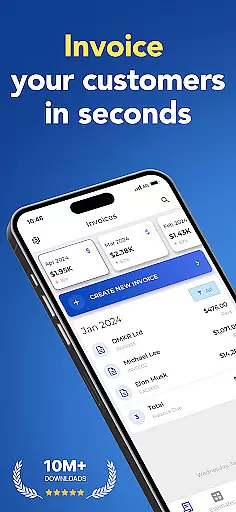
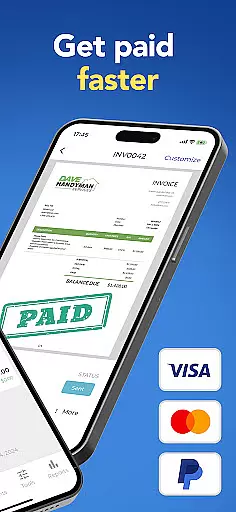
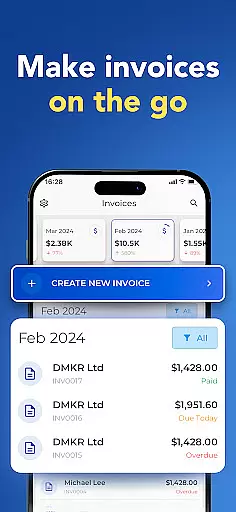

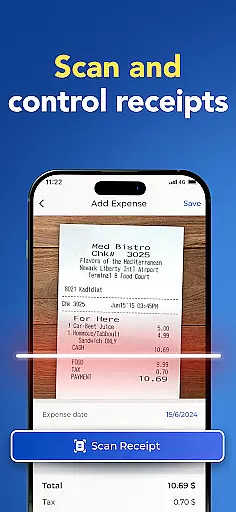
Invoice Maker is a powerful business tool designed to streamline the invoicing process for freelancers, small businesses, and contractors. This app allows users to create professional invoices quickly and efficiently directly from their mobile devices.
The application offers a comprehensive set of features including customizable invoice templates, the ability to add payment information, taxes, discounts, and even signatures. Users can also track their invoices, receiving notifications when clients open them. With support for syncing across multiple devices and 24/7 customer service, Invoice Maker ensures you can manage your finances wherever you are.
Whether you're at home or on the go, Invoice Maker helps maintain organized financial records and simplifies client billing, making it an essential app for any modern business.
Invoice Maker stands out with its robust feature set tailored for business professionals. The app enables creation of invoices in under a minute, complete with options for taxes, discounts, and detailed notes. Its intuitive interface lets users generate invoices from estimates effortlessly.
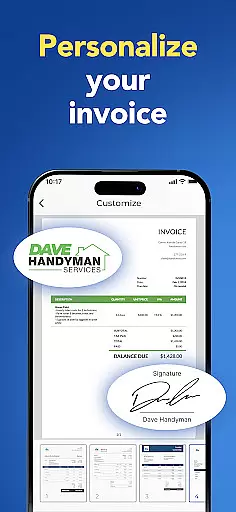
Customization is key within Invoice Maker; choose from various templates and personalize them by attaching images, adding signatures, and incorporating specific terms. Integration with phone contacts facilitates quick client setup, while synchronization capabilities ensure all devices reflect the latest data.
Additional functionalities include income tracking through easy-to-use reports, instant sharing or printing of invoices, and real-time notifications upon client receipt. These features collectively enhance productivity and offer significant advantages over traditional invoicing methods.
Collaborative work features are essential for modern business applications, enabling teams to work together efficiently regardless of location. Invoice Maker excels in this area by providing seamless integration with your existing contacts and allowing real-time synchronization across all your devices.
The app allows users to quickly set up client information directly from their phone's contact list, ensuring that all team members have access to the most up-to-date client details. This feature significantly reduces the time spent on manual data entry and minimizes errors, leading to more accurate invoicing.
Moreover, Invoice Maker supports cross-device synchronization, which means you can start an invoice on your phone and finish it on your tablet or computer without missing a beat. This ensures that all team members are always on the same page, enhancing overall productivity and collaboration.
By leveraging these collaborative features, businesses can streamline their invoicing processes, reduce administrative overhead, and focus more on delivering value to their clients.
Effective task management is crucial for maintaining productivity and ensuring timely completion of work. Invoice Maker offers robust task management features that help users organize, track, and manage their invoicing tasks with ease.
One of the standout features is the ability to create professional invoices in less than a minute. Users can generate invoices from estimates with just a tap, choose from various customizable templates, and add necessary details such as payment information, taxes, and due dates. This streamlined process ensures that no task is left undone and every invoice is accurate and professional.
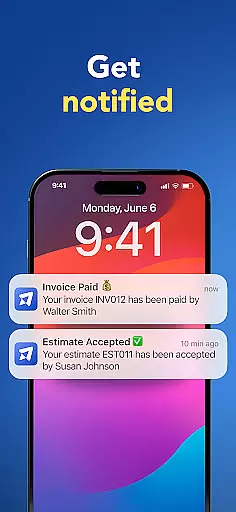
In addition, the app provides notifications when clients receive and open invoices, allowing users to track the status of their tasks in real-time. This feature helps freelancers and small business owners stay on top of their financial transactions and follow up promptly if needed.
With its comprehensive task management capabilities, Invoice Maker empowers users to maintain control over their invoicing workflow, ultimately leading to improved efficiency and better financial organization.
User-friendly interface
Comprehensive customization options
Real-time invoice tracking
Multi-device synchronization
Dedicated customer support
Limited free features
Occasional sync issues
Advanced options require subscription
Some template designs are basic
Notifications may delay

GoTo Mobile is a simple & secure calling, messaging & meetings solution
 4.80
4.80
FX Plus adds media, networking, and cloud capabilities to FX File Explorer.
4.10
ANDROID'S TOP MOBILE OFFICE - Word, Excel, PowerPoint and PDF at your fingertips
4.50
Earn crypto with secure cloud mining. Monitor, track & withdraw easily
4.40
The All-in-One File Manager for Phone, TV, Watch, Cars, XR / VR, Chromebook
4.10
Get your benefits on-the-go.
3.80
Your employer must have UKG Ready software configured for Mobile.
4.60
Get instant construction estimates: accurate home repair & material calculator.
4.70
Delivery Track App - Tracking with Fedex, USPS, UPS, DHL. Monitor your Orders.
3.20
Permission Guard is a security app that helps you manage app permissions.
4.80
Employee Management Made Easy
4.80
The MyWalmart App is available for all associates in stores.
4.70
Paychex Flex - Save Time and Stay Connected
4.60
Find jobs near you and temp work in minutes, from your phone.
4.50
From Gone to Back Again — In Just a Few Taps
4.50
The app that lets you deliver with Amazon.
4.50
ADP Mobile Solutions is an employee self service app
4.50
The revolutionary flexible staffing platform
4.40
Shop, deliver, and earn with the Spark Driver™ App
4.10


User Reviews