
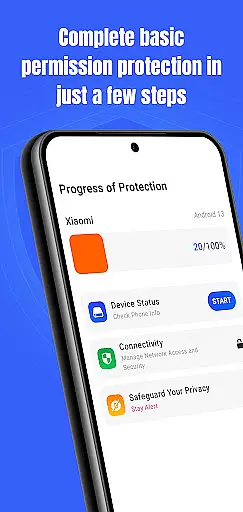
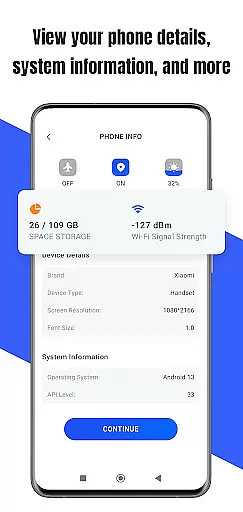
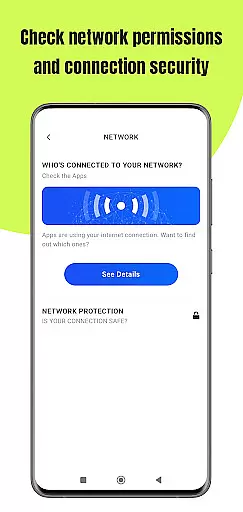
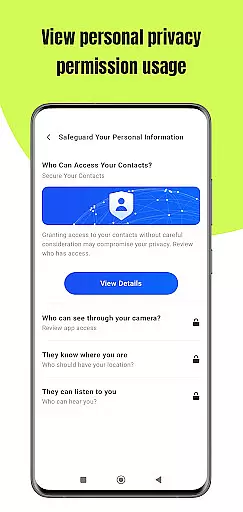
Permission Guard is a security app designed to help you manage app permissions and protect your device. It monitors the permissions granted to apps, ensuring that they only access the data they need. With Permission Guard, you can stay informed about your device's privacy settings and maintain control over your personal information.
This app is particularly useful for business users who handle sensitive data on their devices. By providing detailed insights into which apps have access to what information, Permission Guard allows you to prevent unauthorized access and potential data breaches. This ensures that your business communications and confidential files remain secure at all times.
Permission Guard offers a comprehensive set of features to enhance your device's security. The app provides real-time monitoring of app permissions, alerting you whenever an app attempts to access sensitive information. You can customize permission settings for each app, allowing you to tailor the level of access based on your specific needs.
In addition to permission management, Permission Guard includes a privacy advisor that offers recommendations on how to improve your device's security. The app also features a user-friendly interface that makes it easy to navigate and adjust settings. Whether you're a business professional or simply concerned about your privacy, Permission Guard equips you with the tools necessary to safeguard your data effectively.
Collaborative work features are essential for modern business applications, enabling teams to work together efficiently and securely. Permission Guard supports this by allowing businesses to manage app permissions across multiple devices within a team.
The app provides administrators with the ability to monitor and adjust permissions for all team members, ensuring that each member only has access to the necessary data and functionalities required for their role. This centralized control helps maintain security while promoting seamless collaboration.
Users benefit from enhanced privacy protection as Permission Guard ensures that no unnecessary data is shared between team members. By keeping permissions aligned with individual responsibilities, businesses can prevent potential data breaches and maintain a secure working environment.
This feature not only boosts productivity but also reinforces trust among team members, knowing that their personal and professional data is safeguarded against unauthorized access.
Effective task management is crucial for maintaining productivity and ensuring that projects progress smoothly. Permission Guard offers robust tools for managing tasks related to app permissions, making it easier for users to stay on top of their responsibilities.
The app allows users to create, assign, and track permission-related tasks, ensuring that all necessary actions are completed on time. With customizable alerts and notifications, users can be reminded of upcoming deadlines or changes in permission statuses, helping them prioritize their workload effectively.
By integrating task management with permission monitoring, Permission Guard ensures that users are always aware of the current state of their device's security settings. This proactive approach helps prevent oversights that could lead to security vulnerabilities.
Ultimately, Permission Guard empowers users to take control of their deviceu2019s security through efficient task management, leading to improved overall performance and peace of mind.
Enhanced Security
Real-Time Monitoring
User-Friendly Interface
Customizable Settings
Privacy Advisor
Limited Free Features
Occasional False Alerts
Requires Regular Updates
Consumes Device Resources
Not Suitable for Novices

Zoom built for Chrome OS
 3.90
3.90
The Penny Puss app with DG penny finder
4.10
Paychex Flex - Save Time and Stay Connected
4.60
Master crypto trading with real-time simulations and exciting challenges!
4.50
Job search app that finds jobs for you! Takes the work out of looking for a job!
4.90
Smarter career moves start here. AI job alerts, insights & the right tools.
4.20
All-in-one Mobile solutions for employees & managers to succeed at work
4.30
Earn money with the driver & delivery partner app for Uber, UberEats & Postmates
4.60
Chat, meet, and collaborate to achieve more together, all in one place on Teams
4.60
BuildCalc - the easiest AND the most advanced construction calculator app.
4.80
Manage Your Shop
4.70
Find jobs and make money fast with JobStack.
4.60
The app that lets you deliver with Amazon.
4.50
ADP Mobile Solutions is an employee self service app
4.50
Make money as a delivery driver with DoorDash and work when you want as a Dasher
4.30
On the go? Take FedEx with you.
4.00
Simple, Fast & Lightweight
3.90
viewing and sharing of PDFs
3.60
Completed Course Lectures on how to use IBM Maximo in Maintenance issues
4.2


User Reviews